
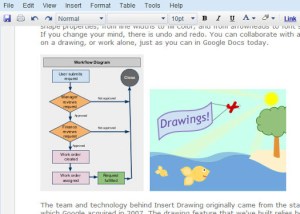
I flunked art in Kindergarten, but hopefully, I won’t need to be an expert to use art stuff in GoogleDocs! From their announcement:
It’s easy to create drawings using lines, free hand scribbles, text labels and a large choice of shapes that you can move, resize, rotate and adjust. Group, order, align and distribute and other features are available when you select objects you’ve drawn. You can also customize a range of shape properties, from line widths to fill color, and from arrowheads to font size, and much more. If you change your mind, there is undo and redo. You can collaborate with a friend or colleague on a drawing, or work alone, just as you can in Google Docs today.
Source: Drawing in GoogleDocs
What a thrill!
var addthis_pub=“mguhlin”;

 Subscribe to Around the Corner-MGuhlin.org
Be sure to visit the ShareMore! Wiki.