Worried about relying on just ONE solution–like Dropbox–to store your files “out there” in the cloud? Consider Jeff Thomas’ point about Dropbox being down recently….
I’m trying to prepare my final post of my Google Sites series and I needDropbox access. Fortunately I don’t need any specific file–I just need it as a part of a screencast. But what if I did need that file right now in preparation for a presentation? Dropbox is down as we speak!
Update: Yes, SugarSync DOES work with UbuntuLinux. And, you can share folders with others. Read up on it.
- You start out with 5 gigs of free space on SugarSync as opposed to 2 gigs with Dropbox
- You get 500 megs free space for each referral to 250 megs with Dropbox
- You get 10 gigs of free space if a referral pays for a plan (and those look reasonable, too).
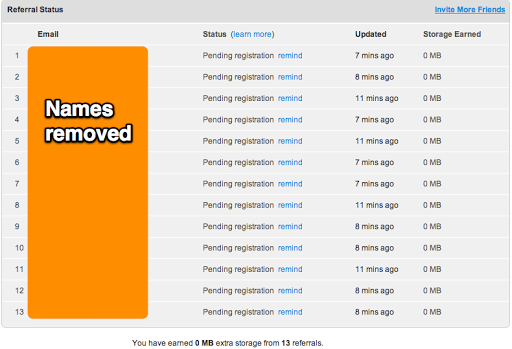
Remember, the more people you refer who join SugarSync, the more free storage you get. It’s easy: you get an extra 500MB for each person you refer who joins a free plan and a whopping extra 10GB for each person who joins a paid plan! What’s even cooler is that your friend also gets the same free storage due to your referral. (SugarSync Email)
 |
| Desktop app |

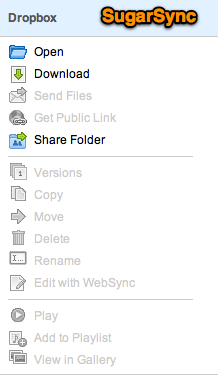 One of the neat aspects is that you can email files to SugarSync. With Dropbox, it’s my understanding you have to use a third party solution (e.g. SendtoDropbox.com, AirDropper.com). But you can do that with SugarSync, and if you are syncing folders to Dropbox, then you can email to SugarSync and have it get dropped right into Dropbox!! Pretty nifty.
Another feature I liked is the Web Archive. It’s described in this way:
The Web Archive is a location for storing files that do not need to be synced, but just need to be backed up and stored online. If you want to make room on your hard drive, and you no longer need to make changes to the files, then they’re perfect for storing in the Web Archive.
Some drawbacks to SugarSync, although these may be due more to my ignorance:
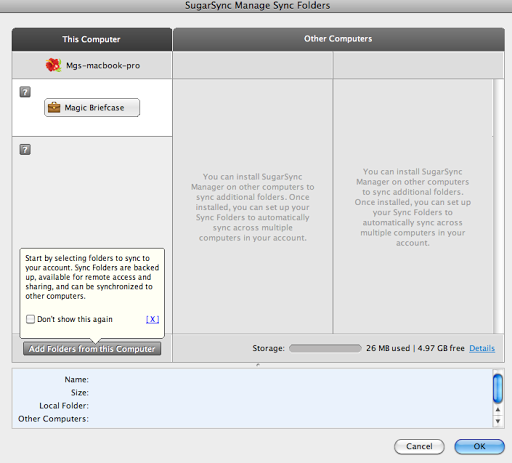
- I couldn’t find an easy way to, as one would say with Dropbox, “unlink” a folder or remove it from synching. Once you setup a folder, it’s almost as if you’re stuck with that being the folder. You can always add more but…it would be nice to unlink. I tried both the web and desktop apps to no avail.
Finally found the solution in the Help files. - On the Known Issues page of SugarSync, it says there’s no iPhone app (“None”) but the Help files clearly show there is. Which is it?
- I didn’t see any way to upload files via the web, although downloading isn’t an issue.
Update 2/19/2011: Yep, there’s an upload via the web interface but it requires Shockwave/Flash compatibility (check image below):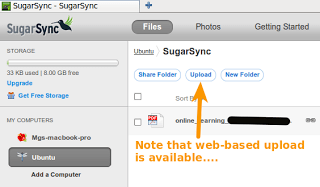


Enter your email address:
Delivered by FeedBurner

 pingthis();

Discover more from Another Think Coming
Subscribe to get the latest posts sent to your email.
 Another Think Coming