 |
| Image Source: http://diabeticdietsnews.com/wp-content/uploads/2010/03/diabetic-hypo.jpg |
Updated 2/19/2011 – Added uninstall overview.
A colleague jumped into SugarSync yesterday with both feet, and unfortunately, accidentally deleted her files on her computer. Though the decision to delete was clearly my colleague’s, rather than some problem with SugarSync, she is now stuck trying to figure out how to “undelete” her files on Sugarsync–which offers undelete just like Dropbox–and then, after the files are undeleted, a way to get 5 gigs of files from SugarSync back to her computer.
Before working with these options, you have to first UNDELETE files if you accidentally deleted them on SugarSync:

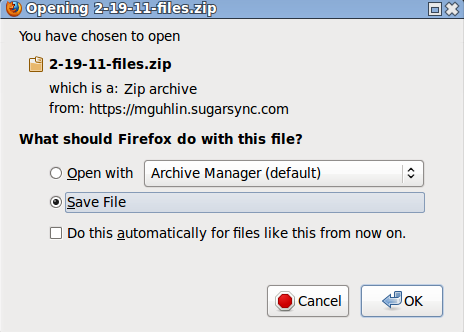
You might want to use this option if you need to get your data out of SugarSync and don’t want to install the file manager on your computer so it can “get” the web-based version of your files and save them to your computer. Although I’m not sure if Sugarsync will be able to handle a 5 gig sized compressed file of documents–maybe it will break them up into multiple 4 gigabyte files to accommodate the FAT32 individual file size constraints–you might be able to download the files as a zip file.

 Option #2 – Install the SugarSync File Manager and let it do the work.
With 5 gigs of files, it might be easier to just install the Sugarsync File Manager and let it synchronize your files, dropping a copy of the undeleted files into the location where they were previously. If you take this approach, your folders will display the black on yellow background “synching” arrows (arrows going in a circle) until the synch is done, as shown in the image to the right.
In the image below, note that the SugarSync File Manager appears, as do two folders to the right. The folder entitled “SugarSync” is the folder that is synchronized to the web, while the second folder below it is a folder (“Pictures”) where I pasted the contents of the “SugarSync” folder.
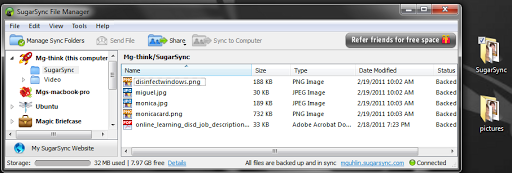
Once it is done synching, copy the files to a folder not set up to sync to SugarSync and uninstall SugarSync. You may also want to go to the SugarSync web site and permanently delete files that are there.


Enter your email address:
Delivered by FeedBurner

 pingthis();

Discover more from Another Think Coming
Subscribe to get the latest posts sent to your email.
 Another Think Coming