Update 7/7/2012: Another easy approach is to use FlexPlayer. Read all about it here.
UPDATE 1/2/2012: It occurred to me that there’s an easier approach you can follow for putting videos onto an iPad without messing with iTunes. That solution is detailed below; view the screenshot version.
- Create your SugarSync account
- Install SugarSync for iPad on your iPad and enter your username/password to LOGIN.
- Upload videos to your SugarSync account in the iPad device area.
- Go to your iPad SugarSync app and press SYNC TO IPAD.
- Wait for videos to be downloaded to your device.
- Watch the videos without an Internet connection.
http://www.mguhlin.org/2012/01/streaming-video-to-ipad-itouch-or.html
Update 1/11/2012:
Other solutions listed immediately below include paid apps:
- YouTube Videos on iOS – iCabMobile (approx $3)
- Another approach – Download DY Download app (lite version allows 10 free full-version downloads). Copy YT link and convert with something like http://www.clipconverter.cc/. It will then ask where to download converted file (will download to new app installed.)
Then open the video in dy download –http://goo.gl/8o7u6
- MyMedia App – http://itunes.apple.com/us/app/mymedia-download-manager/id348609711?mt=8
- The Dropbox solution will work if you upgrade to a paid Dropbox account which will sync all your stuff offline. The free accounts won’t do this, they just stream from the web.
- iOS app PhotoSync ($2). Use a free, online solution like http://saveyoutube.com to download a MP4 version of a YouTube version, and then PhotoSync will let you transfer the videos directly to other iOS Devices and even create new folders in the Photo Album of those folders for the videos.
FIRST DRAFT OF BLOG ENTRY: The solution using Video D/L app works, but I like the SugarSync solution elaborated on above or in this blog entry. Please share YOUR solution in the comments!
Working with a teacher who is creating some videos for her students and finding some online via YouTube. She wants to put them all in one place so students can download them to their mobile (mostly iOS) device so the videos are then STORED on the device. Is there anyway to actually MAKE the video download to the iOS VIDEOS area? If not with this method, anyone else have any other/alternative suggestions? Someone mentioned to me in another network to put the videos in a Dropbox folder for students to download and I haven’t tried that yet.
In short, we need a solution that will do the following:
- Allow you to place YouTube videos in their “offline” MP4 format onto the iPad
- Not use iTunes
- Avoid streaming from the Internet because the device may NOT be connected to the Internet.
The following approach accomplishes all 3 points above, enabling you to “sideload” any video in MP4 video format and then play it using a free iOS app.
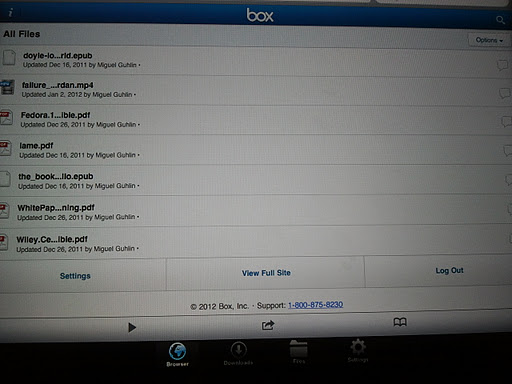

Again, remember that if you plug your iPad into your computer, you can just copy videos to the Video D/L ->Documents folder. If it doesn’t exist yet–because you haven’t downloaded a video–download one video, reconnect your iPad to the computer, and then mass copy videos over.
 |
| Post-download of the video, you can play it or choose what to OPEN IN. |

This should make it pretty easy to load a large quantity of videos onto an iOS device for student viewing and completely allow you to skip using iTunes. Yay!
If working with audio, try one of these approaches.
Enter your email address:
Delivered by FeedBurner


Discover more from Another Think Coming
Subscribe to get the latest posts sent to your email.
 Another Think Coming
If you put the video in your dropbox folder, you can mark it as a favorite in the dropbox app and it will save it for offline viewing. We videotape my daughter's dance team practices and she gets them onto her iPad this way.
If you put the video in your dropbox folder, you can mark it as a favorite in the dropbox app and it will save it for offline viewing. We videotape my daughter's dance team practices and she gets them onto her iPad this way.
I just long press with the dolphin browser and click save link…
I just long press with the dolphin browser and click save link…