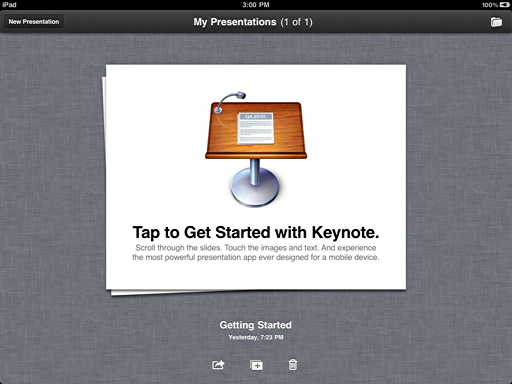
Earlier today (and last night), I was clutching at the hairs on my head in frustration, wondering why I hadn’t invested in a Macbook instead of an iPad. The problem? I was trying to insert videos into the iPad version of Keynote.
After almost a year at our school with 1:1 iPads for juniors/seniors, I concur with your statements, Doug, but want to add more.
Not only has the iPad meant that the students have internet access constantly during the day, meaning (from a librarian’s standpoint) they have access to answers to their questions during any class and can do research “on the spot,” but ours have also become useful production devices.
Our students are using the camera and Keynote pretty heavily in various classes. For example our American Sign Language class uses the camera to film short lessons and then installs the video into Keynote where they might be explaining a concept or illustrating a story with their signing.
Our Latin class went out in the hallways and read Latin poems to random passers-by and filmed their reactions (pretty hysterical). Other classes have used them for creating Puppet shows, our Vietnam project videos, etc.
Our statistics teacher took them out in the parking lot with the sheriff where they put on “distortion drunk” goggles and then measured how well they could walk, documenting it in spreadsheets on their ipad while out in the parking lot.
Not only can the device be used as an ereader and content consumption device, but tablet technology allows it to be used easily for mobile learning in ways that a netbook device just wouldn’t work.
Our students also used it for composing storyboards for a video, using neu.annotate to annotate pdf’s from their class, read and highlight novels for class on them, and more.
And importantly for our students, they feel more organized.
The cost, the instant “on”, the lack of troubleshooting and tech support needed are also all big plusses for our students.
I immediately tweeted at Carolyn, “How are you putting embedding videos into Keynote on iPad?” (or something similar). She responded:

😉
- Go into the Pictures folder on your computer.
- Create a folder (mine is called “_pics for iphone”) (Fig. 2)
- Put the photos AND videos you want to use with Keynote on the iPad into this folder
- Go into iTunes and choose the PHOTOS tab.
- Chose to “sync photos from pictures” (instead of iPhoto). (Fig. 3)
- Pick “selected folders”
- Check “include videos”
- Check the folder you created which contains your assets.
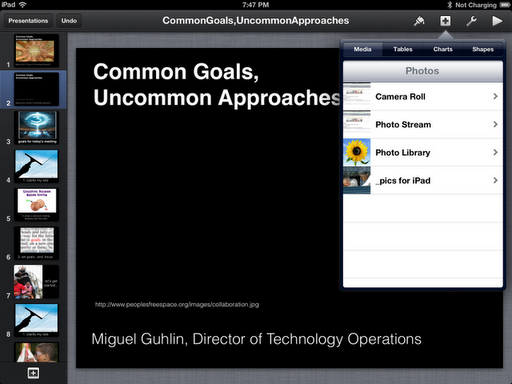
As you can see from the slide above, there is a _pics for iPad in the list of Photo resources/assets. When I tapped on that, I saw the following:

I chose the video I wanted to drop in and then modified my slide:
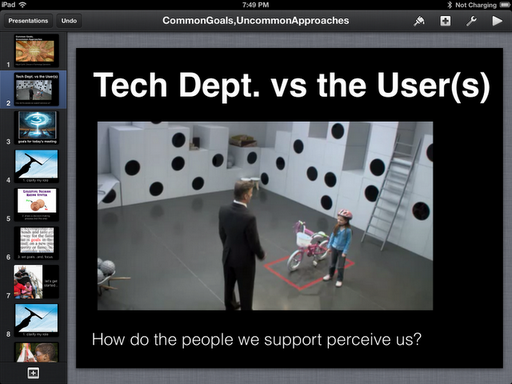
And, that’s that! Thank you, Carolyn and Kathy!!!
Enter your email address:
Delivered by FeedBurner



Discover more from Another Think Coming
Subscribe to get the latest posts sent to your email.
 Another Think Coming