
In trying to solve the question of how to get products created in “sandbox’d” iPad education apps, colleague Mary Ray and I started a table outlining the ways that various education apps could export data out of them. Below is a preliminary table with a few apps…undoubtedly, more apps could be added. Based on that table, I wondered how hard would it be to automate “turning in” of app creations to places that would be easy for the teacher to look.
- Send it to yourself and/or your teacher via email. This is a pretty obvious approach.
- Send to Dropbox – This has been pretty well-documented.
- Upload app creations to GoogleDocs via Dropbox and Dropbox Automator. This would be great since students could upload content to a Send to Dropbox account, and then access class documents in GoogleDocs. Or, you could use another approach outlined further below.
- Email app creations to an EverNote notebook created for the express purpose of capturing creations. You can specify the Notebook and tags for a particular submission. Since you can easily share EverNote Notebooks, it wouldn’t be hard to see those products get cross-posted to a Tumblr blog, for instance. For example, students could specify in the subject of the email the following:
- Use @ for notebooks: Use an @ symbol followed by the name of your destination notebook
- Use # for tags: Use a # symbol followed by the tag or tags you wish to assign. You can have multiple tags just make sure each one starts with an #
- Make sure to put the title of the note first, then the notebook, then the tags in the Subject line of the email
GETTING APP CREATIONS VIA GOOGLEDOCS
If you are interested in getting files sent to you via email but have them delivered to GoogleDocs, then consider these approaches below:
- GoFileDrop Freemium Version for GoogleDocs. This allows you to send an email to google@gofiledrop.appspotmail.com from an email you have registered through their service. For example, you could have an email assigned to an iPad, then have students send their app creations–up to 3 megabytes (MB) in size– to the google@gofiledrop.appspotmail.com address. The result is that you will end up with an email copy of their creation. Per their web site, the sender has NO ACCESS to your Google account; the files deposited in your account are only accessible to you as the owner. You will get an email that says:
Use the link below to securely send files to mguhlin@gmail.com GoFileDrop for mguhlin@gmail.comHere’s what the “GoFileDrop” would look like:
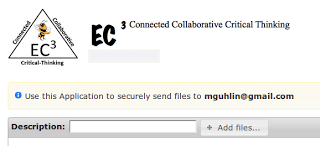
Pretty nifty, huh? The only question I have is, what do you get for free and what do you have to pay approx $8 a month (except for sending up to 1500MB vs the free 3MB per file) for? - Instantly Send Any Gmail Attachment to GoogleDrive. This is a neat feature that LifeHacker explores in great, simple detail.
- Upload app creations to GoogleDocs via Dropbox and Dropbox Automator. This would be great since students could upload content to a Send to Dropbox account, and then access class documents in GoogleDocs.
- Use GDrive ipad app, although this will only work with some apps.
What are some other approaches to quickly dealing with app creations can you think of?
Compiled by Mary Ray and Miguel Guhlin; 6/25/2012
|
Camera Roll
|
Email
|
WebDav
|
Evernote
|
Twitter
|
Facebook
|
Google
Docs
|
Box.net
|
Drop Box
|
Print
|
You Tube
|
3rd Party Apps | |
| Album FxLite |
x
|
|||||||||||
| Comic Touch Lite |
x
|
x
|
||||||||||
| Doodle Buddy |
x
|
x
|
x
|
|||||||||
| Flash cardlet |
x
|
x
|
||||||||||
| Fotopedia Heritage |
x
|
x
|
x
|
|||||||||
| Geometry Pad |
x
|
x
|
||||||||||
| iBrainstorm |
x
|
x
|
||||||||||
| iMotionHD |
x
|
x
|
||||||||||
| Instant Sketch |
x
|
x
|
x
|
x
|
||||||||
| iPen | ||||||||||||
| iWorks |
x
|
x
|
||||||||||
| KidsDraw |
x
|
x
|
||||||||||
| Madlips |
x
|
x
|
x
|
x
|
||||||||
| Paperport Notes |
x
|
x
|
x
|
x
|
x
|
|||||||
| PhotoCard |
x
|
|||||||||||
| PicStitch |
x
|
x
|
x
|
x
|
x
|
x
|
x
|
x
|
x | |||
| Popplet Lite |
x
|
x
|
||||||||||
| Puppet Pals |
x
|
|||||||||||
| QR Beamer |
x
|
x
|
x
|
|||||||||
| Scribble press | ||||||||||||
| Skitch |
x
|
x
|
x
|
x
|
||||||||
| T-charts |
x
|
|||||||||||
| Talking Friends Messenger |
x
|
x
|
||||||||||
| Video- licious | x |
x
|
x
|
x |
Enter your email address:
Delivered by FeedBurner



Discover more from Another Think Coming
Subscribe to get the latest posts sent to your email.
 Another Think Coming