 |
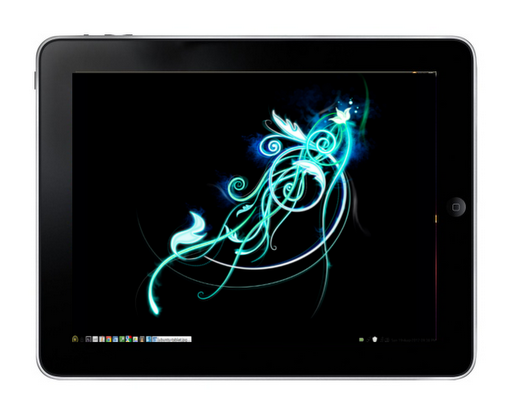
| iPad image modified to look like it’s running Peppermint Three… my temporary wallpaper on my Peppermint OS 3 install |
An Acer Aspire One came into my possession recently, and the question was, “Which OS are you going to load on it?” That should be obvious! Peppermint!
We are proud to announce the release of Peppermint OS Three in both 32 and 64 bit builds. This edition is based on Lubuntu 12.04 and, as always, uses some features from the ever awesome Linux Mint. Both builds are available as free downloads and will be available via purchasable live cd/usb in the very immediate future. . . We’ve taken a different direction with the look and feel and have decided to go with a very light theme and default artwork. . .We’re still including some Google and Pixlr apps as well as some Peppermint related links.
– Peppermint Three is the first distribution to ship with GWoffice by default. This is a desktop Google Docs client that is lightweight and runs completely independent of Chromium. It’s still beta software, but we feel it offers a great improvement over using Docs from a browser or SSB.
– The GIMP 2.8 is in the Peppermint repository as opposed to version 2.6 that is available in the upstream releases. This version has been a long time coming and offers some improvements over the older iteration, notably a single window view.
To get my Peppermint Three going….
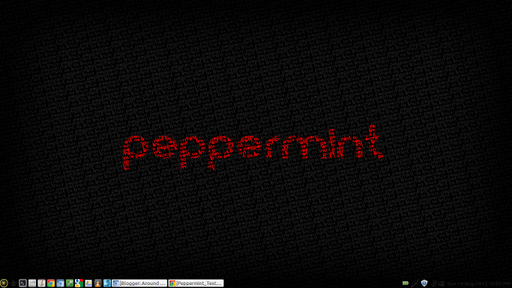 |
| What my desktop really looks like… |

sudo wget --output-document=/etc/apt/sources.list.d/medibuntu.list http://www.medibuntu.org/sources.list.d/$(lsb_release -cs).list &&
sudo apt-get --quiet update && sudo apt-get --yes --quiet --allow-unauthenticated install medibuntu-keyring && sudo apt-get --quiet update
The following apps include a variety of text editor, video/audio editors, multimedia/DVD players, codecs, truetype fonts needed.
sudo apt-get install unace rar unrar p7zip p7zip-rar zip unzip sharutils uudeview mpack lha arj cabextract file-roller
sudo /usr/share/doc/libdvdread4/./install-css.sh
sudo apt-get install build-essential checkinstall cdbs devscripts dh-make fakeroot libxml-parser-perl check avahi-daemon
Enable Firewall Protection
sudo apt-get install ufw gufw
sudo ufw deny 5353/udp
sudo ufw deny 5900/tcp
sudo ufw deny 22
sudo ufw deny 25/tcp
sudo ufw deny 135,139,445/tcp
sudo ufw deny 137,138/udp
sudo ufw deny 110
sudo ufw deny 2049
sudo ufw deny 143
sudo ufw deny 21/tcp
- Truecrypt.org
- Google.com/chrome
- AESCrypt.org (untar/zip and then sudo make and sudo make install)
- Record My Desktop
- RSSOwl
Right-click on time/date in the bottom right-hand corner, then adjust the CLOCK FORMAT to change: %a %d-%b-%Y %I:%M %p

Printing
Follow these steps…
- sudo apt-get install hplip cups system-config-printer-gnome
- Create a script:
sudo gedit /etc/network/if-up.d/cups
Then, paste in this code:
#!/bin/sh
service cups restart
Then make that script executable:
sudo chmod +x /etc/network/if-up.d/cups
Then restart your computer. - Run the following configuration:
sudo hp-setup -i
sudo add-apt-repository ppa:atareao/atareao
sudo apt-get update
sudo apt-get install touchpad-indicator
xinput set-prop 12 “Device Enabled” 0
where 0=OFF and 1=ON
Record Your Desktop – This is an UbuntuLinux friendly recorder (a few more here). To get it going, follow these steps:
- sudo apt-get install gtk-recordmydesktop pavucontrol (creates OGV video format)
- sudo aptitude install mencoder (this allows you to convert OGG to AVI video format)
- Once installed, you can control it via a GUI interface or at the command line, type recordmydesktop then press Ctrl-C to stop it from recording.
The PAVUCONTROL program–Pulse Audio Volume Control–actually works like Soundflower in re-directing the audio flow to a virtual sound driver. You can do this on Mac with Soundflower (and HyperStudio has a proprietary virtual sound driver that works great) and on Windows.
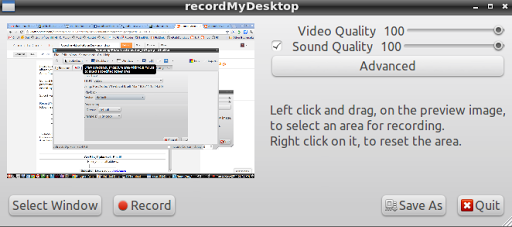
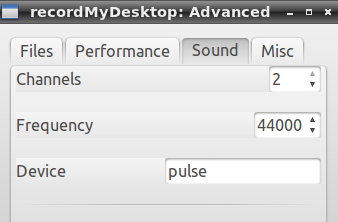
In the DEVICE box, recordMyDesktop said DEFAULT. If that setting doesn’t capture your audio, try changing “DEFAULT” to pulse, as shown above. Default should work, however.
Enter your email address:
Delivered by FeedBurner


Discover more from Another Think Coming
Subscribe to get the latest posts sent to your email.
 Another Think Coming