Blast From the Past: I originally wrote this pre-2010…surprisingly, it’s all still accurate and the advice well-worth following.
 |
| Source: http://bit.ly/RFlESq |
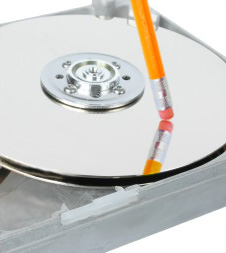
Your first thought may be that when you ‘delete’ the file, the data is gone. Not quite, when you delete a file, the operating system does not really remove the file from the disk; it only removes the reference of the file from the file system table. The file remains on the disk until another file is created over it, and even after that, it might be possible to recover data by studying the magnetic fields on the disk platter surface.
Before the file is overwritten, anyone can easily retrieve it with a disk maintenance or an undelete utility.
#!/bin/sh
# customwipe.sh
# by Thomas C. Greene (thomas.greene@theregister.co.uk
# http://basicsec.org)
#
echo ” — This is the WipeFree-2 script”
echo ” — This script will wipe unused disk space on the”
echo ” — root ( / ) partition”
echo ” — It is meant for systems with a single, logical partition”
echo ” — Users with several primary partitions should use the”
echo ” — WipeFree-1 script instead”
echo ” — If you do not know how your filesystem is set up,”
echo ” — use the *WipeFree-1* script instead”
echo ” — Read the README before running this script!”
echo ” — This is a rough hack with NO WARRANTY”
echo ” — It is not completely effective on journaled file systems”
echo ” — Use the ext2 filesystem for maximum effectiveness”
echo ” — USE AT YOUR OWN RISK!”
echo ” — Press Ctrl+C to exit, or”
echo ” — Press Enter to continue”read
echo ” — Wiping . . . This routine can take a long time”
fs=”/”
for f in $fs; do
name=”${f}/_cleanupfile_”
echo “Creating $name”
set +e +u
dd if=/dev/urandom of=”${f}/_cleanupfile_”
sync; sync
rm “${f}/_cleanupfile_”
sync; sync
done
echo ” * * * *”
echo ” — The wipe is finished”
- Download: NetShred – http://www.mireth.com/
Description: Shreds web/email confidential data stored on your hard drive. In other words, it knows where to look to get rid of confidential data that may be stored by your browser, email and other web tools.
Cost: $19.95 - Download: ShredIt X – http://www.mireth.com/
Description: Shreds free space on your hard drive, as well as allows you to shred files and folders.
Cost: $19.95
Finally, if you find yourself getting rid of a computer and hard drive, you may want to do more than just shred or wipe free space on your computer. The ultimate solution for erasing or wiping a hard drive may be a program known as Darik’s Boot-n-Nuke to ensure all previous data was erased from the hard drive.
According to their web site, Darik’s Boot-n-Nuke works for both Macintosh and Windows computers (and GNU/Linux, of course). It is a self-contained CD that securely “wipes the hard disks” and will do so “automatically.”
Darik’s Boot and Nuke (“DBAN”) is a self-contained boot disk that securely wipes the hard disks of most computers. DBAN will automatically and completely delete the contents of any hard disk that it can detect, which makes it an appropriate utility for bulk or emergency data destruction.
At the very least, even if you aren’t taking advantage of the tools shared in this previous blog entry, you should be wiping your computer’s free space, and if disposing of a computer, running DBAN on it to clear out confidential data.
Enter your email address:
Delivered by FeedBurner


Discover more from Another Think Coming
Subscribe to get the latest posts sent to your email.
 Another Think Coming