Looking for a cross-platform encryption tool? As I’ve shared in the past, one of my favorite apps for encrypting content is AESCrypt.com, which is available for Mac, Windows, and Linux. AESCrypt.com does have an Android version (Crypt Lite4All). But AESCrypt only works on files, not folders or text messages on an Android phone/tablet.
Enter Secret Space Encryptor (SSE).
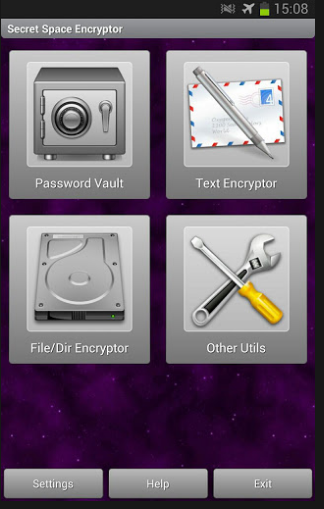
Take a look at the beautifully designed, open source Secret Space Encryptor (S.S.E. on Android). It comes in a java version that works with a GUI and a command line. You can tell they spent some time on Android developing this, though. It not only allows you to encrypt files, but also text messages/notes, as well as securely wipe folders on your Android device. Awesome!
Here’s a quick overview of SSE’s features from Linux Magazine author, Dmitri Popov:
- Using it, you can securely store passwords, encrypt text messages, and encrypt individual files and entire folders. The app offers several strong encryption algorithms, including 256-bit AES, 256-bit Serpent, and 256-bit Blowfish.
- SSE consists of three modules: Password Vault, Message Encryptor, and File/Dir Encryptor. The Password Vault module allows you to safely store passwords and organize them into folders.
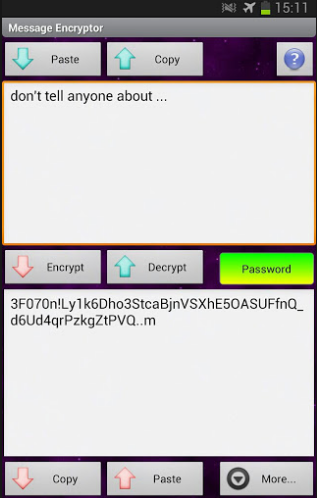
- The Message Encryptor module can be useful for encrypting text notes. You can paste the existing text from the clipboard, encrypt it, and copy it back to the clipboard. Alternatively, you can save the note in the built-in database for later use.
- Free, open source software

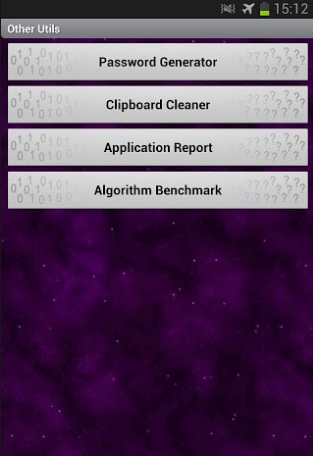
Looking for secure password generation, clipboard cleaning,etc? Other utilities built-into SSE are convenient:
Check out Miguel’s Workshop Materials online at http://mglearns.wikispaces.com

var _gaq = _gaq || []; _gaq.push([‘_setAccount’, ‘UA-3445626-5’]); _gaq.push([‘_setDomainName’, ‘mguhlin.org’]); _gaq.push([‘_trackPageview’]); (function() { var ga = document.createElement(‘script’); ga.type = ‘text/javascript’; ga.async = true; ga.src = (‘https:’ == document.location.protocol ? ‘https://ssl’ : ‘http://www’) + ‘.google-analytics.com/ga.js’; var s = document.getElementsByTagName(‘script’)[0]; s.parentNode.insertBefore(ga, s); })();
Discover more from Another Think Coming
Subscribe to get the latest posts sent to your email.
 Another Think Coming