Ah, life is a bit boring now that I have Peppermint Four installed on all the computers I use and customized with “my special software.” While the goal for end-users is hassle-free computing, I have to admit that this is ridiculous. Since I installed Peppermint Four on various computers–ranging from a year old Macbook Air to 2007 Macbook to various old Dell desktops that are about a decade each–I have been enjoying trouble-free computing.
What makes Peppermint Four so great? Not only does it just work, it works fast, even on old machines. That’s important since Windows XP Professional never ran so well on the old Dell desktop that my wife uses as her computer. Since loading Peppermint Four on that desktop, which breathed new life into it making it a fast-moving machine, I’ve had no complaints about usability.
Some of the apps that she uses daily:
- TxGradebook – this is a web-based gradebook that is provided by the Education Service Center, Region 20 at no charge to member school districts in the San Antonio area.
- LibreOffice – my wife interacts with lesson plans created in the latest version of MS Office on Windows computers from colleagues at work, and is able to edit them, save her LibreOffice document with no trouble whatsoever. This is important to me since I’m her technical support.
- Chrome Browser – being able to interact with web-based apps–such as Web Outlook, TxGradebook, GoogleDrive/Docs–is critical to her work as a teacher. Fortunately, Peppermint Four allows the old desktop to run the latest browsers, including Chrome, Chromium, and Firefox.
- Wireless – Peppermint Four immediately recognized the $8 wireless USB that enables this old Dell computer to connect wirelessly.
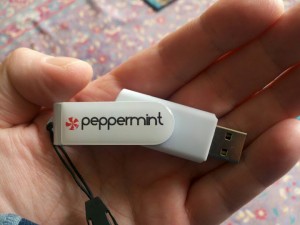
USB Bootable Persistent: This means when you set your PC to Boot from USB that not only is it a ‘Live’ version of Peppermint, you will have approximately 2GB of file storage on the USB stick itself. Like a mini-computer living inside the stick you can save files, install software, and save changes on the USB Installation
Disclaimer: I haven’t been bribed or given anything to write this blog entry about Peppermint Four. Yes, I think their product is great and worth investing in. It’s free, open source and NSA-free.
Check out Miguel’s Workshop Materials online at http://mglearns.wikispaces.com

var _gaq = _gaq || []; _gaq.push([‘_setAccount’, ‘UA-3445626-5’]); _gaq.push([‘_setDomainName’, ‘mguhlin.org’]); _gaq.push([‘_trackPageview’]); (function() { var ga = document.createElement(‘script’); ga.type = ‘text/javascript’; ga.async = true; ga.src = (‘https:’ == document.location.protocol ? ‘https://ssl’ : ‘http://www’) + ‘.google-analytics.com/ga.js’; var s = document.getElementsByTagName(‘script’)[0]; s.parentNode.insertBefore(ga, s); })();
Discover more from Another Think Coming
Subscribe to get the latest posts sent to your email.
 Another Think Coming
I'm running mostly Linux Mint on flash drives in my classroom, but I inherited an ancient dell laptop, missing a few keys, and decided to give Peppermint a go. It's been great. Everything just works, and it's as fast, or faster, then the much newer computers along side it (and definitely faster than when it had XP on it). Thanks for the recommendation.
Peppermint is a great O/S. It's sleek and lightweight, and yet offers access to the large Ubuntu software repository. I like it very much as a Windows alternative, particularly on older machines or from a USB. I also like Porteus from a USB, a slackware-based system that is lightning fast to load into RAM.