 |
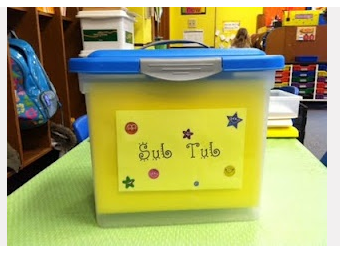
| Create a “Digital” Sub Tub Image Source: http://goo.gl/jpKSB8 |
Colleague Lisa Duffin (Twitter: @wrinkleninja) http://twitter.com/@wrinkleninjashares a neat idea–creating a digital “sub-tub” for when you’re out of class. You can read her rationale below:
Several years ago I created a “sub tub” for my classroom in the event that if I was out on an emergency I knew that at the least my class would be taken care of in my absence. However over the years creating the sub tub has made preparing for a sub easier and organized.
Below is the link to my google drive folder where I keep sub tub documents. Feel free to use or not use any of these. If you’d like to see how I have mine set up I’m happy to show you. It is a rubbermaid tub with a binder, similar to a sub folder…along with extra assignments and what ever I deem necessary to throw in there.
This website http://classroom.4teachers.org/ allows you to create your classroom layout and print it. I use it to create seating arrangements for each period and then have it posted on the board and additionally on several clipboards for easy access by myself, another instructor or substitute. I have made specific notes for substitutes to look for seating arrangements on yellow clip on white board.
What a neat idea, Lisa!

Make Donations via PayPal below:

var _gaq = _gaq || []; _gaq.push([‘_setAccount’, ‘UA-3445626-5’]); _gaq.push([‘_setDomainName’, ‘mguhlin.org’]); _gaq.push([‘_trackPageview’]); (function() { var ga = document.createElement(‘script’); ga.type = ‘text/javascript’; ga.async = true; ga.src = (‘https:’ == document.location.protocol ? ‘https://ssl’ : ‘http://www’) + ‘.google-analytics.com/ga.js’; var s = document.getElementsByTagName(‘script’)[0]; s.parentNode.insertBefore(ga, s); })();
Discover more from Another Think Coming
Subscribe to get the latest posts sent to your email.
 Another Think Coming