How has your organization dealt with the WinXP apocalypse? I hope you started investing in replacements sooner, rather than later.
 |
| Image Source: http://goo.gl/fFdCEN |
The lead for the eSchoolNews article points out the following:
In less than a week, Microsoft Corp. will end support and updates for the 12-year-old Windows XP, and some state education systems are struggling with how to move forward.If a recent survey by the Washington Office of Superintendent of Public Instruction (OSPI) is any indication, this means the operating system of choice for more than half the schools in the state will become outdated.
Dennis Small, OSPI educational technology director, said last summer the office took a survey of schools in the state and determined more than 50 percent of districts still used Windows XP on their instructional computers.
Unfortunately, never is one of the best options available mentioned except in the comments section:
There is an alternative to spending a lot of money to upgrade XP machines or living with the ever-increasing security risk that XP is now: Linux. I have been upgrading the old machines at my school with Linux Mint and the students just keep on doing what they were before, administration is actually easier, and the school doesn’t need as many antivirus renewals to boot. Source: Comment on article
Why is GNU/Linux never the best option for schools? The reason is simple–we don’t like change. The kind of change represented by a switch to GNU/Linux, a fully mature free open source operating system that works great at home and in many businesses, is too great. GNU/Linux OS-based computers and devices may NEVER be the #1, preferred choice in schools because high stakes testing won’t work on it, people’s favorite drill-n-practice/tutorial software won’t work on it, and it’s too difficult to manage.
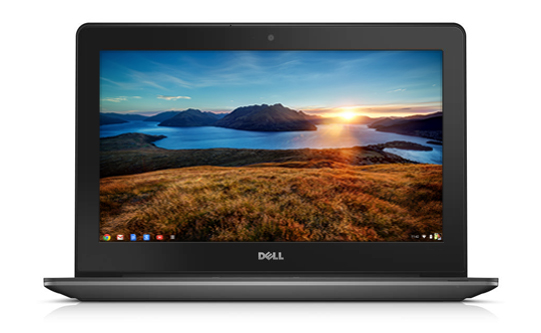
Yet, Google’s Chromebook–which comes in a variety of flavors, with my personal favorites being Dell Chromebook 11 and Toshiba Chromebook 13–runs a modified form of GNU/Linux, sells popularly and works great. Although there is a lot you can or can’t do on the Chromebook–check the Chromebook Compatibility chart–it’s clear that you can’t use it for high-stakes testing in Texas.
What makes it great for schools? An easy management console that you can buy for $30.
Kudos to Google for figuring that out. How long will it take the FOSS community to come up with a community-developed, web-based Linux Management Console?
Make Donations via PayPal below:

var _gaq = _gaq || []; _gaq.push([‘_setAccount’, ‘UA-3445626-5’]); _gaq.push([‘_setDomainName’, ‘mguhlin.org’]); _gaq.push([‘_trackPageview’]); (function() { var ga = document.createElement(‘script’); ga.type = ‘text/javascript’; ga.async = true; ga.src = (‘https:’ == document.location.protocol ? ‘https://ssl’ : ‘http://www’) + ‘.google-analytics.com/ga.js’; var s = document.getElementsByTagName(‘script’)[0]; s.parentNode.insertBefore(ga, s); })();
Discover more from Another Think Coming
Subscribe to get the latest posts sent to your email.
 Another Think Coming