Whew, thanks to all of you who wrote in yesterday about my Istation and Chromebooks post yesterday! This is quite a big thing for Texas school districts relying on TexasSuccess.org, which includes Istation as a reading intervention and diagnostic tool, as well as Think Through Math.
A colleague in Texas shared the following ideas and problem:
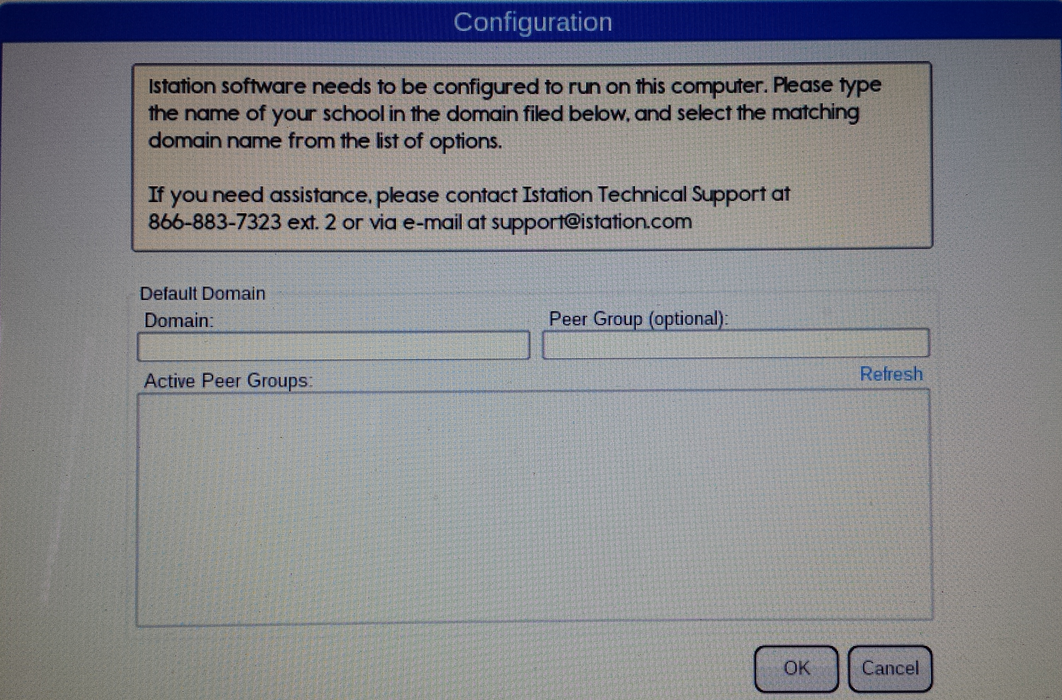
We’ve been testing it out. The deployment works from the dashboard, but the first time the app runs it asks for the domain and the peering groups. Support told us there is no way to preconfigure this as part of the deployment, and that the peering groups don’t work on the chromebooks yet.
So we are making some materials to help teachers know how to select the correct domain. The other question I’m waiting on an answer from support is how to change the domain if they accidentally input the wrong one. Once you enter it, that prompt goes away on future logins. But I think every user will have to input that domain info the very first time they launch the app.
In terms of the use of the app – it seems to have all the components of the client and looks just like it. We are noticing that it takes longer to open than it does on the desktop clients. It does seem to individually cache content as you open each book or resource for the first time. But we are curious how the bandwidth hit is going to look when we get whole schools online. We are going to start with a couple of classrooms and monitor their bandwidth usage and the scale up from there.
To get back to the domain/campus selection use the following.
Username: config
Password: config
 |
| Image Source: https://www.istation.com/ |
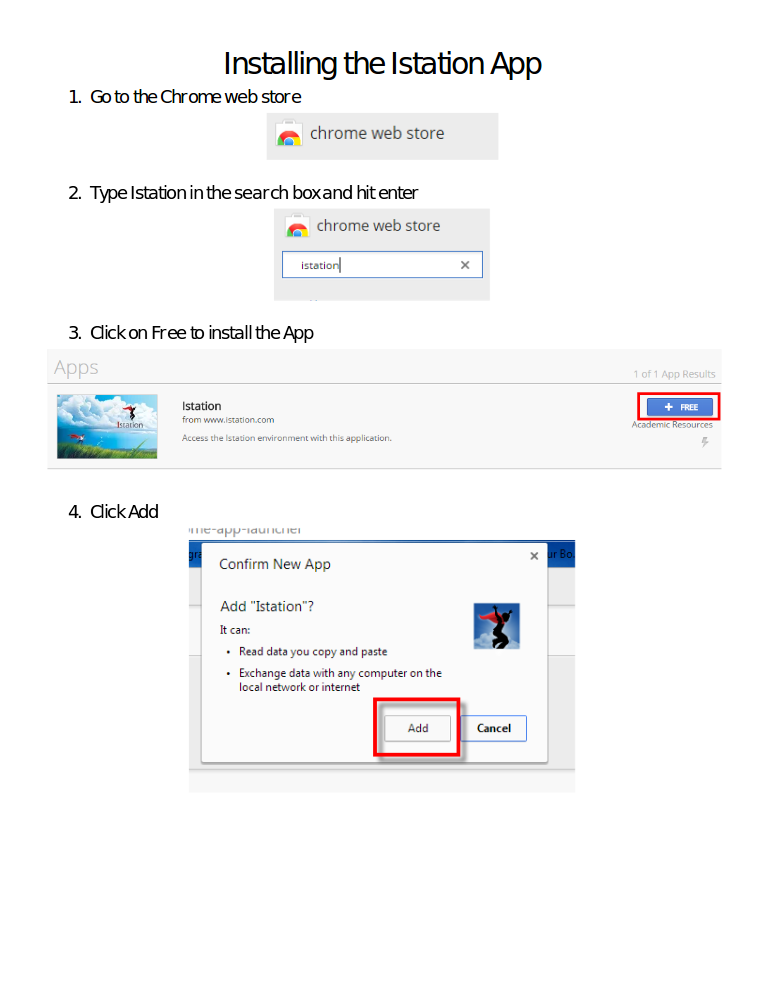
Update – Thanks to Bryan Doyle for sharing his tutorial:

Make Donations via PayPal below:

var _gaq = _gaq || []; _gaq.push([‘_setAccount’, ‘UA-3445626-5’]); _gaq.push([‘_setDomainName’, ‘mguhlin.org’]); _gaq.push([‘_trackPageview’]); (function() { var ga = document.createElement(‘script’); ga.type = ‘text/javascript’; ga.async = true; ga.src = (‘https:’ == document.location.protocol ? ‘https://ssl’ : ‘http://www’) + ‘.google-analytics.com/ga.js’; var s = document.getElementsByTagName(‘script’)[0]; s.parentNode.insertBefore(ga, s); })();
Discover more from Another Think Coming
Subscribe to get the latest posts sent to your email.
 Another Think Coming