Since I work on several different computers (e.g. GNU/Linux, Windows) and browsers (e.g. Torch, Chrome, Firefox), I often wish all my bookmarks were in one place. Obviously, if you use Google Sign-in on your Chrome/Torch/Chromium browser, you are going to be able to see all your bookmarks get synchronized across computers. It’s awesome because I can be working at home, go to work, and all my bookmarks are preloaded.
In this blog entry, I discuss Bookmark Organization Made Easy with a Chrome extension.
Of course, if you want to synchronize bookmarks across browsers, then a solution I started using will make this easier. Be sure to check out EverHelper’s EverSync. What’s cool about it is that I can sync my bookmarks, folders, etc. across browsers (e.g. Firefox and Chrome). This is a big deal if you use different browsers. It just requires loading some extensions in both browsers and then you’re all set.
Here’s what the screen looks like:
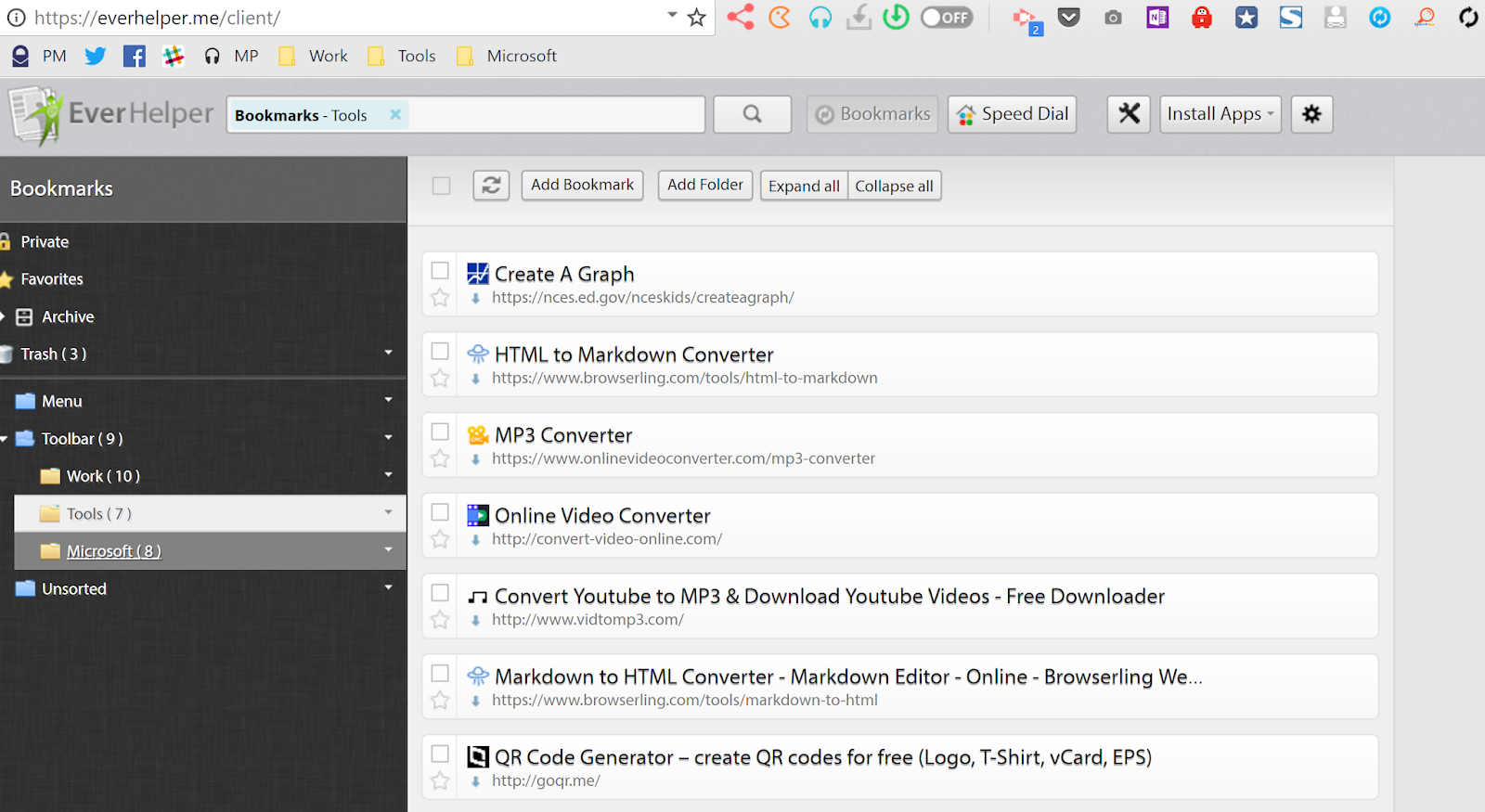
But, since I included my browser toolbar in the list, you can see that any and all changes have been synch’d. The way it works is that I just add bookmarks as normal to my folders/bookmarks in the browser and EverSync takes care of the rest.
Isn’t that awesome?
Ok, Microsoft Edge folks, I’m sorry, no easy solutions I’ve seen yet aside from what’s built-in.
Discover more from Another Think Coming
Subscribe to get the latest posts sent to your email.
 Another Think Coming