
Over the last half year or so, I’ve continued my search for a more secure browser. Some of the browsers that serve as excellent alternatives to Google Chrome include the following:
- Opera: free VPN, fast ad blocker, Web 3 support and get more control of your browsing experience. I really liked Opera and have been using since version 1.0. Of course, the people who manage it have changed…this old Kim Komando article sums it up. They have a cool video.
- Flashpeak’s SlimJet Browser: With a goal to become the best web browser for Windows, SlimBrowser is designed to have superior speed and a large set of powerful features to maximize your online productivity. It starts up quickly and opens web pages right in front of you with minimum delay. It also lets you browse the Internet safely by guarding your personal information and protecting your privacy.
and now,
- Vivaldi: Though it lacks a VPN, I combine it with Private Internet Access VPN and it works great. It’s light, fast, full-featured (gee, that’s almost a contradiction). At the moment, I’m enjoying how it syncs up with my Android phone, encrypting all data.
Leaking Private, Sensitive Data
North Carolina State University researchers recently tested how many of the 180,000 available Chrome extensions leak privacy-sensitive data. They found 3,800 such extensions — and the 10 most popular alone have more than 60 million users.
Google recently announced it would begin requiring extensions to minimize the data they access, among other technical changes.Google tracks your searches, and even your activity in Chrome, to build out a lucrative dossier on you.
Removing Access to Apps
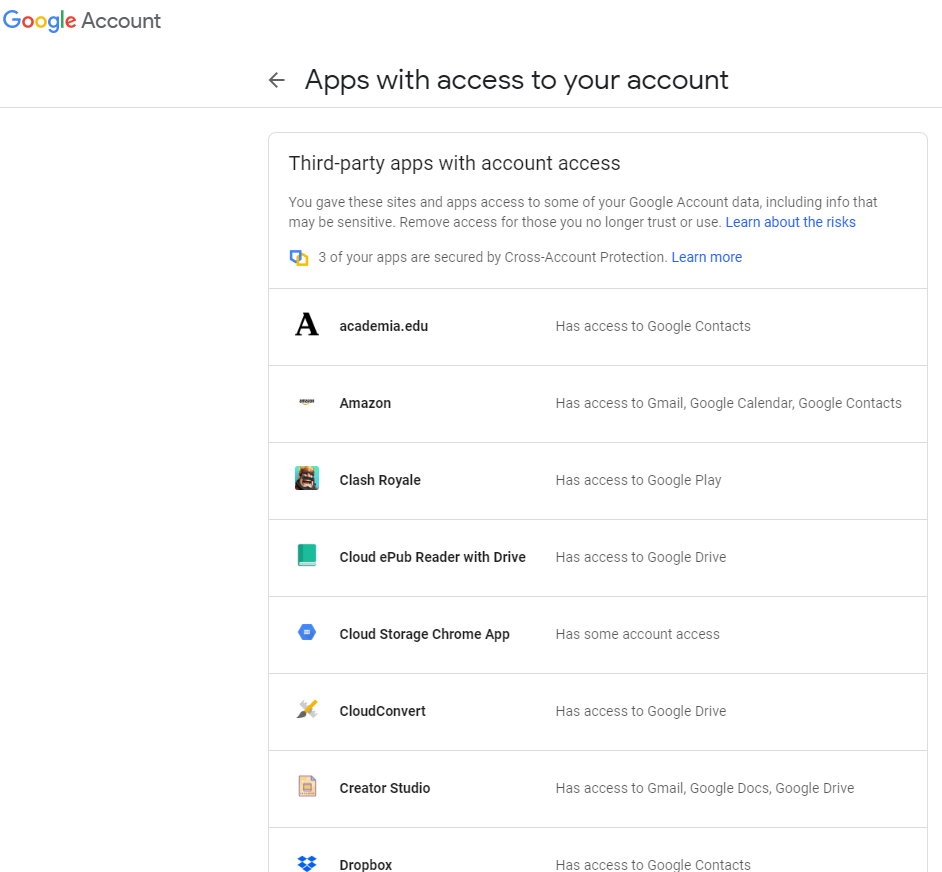
Remove permissions from services you don’t use. Visit the website once a week and ask yourself, “Do I still use that?” Over time, you’ll get familiar with what you do use and what needs to be thrown out.
Why Did This Come Up?
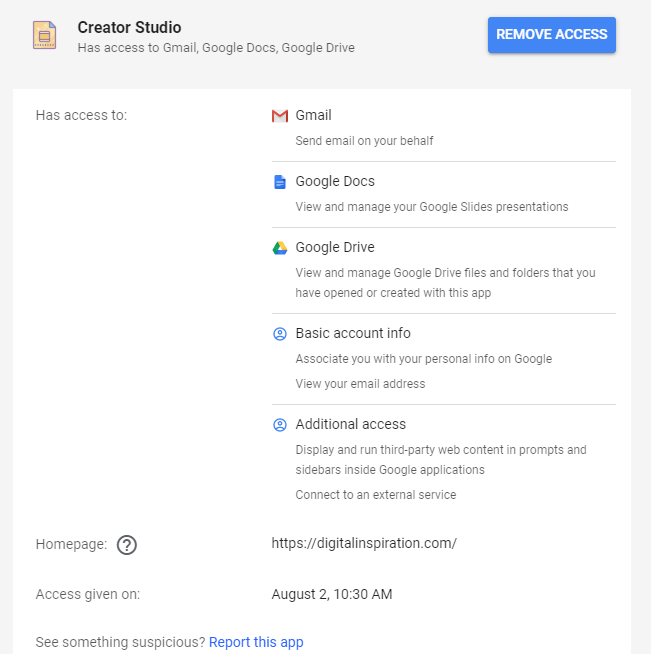
This Google Slides add-on, Creator Studio, makes it easy to export a slide deck in G Suites. The add-on states you can: Convert Google Slides to GIF images and MP4 video files. Add background music or voice narration to your exported presentations. Export Slides as image sequences and they are uploaded to Google Drive.
Here are the permissions it uses.
We do not sell, share, rent or exchange your information with anyone else. When we do collect data, we will use it to benefit you and to make your experiences better. We collect your information only with your consent; we only collect the minimum amount of information that is necessary to operate our software and services; we don’t sell or share your information with anyone else.
Our services use the Google OAuth 2.0 protocol for authentication without requiring the user to share their login credentials with us. OAuth also allows secure access to the user’s data, as required by the add-ons, and the data resides strictly inside your Google account. We do not store any of your account data on our servers.
Discover more from Another Think Coming
Subscribe to get the latest posts sent to your email.
 Another Think Coming