Note: This is a “10 minute” write, where I respond to blog entries in 10 minutes or less. It’s meant to be quick, brief, and on occasion, error-prone. Of course, I NEVER published it. It sat in my DRAFT box forever, THREE years, and reading it over now (by accident in October, 2021), I decided, “Sure why not publish it?” 🙂
On a different note, I like this idea of 10 minute reflections. I’m going to come back to it. Not sure why I never published or followed up on it. How hard can it be to reflect for 10 minutes in a blog entry?

The Virtual Gadfly, Dr. Peggy Semingson (@PeggySemingson), took a moment to write about an upcoming Microsoft Innovative Educator (MIE) 1-Day Teacher Academy taking place in Arlington, Texas later this week (in 2018). She shares her goals for the workshop. These are relevant due to her work. She points out that she runs a “faculty PLC on virtual teamwork.” This means that she’s “looking for ideas on a few levels to take back and share and also apply!”
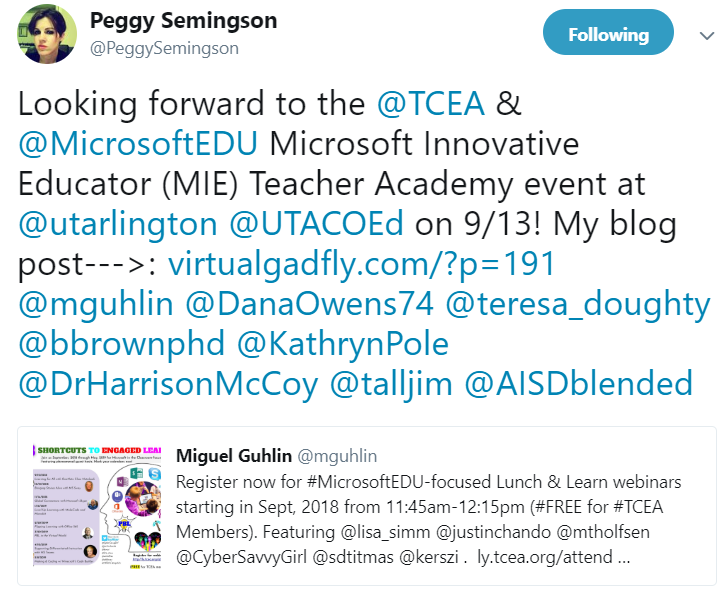
As I read her goals, it occurred to me, “Wow, wouldn’t it be fun to just do a quick write-up for each of the goals?” I’ll see how far I can get in this ten minute write.
For fun, wouldn’t it be neat to reply and share some quick ideas about those goals? Since responding to all of them is beyond the scope of a 10-min write, here are a few that jumped out at me:
- “Learning more about Microsoft tools for my own productivity and digital skills in my everyday work as an academic and (online) teacher educator.”
“Our kids need to know how to work with all software tools, like Apple, Google and Microsoft. We want them to know it all,” said a participant at a recent MIE Academy. Of course, I had a differing perspective. “Why not model for them ways to learn, remix and create using whatever is available?” A sure strategy for failure is trying to do everything at once, and I often think situations that try to short-circuit the process of learning tools are doomed. That aside, it is valid to take inventory of what we know, then work to make connections between the old and new.Our schema, our theory of the world, which serves, as Frank Smith said, “a shield against bewilderment,” must be constructed bit by bit, one bite at a time. I applaud Peggy for her embrace of new tools that she can incorporate into her own learning.
What’s so powerful about the Microsoft (and Apple, and Google) is the rich ecology that Microsoft has built to support them. There are wonderful global communities where people are sharing how they are using these incredible tools with others. That’s why I encourage Texans to join the TCEA MIE Facebook group, which is free and open to all Texas educators.
- “Expand knowledge to prepare future teachers to use these same tools and effectively integrate the knowledge into my courses, especially for preservice teachers.”
Given that I’ve been working on my ISTE Certification portfolio recently as part of my work with TCEA.org, I’m quite sensitive to the new ISTE Standards for Educators. A key part of those standards involves curating content. I can think of a handful of awesome tools that preservice and inservice teachers could use to accomplish this. One of them includes OneNote and the OneNote Web Clipper. Combine OneNote with the Office Lens app (or not, since OneNote has powerful scanning tech built right into it), you have a powerful tool for digitizing content in ways that are OCR friendly, and more importantly, child friendly.
From picture dictionaries to read alouds and labeling the parts of speech, Office Lens, OneNote and other Microsoft tools boast the free built-in Immersive Reader (more properly known as Learning Tools). These are simply FANTASTIC tools to introduce teachers and students to. What’s more, they work on every device and are available for free.
- Consider ways these tools might be used by faculty at UT Arlington to foster virtual teamwork, communication, productivity, and beyond.
As you might guess, fostering virtual teamwork can be done through any of the many tools available. Microsoft brings Teams with OneNote Class/Staff Notebook integration. What some may not know is that Skype technologies, improved on and made better appear in Teams, facilitating virtual conferences and events. We are the edge of a great set of fantastic tools available for use by faculty to support teamwork, communication and productivity. Just the tools I’ve mentioned before are incredible, but combining OneDrive for collaborative document creation and sharing, Teams for virtual classrooms and meetings, OneNote for content curation and Class/Staff Notebook for dissemination, grading of assignments and work is unbelievably powerful.Don’t get me wrong, other tools abound, but for those who prefer the Office 365 environment, these tools have evolved sig
- Meet other educators and also share ideas.
Discover more from Another Think Coming
Subscribe to get the latest posts sent to your email.
 Another Think Coming