 |
| Image Source: Educator Meta-List, https://github.com/nathanlesage/academics-on-mastodon |
Want to import some of the many Following Lists you find? For example, like the EduTooter list that Doug Holton and I maintain? Then you are in the right place.
Note: Use these steps below for the EduTooters List (more info here)
Here’s my step by step:
Step 1 – Prepare the CSV file
You will be importing a CSV, or comma-separated values or comma-delimited file, into your Mastodon preferences. As you can see, I have some data (103 rows of data, or 103 people) in the EduTooters import file (get a copy of it):

What I want to do is import the entire list (called a “Following List”) into my Mastodon account AND NOT destroy my existing list of people I’m following.
To do that, I created another tab in the spreadsheet that looks like this:

Then, I exported this tab from my Google Sheet as a comma-delimited file:

It looks similar to this:

With that file created, I was now able to import the file into Mastodon web.
Step 2 – Import File into Mastodon
To import the file, I simply went to my Mastodon interface:

As you can see, you can select from a drop down. Be sure to select FOLLOWING LIST, then BROWSE to the CSV file on your device. Make sure to select MERGE so that you don’t delete your existing list of people you are following.
Then, UPLOAD.
You will see a message that looks like this in the green box (it disappears after a bit):
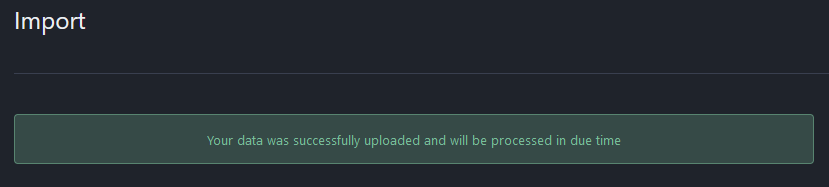
Step 3 – Verify Import Success
After that, you wait for whatever “processed in due time” means. It wasn’t too long. I went to my list of people I am following (click on Profile, then following). The link will look like this one but with your info displayed:
https://hcommons.social/web/@mguhlin/following
Here’s one of the folks I imported:

Give it a try! I also made a video tutorial of the process.
Discover more from Another Think Coming
Subscribe to get the latest posts sent to your email.
 Another Think Coming
I have attempted this several times. I used a file with only two accounts to follow, just to test the process. Here is my csv content.Account Address,Show Boosts@halucin8@ohai.social,true@Hetep@mstdn.social,trueI get a message that it was imported successfully and will be processed.The only way I know of to check on it is to periodically look at those accounts to see if I am following them. I am not, and it has been ~12 hrsHow long is reasonable to wait? Does the batch process give admns any success/failure report?
Hi, Don. The process works but it may be delayed depending on how busy your server is. I have done this multiple times with success so you may want to reach out to your server admin and see what s/he says.Reach put on Mastodon – @mguhlin@qoto.org