Time to invite the teacher-librarians in K12 over to Mastodon. I’ve learned so much from K-12 librarians, ever since I walked into a library and remembered it at 3rd grade. And, I had the chance to nurture librarians as a Director of Instructional Technology and Library Services in a large urban school district.
 |
| Fill out the form at https://go.mgpd.org/joinK12Librarian |
The Invite
Any #K12Librarian folks out there moving to Mastodon?
Allow me to invite you to
1) Fill out this form so others can find you:
https://go.mgpd.org/joinK12Librarian2) See others at https://go.mgpd.org/K12Librarian
3) Join the @K12librarian@a.gup.pe group and
4) Use the #K12Librarian hashtag – https://go.mgpd.org/K12Librarian
Please share the word among the Lost #Twitter Brethren
#TwitterMigration #Librarian #Education #EdTech #libraries
Contributed to the K12Librarian Form? Now Import It!
Step 1 – Prepare the CSV file
You will be importing a CSV, or comma-separated values or comma-delimited file, into your Mastodon preferences. Look and find folks in the #K12Librarian import file (get a copy of it):

What I want to do is import the entire list (called a “Following List”) into my Mastodon account AND NOT destroy my existing list of people I’m following.
To do that, I created another tab in the spreadsheet that looks like this:

Then, I exported this tab from my Google Sheet as a comma-delimited file:

It looks similar to this:

With that file created, I was now able to import the file into Mastodon web.
Step 2 – Import File into Mastodon
To import the file, I simply went to my Mastodon interface:

As you can see, you can select from a drop down. Be sure to select FOLLOWING LIST, then BROWSE to the CSV file on your device. Make sure to select MERGE so that you don’t delete your existing list of people you are following.
Then, UPLOAD.
You will see a message that looks like this in the green box (it disappears after a bit):
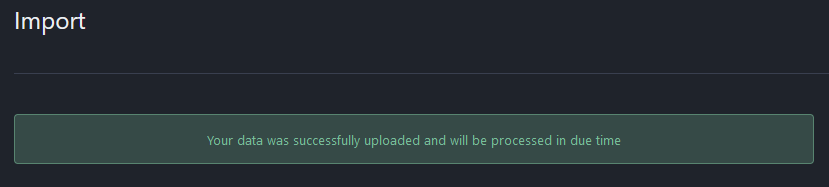
Step 3 – Verify Import Success
After that, you wait for whatever “processed in due time” means. It wasn’t too long. I went to my list of people I am following (click on Profile, then following). The link will look like this one but with your info displayed:
https://qoto.org/web/@mguhlin/following
Here’s one of the folks I imported:

Give it a try! I also made a video tutorial of the process., albeit for EduTooters list. The steps are similar for K12Librarian.
Discover more from Another Think Coming
Subscribe to get the latest posts sent to your email.
 Another Think Coming