Having read this book, Making Room for Impact, earlier last month, I had a fun idea. What if you could apply de-implementation to CTO problems and issues? I decided that it would be a fun way to dig into many of the challenges CTOs face.
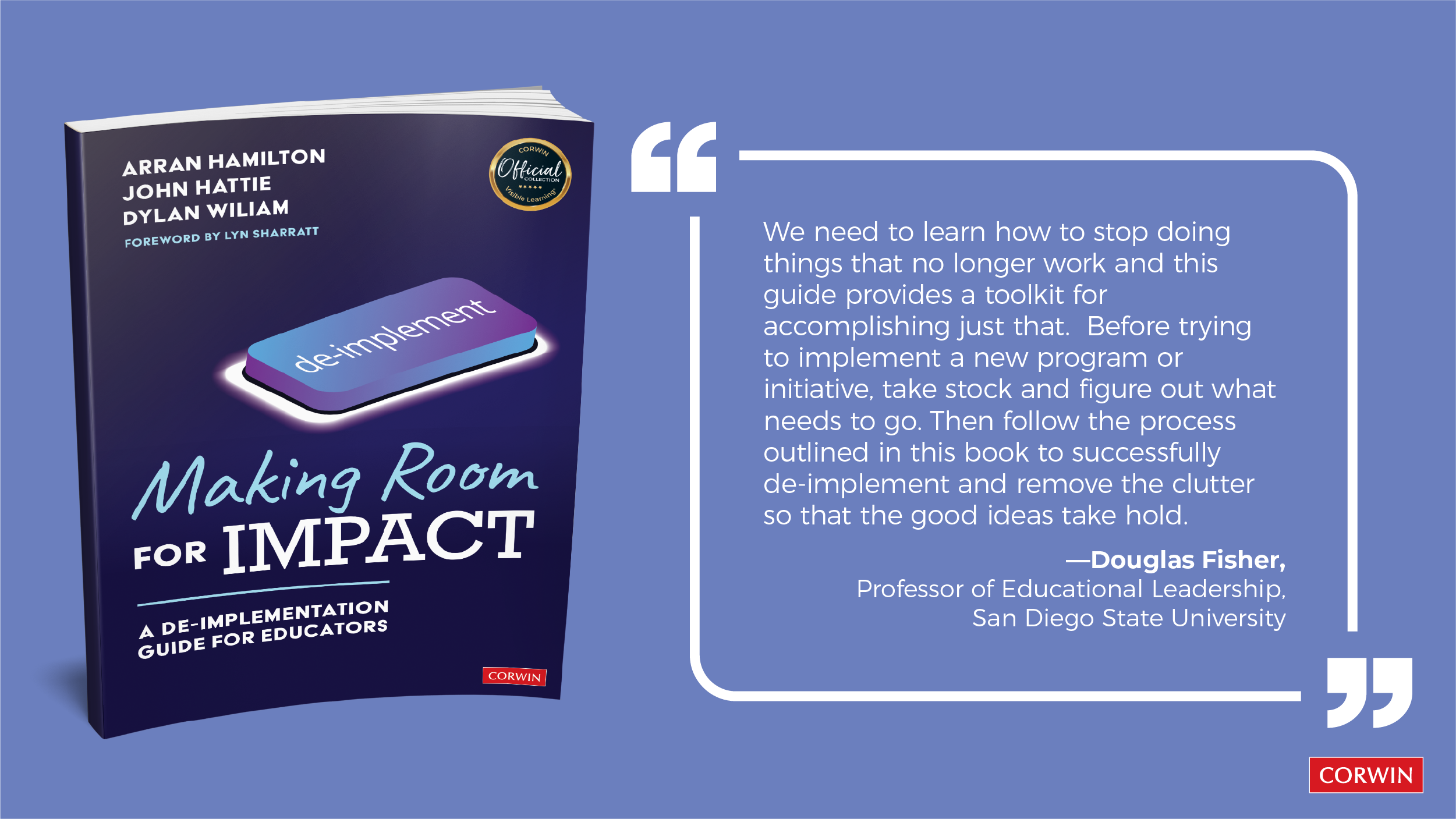
My first attempt was to use it for an upcoming webinar I’m doing on Google Drive Sync. But then I realized there’s SO MUCH more possible, and a TCEA 2024 Convention session I’m co-facilitating might benefit from these ideas.
Imagine applying the following steps to some edtech process, I said to myself, so I did. Then, I asked a friend (who is a CTO), Scott Laleman, to share his thoughts.
Getting Serious
In their book, Making Room for Impact, the authors point out four reasons for getting serious and focused about de-implementing:
- Substitute less effective practices with those that have more evidence and probability of impact
- Replace more expensive interventions with less expensive and equally effective solutions
- Streamline practices that have become over-designed
- Scale down use of a still needed process with less frequent use or being more selective about who gets to use it
- Stop doing things that cause unnecessary stress and that give us time to do other things better.
How might we apply this process to edtech work we do as technology directors every day?
Before I jump into that list, consider the following levels of de-implementation.
Levels of De-Implementation
In their book, the authors outline four levels of de-implementation. Here are my notes, which you may have read previously:
- L1: Individual. Action you can take on your own (instant)
- L2: Local. Action that requires cooperative engagement (weeks).
- L3: Whole School. Action requiring agreement/cooperation from leadership and can take a longer time. (months).
- L4: Highest Levels. Require permission from highest levels of school system. (years)
As you read over those four levels, ask yourself, “What’s one thing I’ve tried to do that fell into each of these buckets?”
When I think about it, here are some from my own experience (but there are TONS more):
L1: Individual. I decided to put inventory and budget tracking for all campuses and aggregate for district reporting via a collection of Google Sheets. This resulted in data for district and campus info about technology purchases available to everyone online. So cool.L2: Local. Changing (de-escalating) how the technical team handled interactions with the instructional technology side of the house. This resulted in staffing changes, but mostly localized.L3: Whole School/Department. Changing account management, enlisting the willing cooperation of multiple district departments. Another one was streamlining equipment deliveries.L4: Highest Levels. Getting support for construction of a Network Operations Center (NOC), a million dollar plus investment, that changes practices and involved superintendent and board approval. A few other ones come to mind include Account Management, Mobile Device Management (MDM), etc.
How many L1s can you do in a year? As many as you can tolerate. How many L3/L4s can you do? As many as your bosses and stakeholders will put up with (not much). Be careful.
As you reflect on the lists below, where buckets (levels) would you put them in?
DeImplementing EdTech
Take a moment and ask yourself a few questions about your work as a technology director. I’ve taken a stab at sharing MY experiences as a technology director, all of which I have implemented. Yeah, the distance between status quo and target level of growth can be huge, so please, please, make sure to take the time to build relationships and culture that will make change less “hot mess friction.”
- What am I (or my team) doing that could be substituted because it’s not as effective as something else?
- Miguel Guhlin’s suggestions:
- Wireless network configurations (first one to come to mind)
- Asset management
- Device management
- Physical servers at every campus (replaced with virtualized servers at a central location)
- Providing reports when a KPI Dashboard would work
- CTO’s Scott Laleman’s contributions:
- Combining products and processes wherever possible – if you have separate ticketing systems for IT and Maintenance, can you combine those into one product?
- Ticketing system that is tied to assets so you can see the number of tickets put in and calculate parts cost by device/campus/person
- Managing an on-premise mail solution and/or a centralized wireless lan controller (all traffic has to route back to a central location)
- NOT using MFA. Don’t skimp on security, even if it makes things a little harder or inconvenient.
- Backing up only on-prem, or, worse yet, backing up to the same NOC that you’re backing up from
- Automate everything you can, that way nothing is waiting on a *person* to do a job (this is easier said than done, but can be accomplished with planning and $$)
- MDM – find something that can manage all your endpoints, not just a specific set.
- Write down anything that is a standard, (cabling colors and types, how portables are connected/lit up, how things should be organized on switches and patch panels)
- What expensive technology are we using that could be replaced?
- Miguel Guhlin’s suggestions:
- Replace iPads, iPad carts with managed Chromebooks (ouch, sorry, but it’s true)
- Replace Network hubs and switches
- High-priced learning management system (LMS) that could be replaced with an open source solution (or, vice versa)
- CTO’s Scott Laleman’s contributions:
- Having local network shares – move as much as you can to the cloud, whether that’s GSuite or O365 or something else. It’s far less expensive (and sometimes free) to store things in the cloud than it is to store them on prem. Then you’re not worried about keeping those backups (and needing additional backup space), you can reduce the footprint of your on-prem storage, and even pare down your data center footprint and electricity usage.
- Anything that has the word “Cisco” on it.
- What practices could we streamline that have too many steps?
- Miguel Guhlin’s suggestions:
- eRate asset management
- Ordering equipment and tracking it from vendor to warehouse to end user
- Security patches and updates to end-user machines
- CTO’s Scott Laleman’s contributions:
- eRate. Hire a consultant. It will save your sanity.
- Security patches and updates to end-user machines – any installations. Use remote support software and/or a device management software to do installs remotely or unattended.
- Account creation – work with HR to streamline this process.
- What is everyone doing now that could be scaled down to only a few people?
- Miguel Guhlin’s suggestions:
- Account management…too many people are working to manage accounts when what you really need is an identity management/SSO solution managed by one person
- HelpDesk support
- Giving admin rights to everyone so they can install software, then get infected with malware/ransomware.
- Scott Laleman’s contributions:
- Inventory
- Mobile Device Management
- Everyone in your department should have a backup, but the person who is the main POC for any process or procedure should have good documentation on how to do their job. Be specific in job roles so that everyone knows what is part of their job. We all have “other duties as assigned” but if everyone is responsible for everything, it’s very messy. Have a “who to call for what” list
- What are some things we need to stop doing that are unnecessary and stressful for all involved?
- Scott Laleman’s suggestions:
- Giving admin rights to anyone outside the tech department.
- Make sure you don’t have a single point of failure – one person who no one else knows their job.
- Delegate, and trust who you delegate to.
- Remember that our job is to support teaching and learning. Anything that impedes that, we need to address. That means it isn’t our job to make OUR job easier. It’s our job to make TEACHERS jobs easier. If you or your department are creating roadblocks instead of solutions, stop doing that.
- Remember that not everything is an emergency, even though it may feel like everyone else wants everything to be an emergency. Having solid processes and procedures in place, making sure everyone knows what those are, and getting end user input on those processes and revising them as necessary will make everyone’s lives less stressful.
- Plan. Ahead. One of the hardest things I’ve had to learn is budgeting a year out. Get your demographics reports in the spring and plan from those for the following year. Make sure HR knows that you need to know if positions are going to be added or eliminated, and you need to know that in the spring so you can put the necessary items in your budget (or remove them from your budget) for the following year.
- Trust your leadership. Ask for everything you need. Don’t try to skimp to save a buck now because it will bite you in the butt later. Put everything you need for the upcoming year into your budget plus some contingency if your CFO will allow it. If finance says no to something, and that need not being met leads to an emergency later, at least you can say that you asked for it and were told no. There will be emergencies that are out of your control that will come up. Use the money you had planned for something else to cover it, let your leadership know what’s happening, and let them know you still need to do the original project, and will need additional funds to cover it. As long as you’re not spending frivolously, they will help you find the money.
Please share your responses to these questions in the comments.
Everything posted on Miguel Guhlin’s blogs/wikis are his personal opinion and do not necessarily represent the views of his employer(s) or its clients. Read Full Disclosure
Discover more from Another Think Coming
Subscribe to get the latest posts sent to your email.
 Another Think Coming