A longtime user of Proton’s version of secure, encrypted Mail, Proton Drive storage, as well as the original Google Docs (even before Google acquired it), I was pleased to see this announcement:
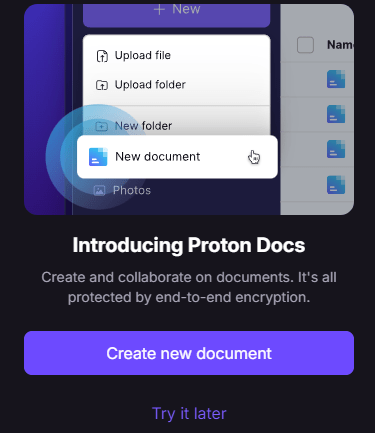
What? Proton now adds word processor to their stable of products? Great! I can’t tell you how annoying it was to put up with people complaining on Mastodon about me using Google Docs. While I tried other alternatives, Google Docs/Sheets reigns supreme with all the relevant privacy concerns.

## A Simple Interface
As you can see, you can download your document in several formats. What a pleasant surprise to see Markdown as one of them! Given that I use markdown format all day, every day, I may find myself using Proton Docs as a way to convert from other formats to markdown. Of course, those other tools have their own ways of getting content into Markdown:

## A Comparison Chart
To test it out, I whipped out this quick table. I love the simple interface Proton Docs brings to table creation. The table you see below was a “Download as…Markdown” from Proton Docs…the result didn’t look this clean. I had to press [enter] at the start of each row to get it to display, and there appear to be some characters (\n) embedded. So, that needs some work.
| Features | Proton Docs | Google Docs |
| — | — | — |
| End-to-End Encryption | Yes\n\n | No |
| Offline Editing | No\n\n | No\n\n |
| Real-Time Collaboration | Yes\n\n | Yes\n\n |
| Document Size Limit | 25 MB\n\n | Not specified |
| Storage Space | 5 GB free, paid plans available\n\n | 15 GB free, paid plans available |
| Font Support | Limited\n\n | Limited\n\n |
| Grammar and Spelling Tools | No\n\n | Yes, but inferior to Microsoft Word\n\n |
| Table Creation and Editing | Yes, with various features\n\n | Yes, but with some limitations\n\n |
| Privacy Focus | High, with end-to-end encryption\n\n | Low, data accessible by Google |
| Integration | Part of Proton Drive\n\n | Part of Google Drive\n\n | | Cost | Free, with paid storage plans\n\n
| Free, with paid storage plans\n\n |
| User Interface | Similar to Google Docs, but with Proton’s style\n\n | User-friendly and accessible\n\n |
Here’s what it looks like in Proton:

## Sharing Proton Docs
Sharing is a cinch, too. What I hoped was that a Proton Docs document would not require the other person to have a Proton account to edit. So I shared my chart one of my other email (Gmail) accounts, but as you can see, an account is required (just like Google):

This word processor really comes across as a web-based editor more than a word processor. The reason why is that when I hit print, I get a URL splashed at the bottom of the page like a footer. To get a real print, I have to export it as a PDF, and that causes the table to lose some of its color. You can see a more colorful version online:

Still, all that aside, it appears the word processor will do the job.
Discover more from Another Think Coming
Subscribe to get the latest posts sent to your email.
 Another Think Coming