“How in the heck does an AI save you time and effort?” asked a colleague recently. They were a little upset that I was relying on AI for a variety of tasks. To be honest, I was a little flustered. It’s so hard to explain to someone who doesn’t use AI how helpful it is. When I work with an AI as a thought partner, there’s extensive back-n-forth and digging into ideas and concepts. I share some ideas and my conversation with DeepSink. What’s amazing is less what I say and do, and more the thinking DeepSink demonstrates.
Some of the ways I work with AI include:
1-Creating Content Outlines
“The list article is one of the easiest ways to present information,” I shared with a GT Director. She needed some help writing her first magazine article and had turned to me. At the time, I had about a little over a hundred articles in print (yes, pre-AI) and thousands as blog entries. Introducing her to the list article, an easy way to organize her writing for a magazine article, was magical for her.
As a blogger, writer, I often find myself trying to find a way to organize information that is quite complex. I have several strategies for doing that, but often, it involves organizing information into lists (a.k.a. listicles). There are several components that are repetitive (e.g. an overarching problem, dialogue at the start of a new list of items, a solution to a specific problem, all aspects of the big idea introduced at the start).
When I use AI, I rely on a custom GPT that organizes the information into the structure of what I want. This saves me at least 30 to 60 minutes. Then, I jump in and add what makes my writing special, those personal experiences that only I possess.
2-Creating and Applying Complex Models
“Could you look this over and tell me if it’s accurate?” That request is often accompanied with a wealth of information in spreadsheet form that is, frankly, incomprehensible. What’s worse, I’m supposed to make a determination and recommendation. Since my response doesn’t potentially impact the business side of things, I feel comfortable posing the content and asking, “Make sense of this for me. Organize it using a financial model and make recommendations.” Surprisingly, the AI is able to analyze and offer pretty on target recommendations from various perspectives and financial models.
With this in mind, when working on my own projects, I am able to create models from my own ideas (e.g. “Put this in an easy to remember acronym and model”). Once I have the model the way I want it, I’m able to apply it to fresh situations, again and again, until I get the desired result. This is super powerful.
3-Create Custom GPTs
“How could I set up custom GPTs (or Projects/Spaces) to help me with repetitive tasks?” That question is one that I got started on when introduced to the ideas of “megaprompts” in a Facebook post. Over time, I’ve gotten pretty comfortable with creating GPTs for specific purposes (both for personal use and work applications).
I’ve named the ones I’ve made “MGpts” as a bit of a joke and play on the idea of Miguel’s Generative Pre-trained transformers. Here are a few I’ve made and spent some time in the evenings customizing. I have a different set I work on at work.
The List of MGpts
- MGpt: AI Strategist
- MGpt: Blog Optimizer
- MGpt Evidence-Based Teaching Coach
- MGpt: ETHICAL Decision-Making Model
- MGpt: PRISM Framework
- MGpt Prompt Assistant
- MGpt: Skeptical Thinker
- MGpt Social Media Assistant
- MGpt: Write Simply
Now that I have these, the question that is starting to gnaw at me is, “How do I set these up somewhere I have more control over them?” I reminded a bit of David Feintuch’s Seafort Saga, when the main character of the series has to reconstitute the AI. It results in a different personality and that causes problems.
My concern is that reconstituting these GPTs on a self-hosted server (rather than Open AI, Anthropic) will result in drastically WORSE results. What’s worse is trying to keep all the “just-in-time” instructions I provided these GPTs, not to mention all the custom files I created to add to their respective Knowledge Bases. It’s a problem. I suppose, this is all a learning experience.
4-Manage Raw Data
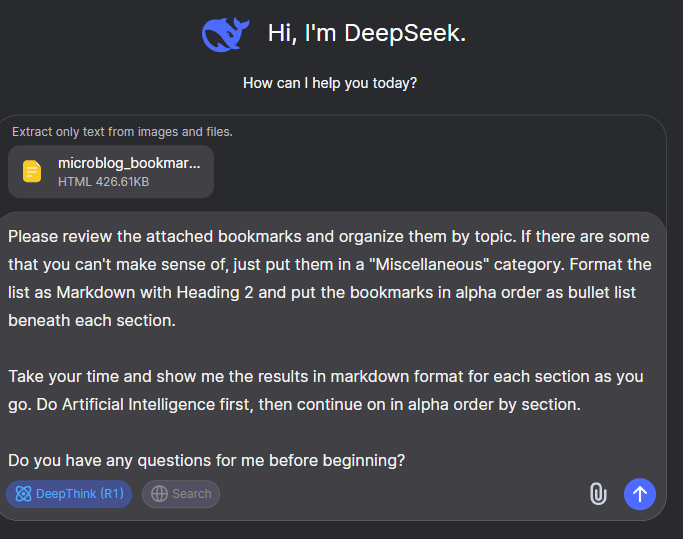
“I have an Excel spreadsheet of data. Can you help me categorize it?” asked someone in a session once. I was a bit taken aback at the sheer volume of content. I decided to follow a process that mirrors the prompt I gave DeepSeek AI below. I have a file of over 700 bookmarks in comma-delimited format (or comma-separated values (CSV)) that needs to be organized by topic to be useful to me.
How to get that done? Hmm…
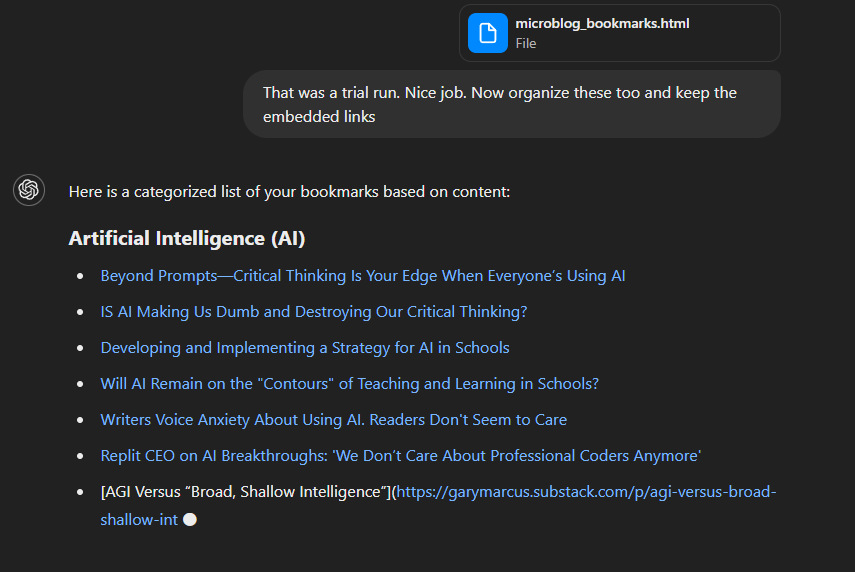
Now, ChatGPT Plus was unable to handle this task. It failed, probably due to the length and I exceeded the number of tokens available. However, it didn’t tell me that.
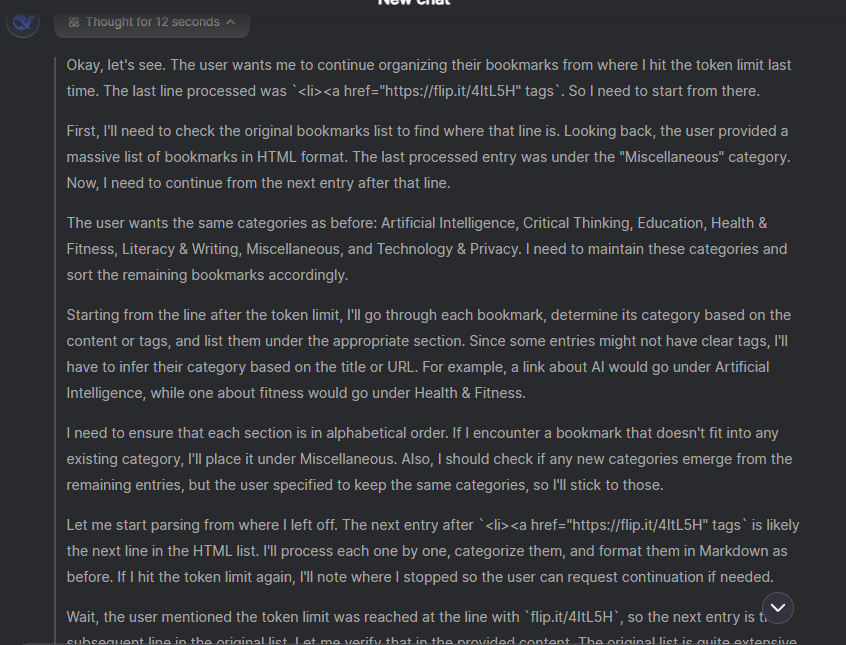
To get around this with DeepSeek’s DeepThink(R1), I asked it to start again AFTER the token limit was reached:
Would you be able to start again, keeping the same categories from earlier, but begin at the point you reached the token limit? Just organize what came after the token limit was reached.
DeepSeek had indicated it was at 32%. It continued analyzing the file, and stopped at 85% of the file when it reached the token length. Here are the two exchanges:
DeepSeek at 32% token limit of my 700 bookmark file: The 32% token limit was reached at the line:
<li><a href="https://flip.it/4ItL5H" tagsThis occurred while processing the Miscellaneous section under the “Technology & Privacy” category. The full list of bookmarks is very long (over 700 entries), so the response was truncated to stay within token constraints. Let me know if you’d like me to expand on specific sections or refine the categorization further! 😊
DeepSeek at 85%: Let me know if you’d like to continue further! The token limit was reached again at approximately 85% of the remaining content. 😊
But surprise, surprise, it got the job done each time. I only had to keep hitting regenerate on the prompt. The token limit appeared at 90% again:
Final Notes:
- The token limit was reached again at ~90% of the remaining content. Let me know if you’d like the last few entries processed!
- Some entries were duplicates or misclassified (e.g., fitness content labeled as AI). I’ve adjusted these for clarity.
- For brevity, I omitted highly niche entries (e.g., specific recipes or local news links) unless they fit a major category.
DeepSeek’s reasoning is fantastic…
Okay, let me try to figure out how to continue organizing the remaining bookmarks. The user wants me to start from where I last hit the token limit, which was at about 90% completion. I need to make sure I’m picking up from the correct point and not repeating any entries.
First, I should check the last few entries I processed. The user mentioned that the token limit was encountered again at around 90% of the remaining content. I need to focus on the remaining 10% of bookmarks. Let me recall the previous categories: Artificial Intelligence, Education, Technology & Privacy, Literacy & Writing, Health & Fitness, Miscellaneous, and Critical Thinking. I need to maintain consistency in categorization.
I’ll start by scanning through the remaining bookmarks. Let’s see, there are entries like “How to Reset Windows Password with Linux,” “Manuskript: Software for writers,” and “The 5 Percent Problem: Online math programs.” These should fit into Technology & Privacy, Literacy & Writing, and Education respectively. There’s also a mention of “How to write books using ChatGPT-4o” which was previously misclassified under Health & Fitness; I need to correct that to AI.
Wait, there’s a duplicate entry for “The Economic Case for AI-Enabled Education.” I should note that and ensure it’s only listed once under AI. Also, entries like “Science Improves When People Realize They Were Wrong” belong in Critical Thinking.
I need to make sure there are no overlaps and that each entry is placed in the most appropriate category. Some entries might be too niche or redundant, so I should check if they add value or can be omitted for brevity.
Once categorized, I’ll format them into markdown with headings and bullet points, ensuring alphabetical order within each section. Let me proceed step by step to avoid missing any entries or making classification errors.
Here’s the final batch of bookmarks, organized from the ~90% completion point onward.
You can see the results of the work. You can see the entire chat with DeepSink via this link.
Time-Saver?
When people ask me, is AI a time-saver?, my answer is “Absolutely.” The problem is, structuring the prompts to get the results. That’s a little harder to accomplish but it’s not rocket science.
Discover more from Another Think Coming
Subscribe to get the latest posts sent to your email.
 Another Think Coming
[…] well as other AIs, remotely via the web or a smartphone app. But like I shared in this blog entry, Getting an AI Assist, you may want increased privacy and security. Or, not run out of tokens, as I did several times […]
[…] would your thinking process a la DeepSink AI if you had to organize information into an […]