Flipping through articles via my Flipboard app, I stumbled on this wonderfully written explanation of how to run DeepSeek locally on my computer. It involves downloading LM Studio then getting the DeepSeek model loaded in. I thought I might keep track of my steps following Dhruv Bhutani‘s instructions. Before I get into the steps I followed, I have to answer the question of WHY?
Total Time: 40 minutes from start to finish. Wow! Doing this would have taken less if I hadn’t written this blog entry at the same time.
Why Load DeepSeek on Your Computer?
You can access DeepSeek, as well as other AIs, remotely via the web or a smartphone app. But like I shared in this blog entry, Getting an AI Assist, you may want increased privacy and security. Or, not run out of tokens, as I did several times using the web version of DeepSeek.
My concern, though, is whether running locally is going to work at the same speed and level of effectiveness as the web version. Let’s find out!
Here we go…
1-Get and Install LM-Studio On Your Machine
As you can see from the screenshot below, you can load LM Studio on Mac, Windows, or Linux.

Installation was pretty easy. Double-click the executable file on Windows and installation happens thereafter. As soon as you run it, you’ll be asked to install an LLM:

You can load a variety of models, and it tells you right away if your computer can handle it or not.
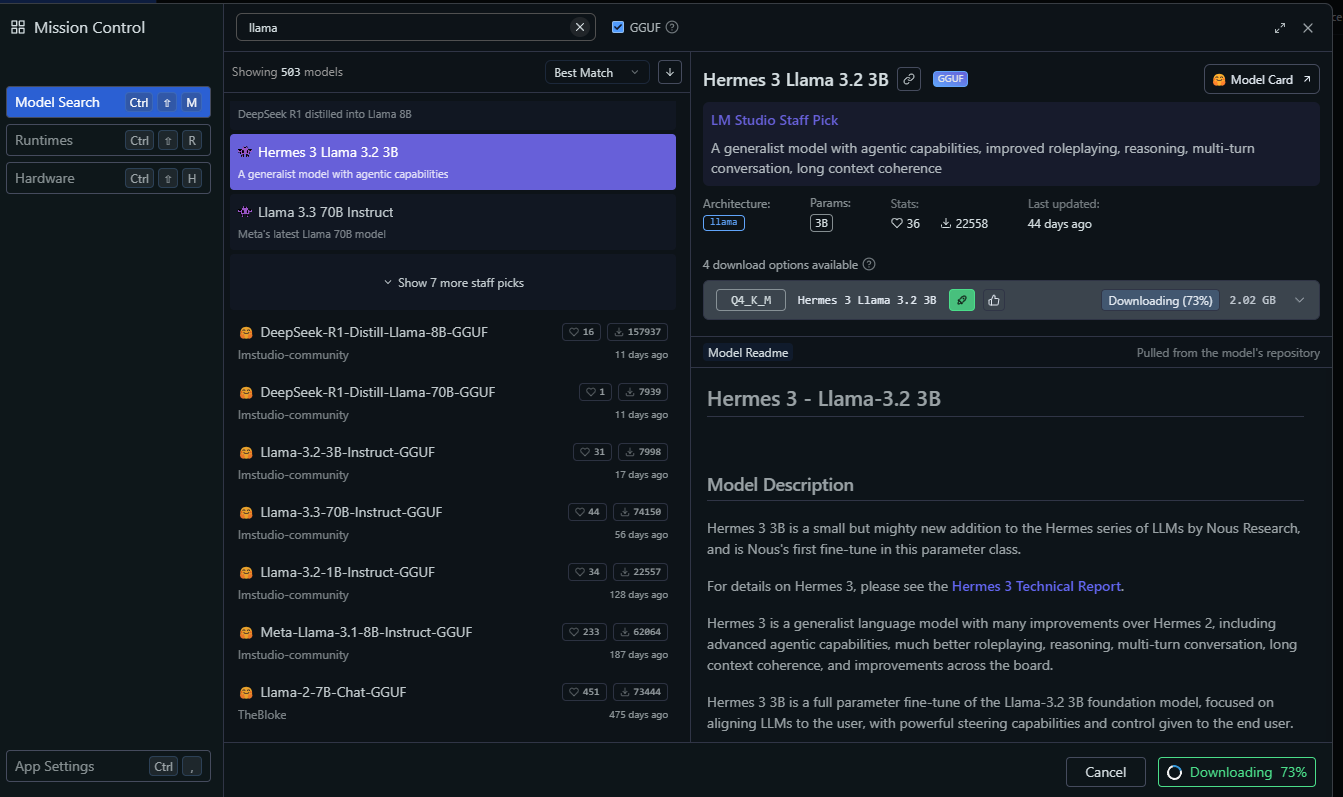
Now that this is done, let’s actually get the models (although you can see I have already gotten one and a half).
2-Get the DeepSeek LLM
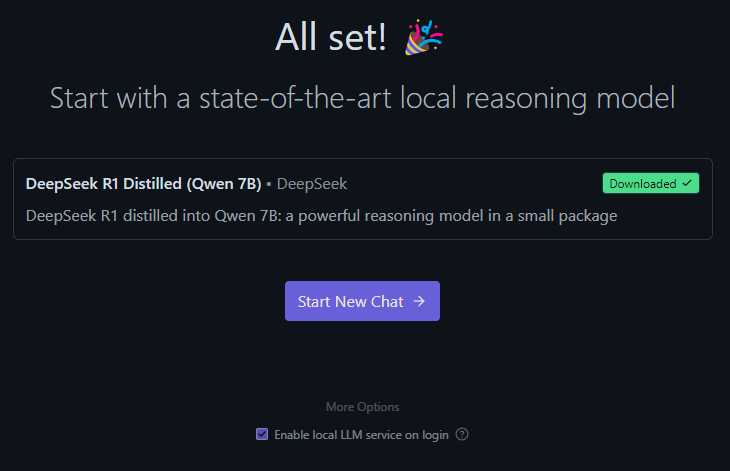
I was a bit surprised to see that this is the one that was offered. There are more options, but since this is why I was here, I started the download of the DeepSeek model.
The model is about 5 gigs (so huge!). On a fast internet connection, it doesn’t take too long.

Once the download is done, you’re ready to START NEW CHAT:
3-Start a New Chat
The first thing, it appears, I need to do is to LOAD MODEL.

After that, it’s just a matter of trying things out. I decided to try a prompt I used earlier on ChatGPT Plus.
The prompt I used is this one:
Come up with 10 alternative catchy titles to an online, self-paced course on Microsoft Excel focused on beginner to intermediate and advanced content. The original title was “MS Excel for Office Professionals”
I noticed an upload button (paperclip), so I clicked the paperclip to attach the bookmark file and got this message:
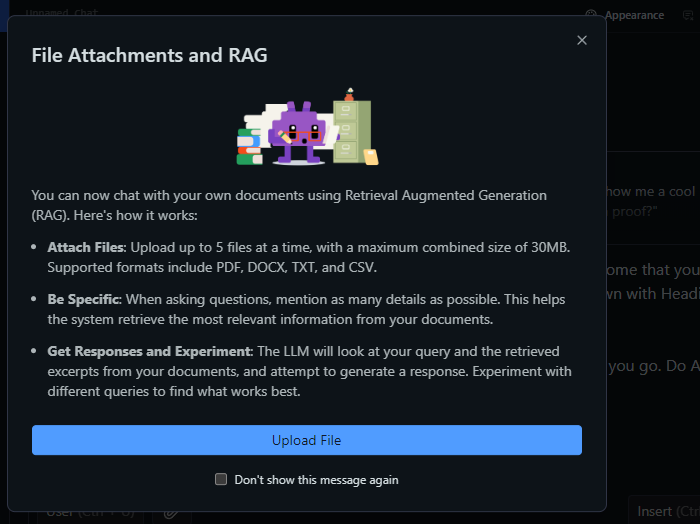
Ok, that’s great info. I didn’t have a file to upload, so I skipped it.
Here’s what the results look like from ChatGPT Plus ($20 a month) and DeepSink (Free):
| ChatGPT Plus | DeepSink |
|---|---|
| Excel Mastery: From Beginner to Pro Excel Essentials & Beyond: Your Complete Guide Excel Unlocked: Skills for Every Office Pro The Ultimate Excel Bootcamp: Basics to Brilliance Excel Made Easy: From Spreadsheets to Solutions Office Excel Mastery: From Novice to Ninja Excel Power Skills: Mastering Data Like a Pro Excel Smart: Learn, Automate, and Optimize Excel Success Path: Unlocking Productivity & Insights Excel Wizardry: The Complete Guide to Spreadsheets | Excel: From Basics to Advanced Excel for Everyone Mastering Excel Excel 2023 Essential Skills: From Beginner to Pro Tips From Excel Basics to Pro Tips: Everything You Need to Know The Complete Excel Guide: Learn Everything Excel: Your Complete Guide to Success in Excel Excel in Your Future: Skills for All Professions Excel Made Easy to Advanced: A Step-by-Step Guide Excel: Level Up Your Skills and Excel Expertise Today! |
| Excel Mastery Excel Essentials Excel Unlocked Excel Bootcamp Excel Made Easy Office Excel Excel Power Skills Excel Smart Excel Success Excel Wizardry | Excel Ace Academy Unlock Excel Magic Excel Pro Tips & Hacks Excel Complete Guide Excel Simplified: From Basics to Advanced Excel Success Journey Excel Magic 101 Excel Power Tips Excel Mastery Path Excel for Everyone |
What’s really cool is watching the AI think, as you can see below:

A Few Thoughts
As Dhruv Butani points out, there’s a lot to like about running your own LLM on your machine:
Running large language models locally wasn’t just a technical decision for me — it was about reclaiming control. There’s something liberating about knowing your data stays with you, your tools don’t need permission from the internet, and you can work without worrying about subscriptions or censorship. That’s why this choice feels right for me.
I love the idea of running this locally. And, I have to admit that running an LLM locally has gotten soooo much easier than when I first tried it a few months ago.
Running Hermes-3-Llama model, by the way, was lightning fast and got me these results:
- Excel Ace
- Microsoft Magic
- Office Power
- Spreadsheet Wizard
- Excel Expertise
- MS Superstar
- Excel Mastery
- Office Excellency
- Advanced Exceler
- Excel Proficiency
Those results aren’t far from ChatGPT’s, which makes me wonder…”Why am I paying $20 a month to Open AI?” Oh, that’s right. Custom GPTs. Whew!
Discover more from Another Think Coming
Subscribe to get the latest posts sent to your email.
 Another Think Coming