Like many others, I’m presenting at THE premier curriculum and instruction event in Texas and the Nation. No, no, it’s not that acronym. Or that one either. It’s the TCEA 2025 Convention and Exposition (not a conference, never just a conference) that is so amazing, I’ve made every effort to attend each year…well, for decades.

Access session presentation schedules for other amazing folks: DB, BE, PR. Drop into their session and say “Miguel says, ‘Hello!'” then get a selfie with them and post with the TCEA hashtag #TCEA and tag me on BlueSky (@mguhlin.bsky.social)
New to BlueSky?
If you are new to BlueSky, get an account and follow #EduSky hashtag:

Welcome to #EduSky 🍎 a communuty for educators! Check out the list: tinyurl.com/EduSky Join the list: tinyurl.com/EduSkyForm Pin the feed: tinyurl.com/EduSkyFeed

A Changing Focus
In the past, my presentations focused on ed tech solutions to problems encountered in school districts. Since 2018, with my increased awareness to the work of John Hattie, Visible Learning, I’ve found my presentations have high-effect sized instructional strategies laced through them. They are often more about pedagogy than technology. That’s a bit of a contradiction for a long-time ed tech advocate.
What’s changed is the rush of research pushing ed tech back into the fringes as not so innovative or worth spending precious instructional time on. Rather, it’s the pedagogy, the evidence-based teaching and learning strategies, the research, brain science, that has taken the front spot ahead of technology.
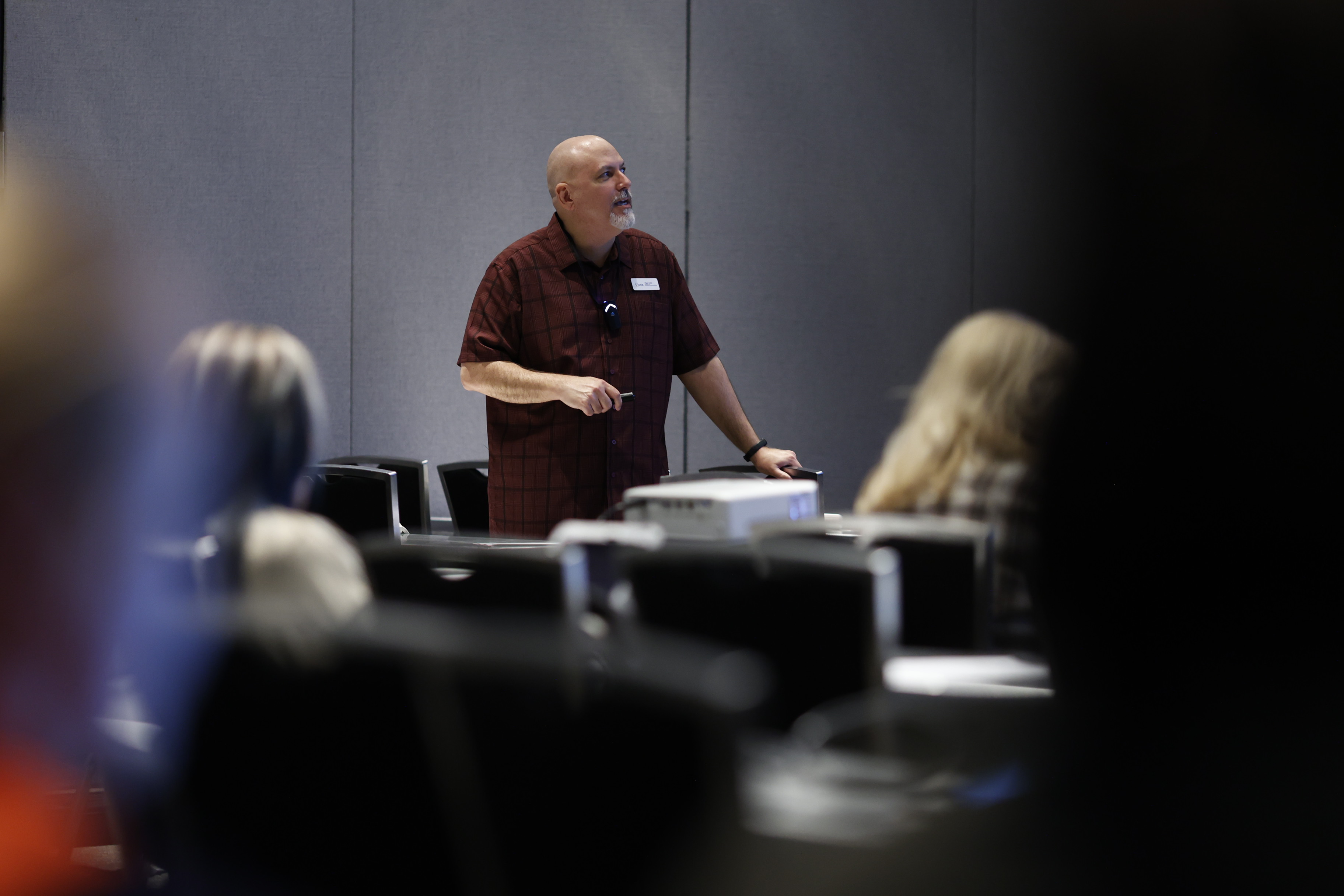
Today, I’m presenting two sessions at this non-profit education association’s event. Can I share a little about them with you?
Session #1: Perfecting Summarization Techniques for Deep Learning
The session description is:
Outlining and Organizing has a high effect size (0.84) as it encourages students to distill information into core concepts. In this session, you’ll learn how to teach effective summarizing techniques such as 3-2-1 summaries, exit tickets, and one-minute quick writes, enabling students to solidify their understanding of complex topics. Other strategies are also suggested such as Underlining and Highlighting, Outlining, Reciprocal Teaching, Questioning, and Repeated Reading.
In this presentation, I absolutely love the visuals I’ve created with Napkin AI reinterpreting my words as beautiful diagrams. Here’s one example:

If you are wondering why I’m covering Outlining and Organizing, you may be surprised to learn that the Summarization strategy dropped in effect size from .74 to .45, while Outlining and Organizing jumped up to .84…and the description is focused on finding main ideas, identifying supporting details, dumping the unnecessary (summarizing by another name would smell as sweet) AND organizing. It’s the organizing that has the impact, I suspect.
More resources:
- AI Powered PDF Summaries, Summarizing Activities & Outlining and Summarizing,
- Notes Organizer Template: Canva | PDF | PPTx
- Quadrant Outline Template: Canva | PPTx
I really had a lot of fun with the Notes Organizer Template (get the Canva version). It includes an awful lot. And, something I’ve written about before relevant to Quadrant Note-Taking found its way into my presentation, so that’s been a lot of fun to dig into as well.
So that’s my first session today. My SECOND session is:
Session 2: Visible Learning with EdTech
Implement John Hattie’s high-impact teaching strategies using modern educational technology tools. Learn to leverage digital platforms to enhance feedback, metacognition, and self-reported grades, which Hattie’s research shows have significant positive effects on student achievement.
My favorite slide in this presentation is The SOLO Taxonomy and the AI Connection. I really see the application of the SOLO Taxonomy to these new areas (AI) as quite important and necessary.
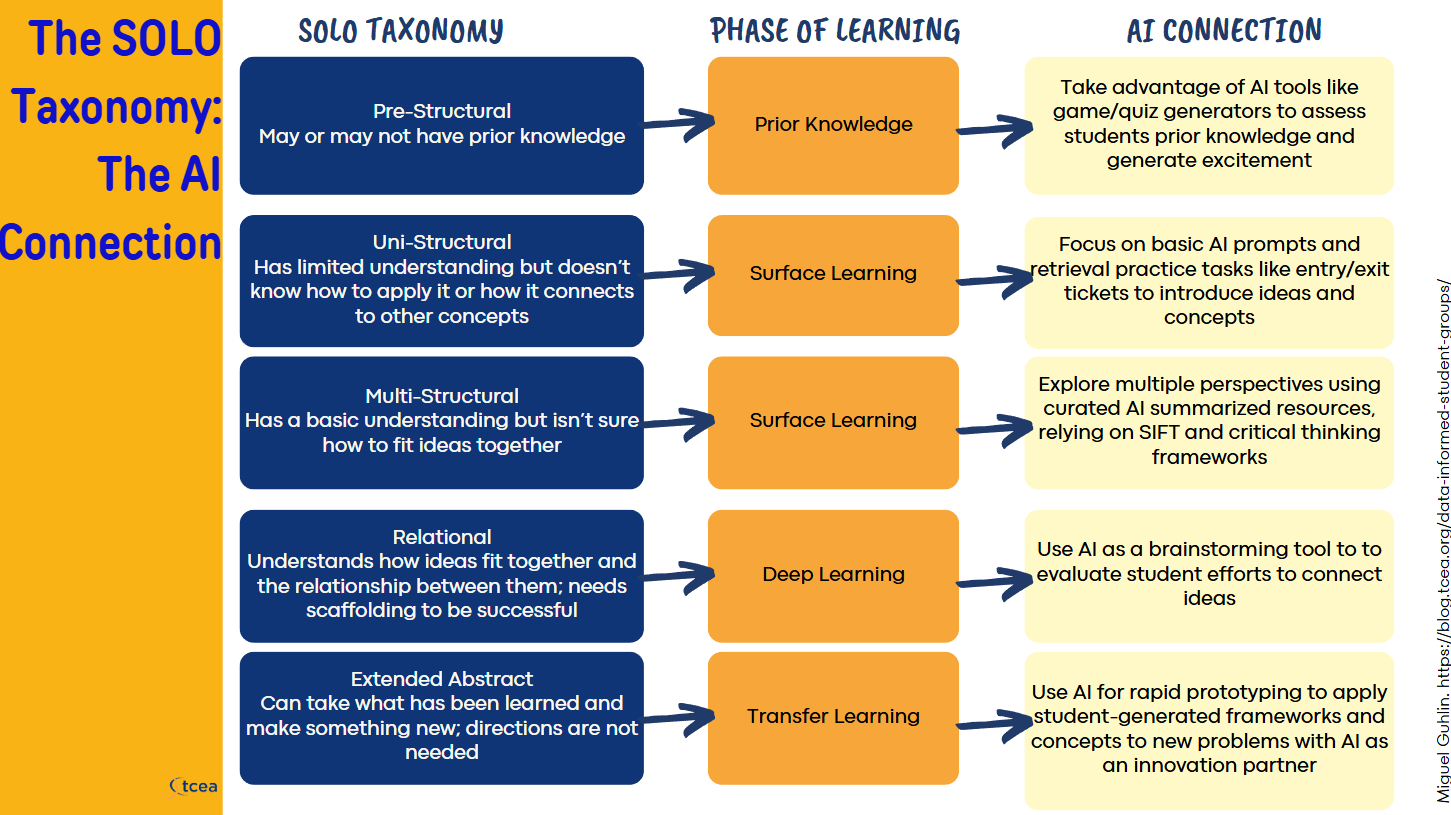
See what I mean about the shift from ed tech to pedagogy focused? That’s a lot different than the sessions of yesteryear, where the focus was on the most fun apps and digital tools you could use.
This event has really grown, combining the best of curriculum and instruction without forsaking the simple fact we live in the future we all imagined. One that is replete with technology and it’s worth knowing how to use it to achieve our goals as teachers, leaders, and learners, no matter what role we play.
Voxer Updates
I also hope to be posting quick interviews with convention attendees to get a feel for a variety of topics and issues relevant to them. I’ll be relying on Voxer to record these and share them out quickly. I’m amazed at how much easier it is to do this all on my phone, then post here with pictures, etc. using a tool like Jetpack for WordPress.com and the Voxer app.
Don’t Be Afraid to Say “Hi!”
I hope you’ll reach out and say “Hello,” take a selfie, consent to a fast interview about a hot topic you are interested in relevant to K-16 education. TCEA has a whole community lounge dedicated to the conversation, so take the time to explore and post.
My Tips for TCEA
As a veteran TCEA attendee and presenter, here are my tips.
- Tracking New Learning and Experiences
- Carry a small notebook and your phone. A tablet (iPad mini or Android) for a bigger screen if you must but skip it if you can. Laptops, even Chromebooks, can be heavy. A bag with wheels is a must since you are packing heavy.
- Get an audio recorder app on your phone and record. I like to use Voice Recorder Pro (available on iOS/Android). Sit near front and record the speaker.
- Take notes, draw pictures, sketchnote if you want.
- Outline and Organize your notes. Type up your notes while they are still fresh…you may need to fill in gaps. Make every effort to put them in your own words. You can snap a photo of handwritten notes and have AI tool transcribe them for you. But take the time to revise them yourself and Outline and Organize them to ensure long-term information retention. This is going to be a new one for me this year, so we’ll have to compare notes.
- Listen to audio of presos and write down anything you missed. Organize and make an outline of notes. Bluetooth earbuds come in handy so you can pop them in while doing something else.
- Presenter Tips
- Redundancy is key. Bring two digital adapters, two power cables (if you can). So easy to forget one at the end of a preso because the next team is waiting to take your spot.
- Carry your own power strip, plug all your stuff into it, and when you leave, unplug the power strip and pack it in your bag. That way, you are less likely to lose an individual cable.
- Pack cables in clear gallon ziplock bags. Easier to see and find.
- Food and Clothing Tips
- Pack water and light snacks so you can keep going through lunch without stopping.
- Comfortable shoes, extra pair of socks, portable toothbrush, pack of baby wipes, antibacterial.
- Dress comfortable. I know some folks like to wear suits and ties, but really, come on. Do you really need to juggle everything and make clothes the distraction?
What are your tips and/or presentation links?
Discover more from Another Think Coming
Subscribe to get the latest posts sent to your email.
 Another Think Coming
[…] When people asked me yesterday how my day went on Day 1 of TCEA 2025 Convention, I made sure to quote a participant from one of my sessions. It’s hard to beat that […]
[…] #TCEA Presentation Update: Day 1 (Sat) #EduSky #EdTech […]