Welcome to my resources for my NSPA AI Fast Track session, Crafting Better AI Prompts: Unlocking Efficiency and Accuracy for Scholarship Workflows. This page offers a few links and resources curated for your use. Everything I created is shared via CC-BY-SA copyright (share it freely with others and link back for credit). Also, a new resource (Context Windows) was added (4/16/25) thanks to webinar participant request…it appears in the MORE resources section.
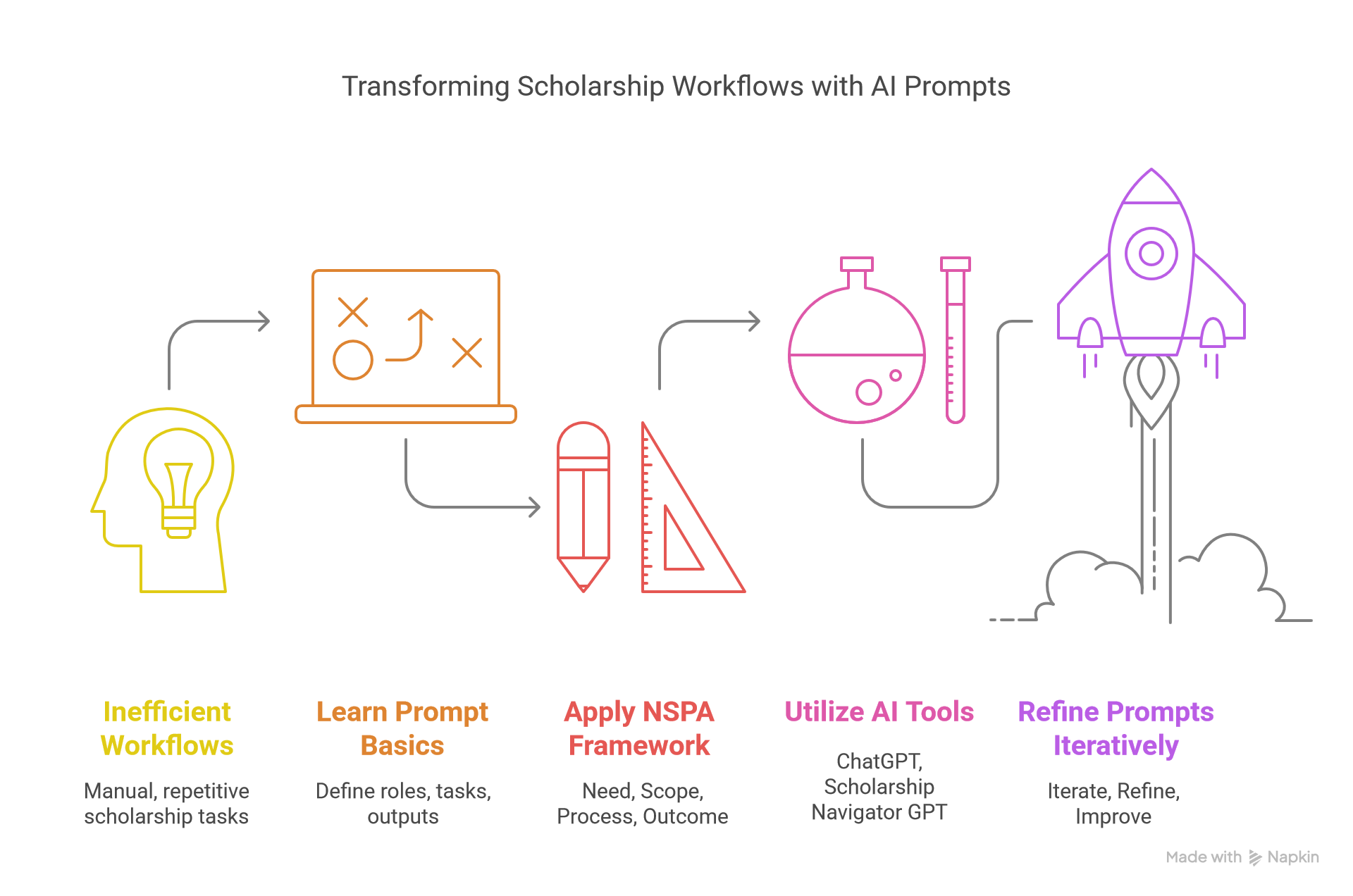
Table of Contents
- Maximizing AI Tool Use at Work
- Session Resources and Schedule
- NSPA Prompt Framework
- Hands On Activities with Prompting Tips
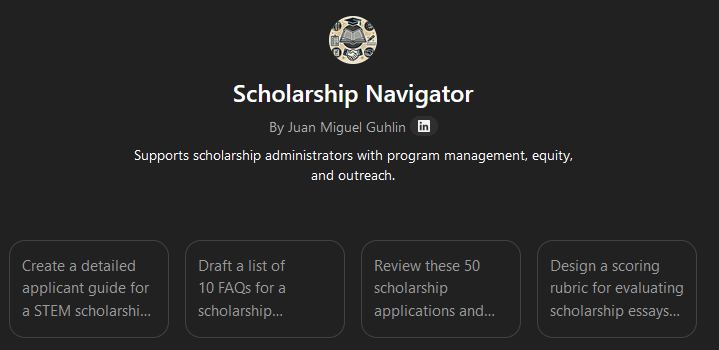
- Scholarship Navigator GPT – Prompts to Try
- More Resources including additional slide decks, Context Windows diagrams
Maximizing AI Tool Use at Work
It seems obvious that the best way to maximize AI usage in your workplace is to:
- Find out what work you do that can be put into a formula, a set of custom instructions
- Provide detailed examples that reflect what you want to achieve
- Develop a custom AI-powered tool (whether that be a custom GPT, a GEM, a Space, or a Project) that automates as much of the process of development as possible
- Reflect and Refine whatever the AI has generated under your direction
I’ve gone through this process dozens of times, with small and huge projects that strain the context windows of the AI tools I’m using. And, have found these efforts to be successful.
Exploring the Benefits
The benefits have included:
- A deeper appreciation for the process I’m working on. As I work to create custom instructions, gather examples, I get a deeper insight into what I’m doing. Coaching the AI to produce the desired result has also helped me refine my own process, which I then try to externalize for the AI as a set of instructions to follow.
- Saving effort and time, but only AFTER I’ve spent a tremendous amount of time figuring out what I want to see and how to get the AI to produce it. Does that mean a net savings of time or effort? Possibly but that’s not always the goal. The goal is to do what takes me a long time in a short time so I can move the project to the next level.
Session Resources
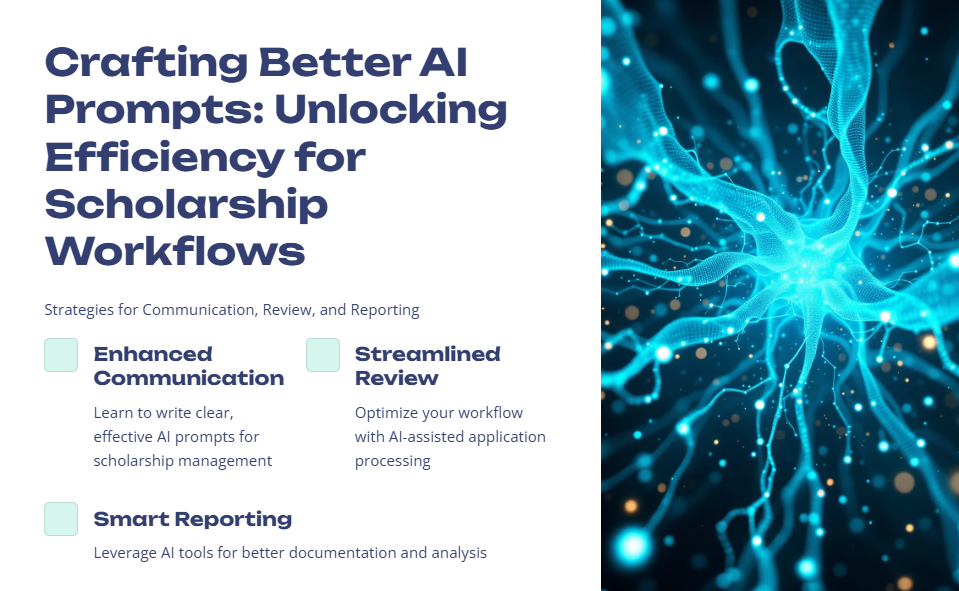
You can find my session resources linked below. I have also added more items after those.
- Presentation slide deck (Gamma app presentation | Google Slides | PDF)
- TCEA Prompt Workbook
- Prompt Engineering Acronyms
- AI Tools for Note-Taking, Email, Legal, Chat, and Project Management
- Custom AI Tools
Schedule
The time for this presentation is going to go quick, so I’m trying to adhere to the following:
- 15 mins: Overview and examples
- 20 mins: Interactive activities
- 10 mins: Explore Scholarship Navigator GPT
- 15 mins: Wrap-Up
- 15 mins: Q&A
NSPA Prompt Framework
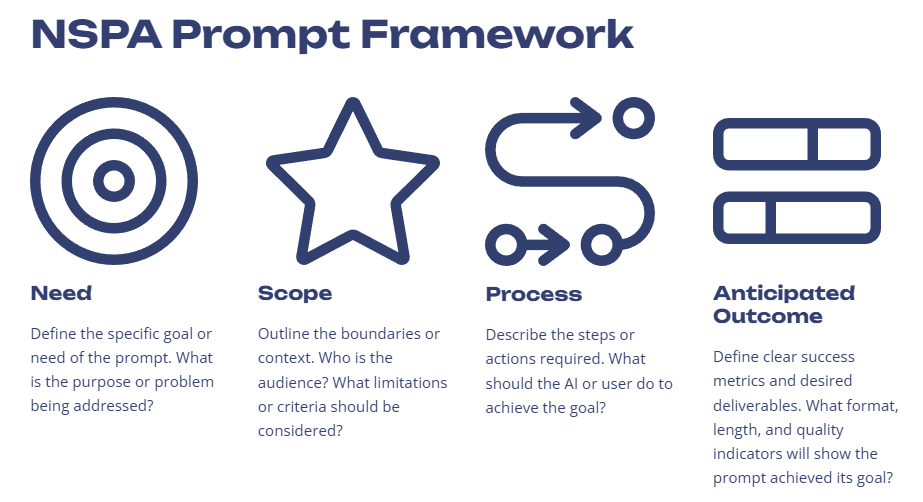
Sample Prompt
“Act as a scholarship advisor. Help a high school senior in the United States find the top 5 scholarships for Fall 2025 that match their academic achievements, financial need, and extracurricular activities. Provide a brief description of each scholarship, including the eligibility criteria, deadline, and application link. Focus only on reputable and verified sources.”
Hands-On Activity
Writing a prompt that goes beyond your traditional two or three sentences can be difficult. Try writing one on your own that conforms to the NSPA Prompt Framework above. Or, use the TCEA Prompt Designer to assist you with coming up with a prompt.
You might ask it to do something after setting the Need, Scope, Process to follow, and clarifying the Anticipated Outcome. Use natural language, as if you were speaking to a knowledgeable colleague:
Please assist me in coming up with a prompt that [put purpose of prompt here without square brackets]. The goal of the prompt is to [write what you want]. Please make sure to consider the following: [list audience, criteria, context, background info, limitations]. Follow these steps, or take these actions. Here is an example of what I want but I need you to elaborate as much as possible (or keep it concise).
Once you get a response, revisit the response and ask it again. Try it then check below for more prompting tips.
Donor Acknowledgments
Create personalized thank-you letters using AI assistance
Applicant Evaluations
Generate comprehensive candidate assessment summaries
Performance Reports
Draft detailed monthly scholarship tracking reports
Prompting Tips
These are some prompting tips that I picked up from a friend, but without the source. Try them:
1- Make the AI analyze first. Include this in your prompt:
“Before giving an answer, break down key variables that matter for this question. Then, compare multiple possible solutions before choosing the best one.”
2- Get the AI to self-critique after it responds:
“Now analyze your response. What weaknesses, assumptions, or missing perspectives could be improved? Refine the answer accordingly.”
3- Force multiple perspectives:
“Answer this from three different viewpoints, such as 1) Student/Applicant Perspective; 2) Institutional/Administrator Perspective; and 3) Donor/Funder Perspective. Then combine the best insights into a final answer.”
Another approach you can take is to ask the AI to offer suggestions and identify what you missed:
What additional suggestions or ideas do you have? Have I missed anything that I should include based on information you have access to? How might that impact what we’ve come up with so far?
Prompts for Scholarship Navigator
Try one of the following in the Scholarship Navigator and apply the prompting tips suggestions to see how you can develop these further.
- “Create a detailed applicant guide for a STEM scholarship aimed at first-generation college students. Include eligibility criteria, the application process, and tips for writing a compelling essay.”
- “Draft a list of 10 FAQs for a scholarship application process, covering eligibility, deadlines, required documents, and how to submit applications online.”
- “Review these 50 scholarship applications and rank the top 10 candidates based on leadership experience, financial need, and academic achievement.”
- “Design a scoring rubric for evaluating scholarship essays on leadership potential. Include criteria for originality, clarity, relevance, and impact.”
- “Generate a personalized thank-you letter for a donor who funded a renewable $5,000 STEM scholarship, highlighting the recipient’s story and impact.”
- “Summarize the annual impact of the Smith Family Scholarship Fund, including total disbursements, student demographics, and graduation success rates.”
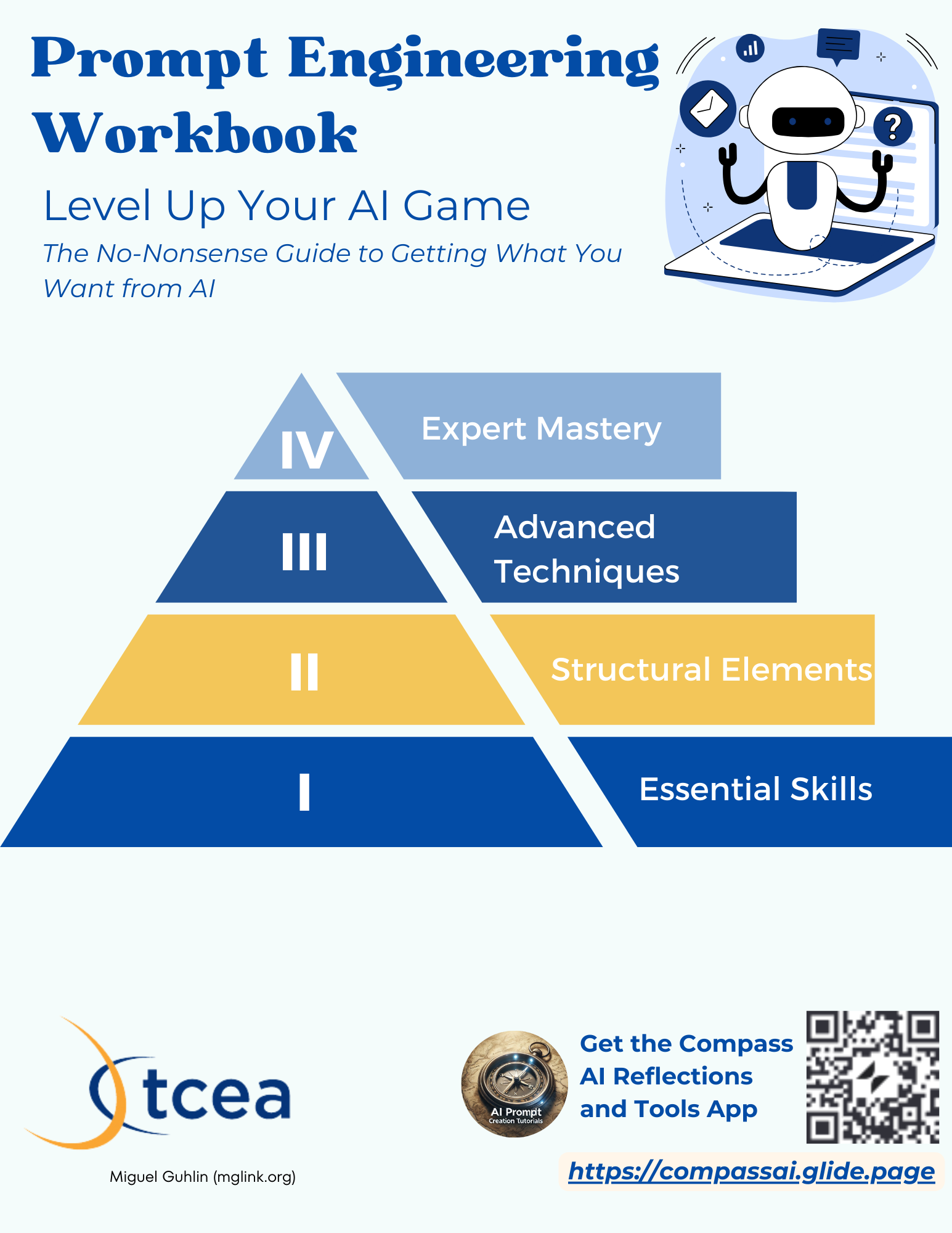
Prompt Engineering Workbook
View the Prompt Engineering Workbook
More Resources – Updated 5/14/2025

Complementary Presentations
- Create your own AI Custom GPT, Gem, Space, or Project with these ideas
- Grab and Go of AI Tools You Can Use
- AI Chatbots for Website Support (special request from audience)
AI Chatbot Tools Referenced/Modeled:
- Boodle Box AI
- ChatGPT
- Google Gemini (free and advanced)
- Mistral.ai
- Perplexity.ai
- AI Chatbot File Compatibility
- Citing AI Insights: Five Approaches to Try via TCEA TechNotes blog
- Solution: Transcribing Text from #Audio
- JobsGPT: Paul Roetzer’s custom GPT that breaks down how AI might affect your job and forecasts new roles emerging in your field. Learn more about it.
- Free Media, Content, and Tools
AI Tool Picks
General Purpose
- AI Language Learning Models (LLMs), a.k.a. Chatbots
- ChatGPT offers Canvas (interactive AI assisted editing), Custom GPTs, and Projects
- Plus ($20) account for individuals, but less data safeguards
- Safeguard data with Teams ($25) or Pro ($200 a month) account
- DeepSeek.ai, a free Chinese reasoning AI that rivals ChatGPT
- Google Gemini offers deep research and AI Studio for Gems, Image Generation, and More
- Mistral.ai Le Chat web-based AI available for free with web search
- Perplexity Pro ($20 per month or buy annual for $204)
- ChatGPT offers Canvas (interactive AI assisted editing), Custom GPTs, and Projects
- Productivity Tools
- Canva AI (Free/Premium tiers)
- Descript (~$12+/month) for video editing
- Gamma App (Varies)
- Napkin AI
- Transcribe Audio using Restream.io or Whisper Desktop
- Local AI – Run AI Models from the Privacy of Your Own Computer (if it’s powerful enough)
- Ollama with Page Assist
- Msty with web search
- LM Studio
- Free, Open Source AI Model Sources for Local AI
Context Windows
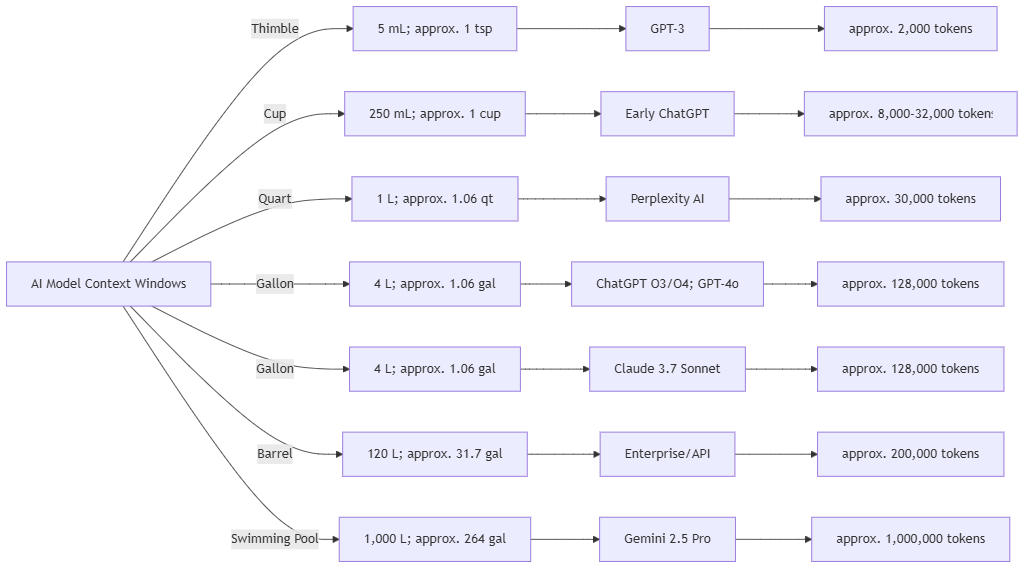
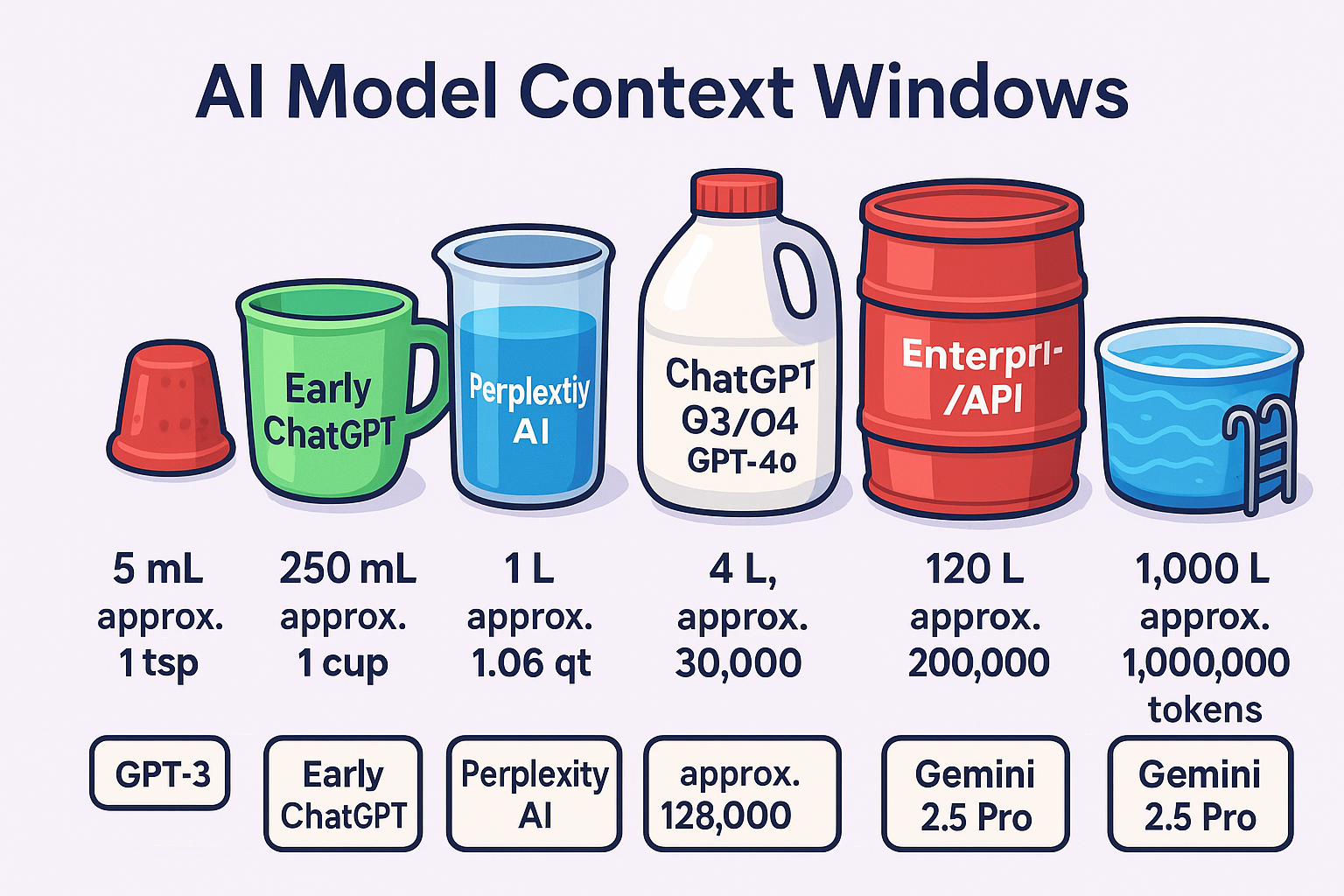
During my session, I tried to explain the difference in context windows to webinar participants. Here are two images I came up with (with the support of multiple AI chatbots). The first is a Mermaid syntax diagram, while the second was generated with ChatGPT Image generation:
Mermaid Syntax Diagram
This is my first draft. Getting the code right took forever. The AI chatbots I consulted (e.g. Perplexity, Mistral, Gemini) all kept wanting to put parentheses in the mermaid syntax. I finally went line by line to figure out, “D’oh, it’s the ( ) getting in the way.” Once I dumped those, everything worked smoothly.
ChatGPT Version
This is my second draft, or really, ChatGPT’s 3rd draft:
Learn More About AI
Sign up for these fascinating newsletters (via email) about AI innovations. It’s a firehose, so you have been warned.
- Ben’s Bites – A daily AI newsletter providing concise updates on AI developments.
- Critical Inkling – Tom Mullaney’s “AI Resistance” vibe is worth exploring.
- Evolving AI Insights – A newsletter with over 2 million subscribers providing AI insights.
- Futurepedia – A weekly newsletter joining 230,000 professionals learning to leverage AI tools for work.
- Superhuman – Zain K.’s AI-focused newsletter that grew to over 800,000 subscribers.
- The Neuron – An AI-focused daily newsletter with over 500,000 subscribers.
Discover more from Another Think Coming
Subscribe to get the latest posts sent to your email.
 Another Think Coming
[…] NSPA Member? Check out the NSPA AI Fast-Track session resources page. […]