
While watching Sarah Gibson’s 5 Things I Love About BoodleBox video, the first in her series (definitely worth counting down the reasons with her), and I had an idea. First, here’s the link to Sarah’s video:
Ok, back to my idea. I really like running AI tools, like Gemini and others, in their own browser window. That way, I can flip back and forth between my browser screen and my panel of AI experts.
Here’s what that looks like…
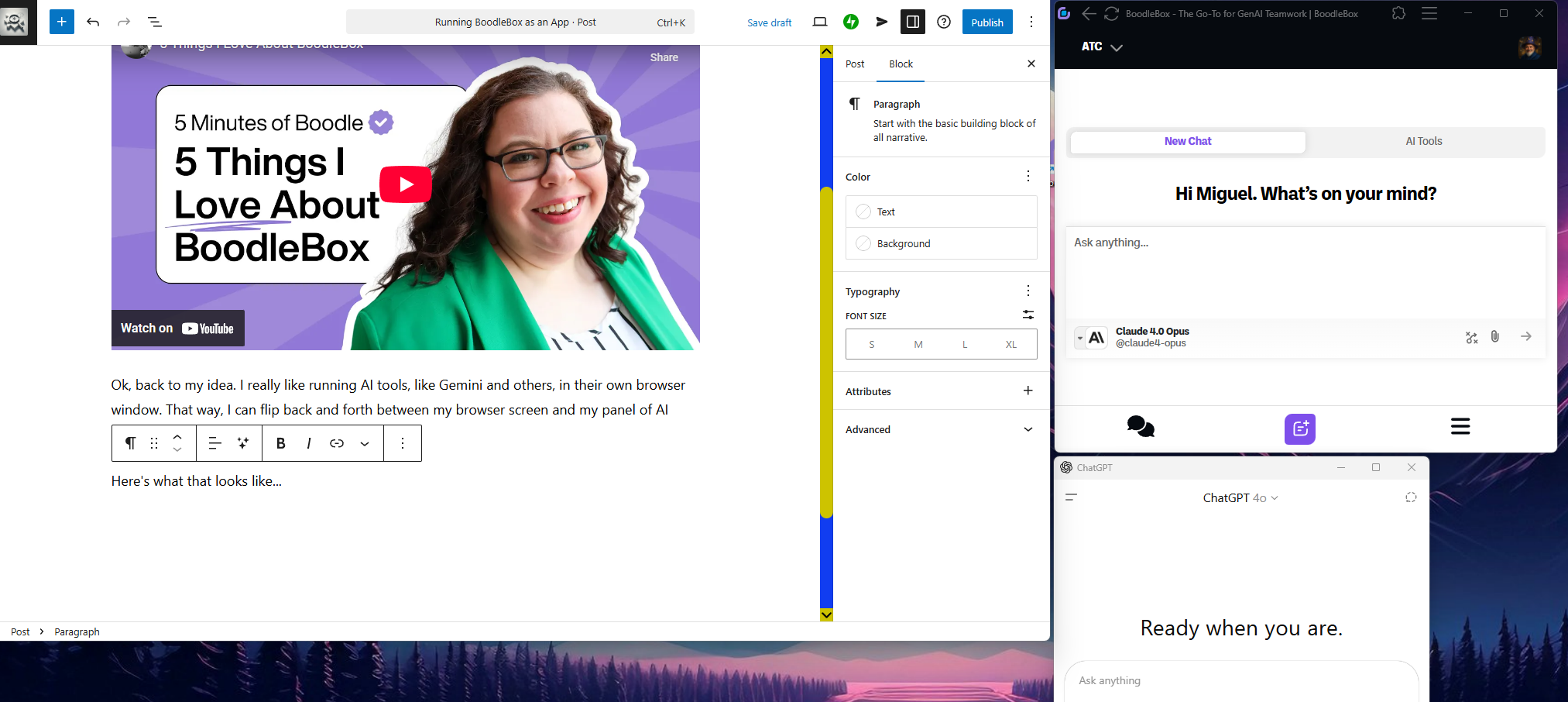
So you can see, I can be doing stuff on the left side of my screen but then check with the AI on the side. How did I set that up? It’s pretty easy, and if you already know, great. If not, follow along below.
Install a Website as an App
The steps are easy on a Chrome/Chromium browser. Since I’m using Brave browser, I followed these steps:
1 – Go to the 3 horizontal lines in the top right corner of my browser (the 3 dots on Chrome).
2 – I dropped down to SAVE AND SHARE (you would go to MORE TOOLS on Chrome):
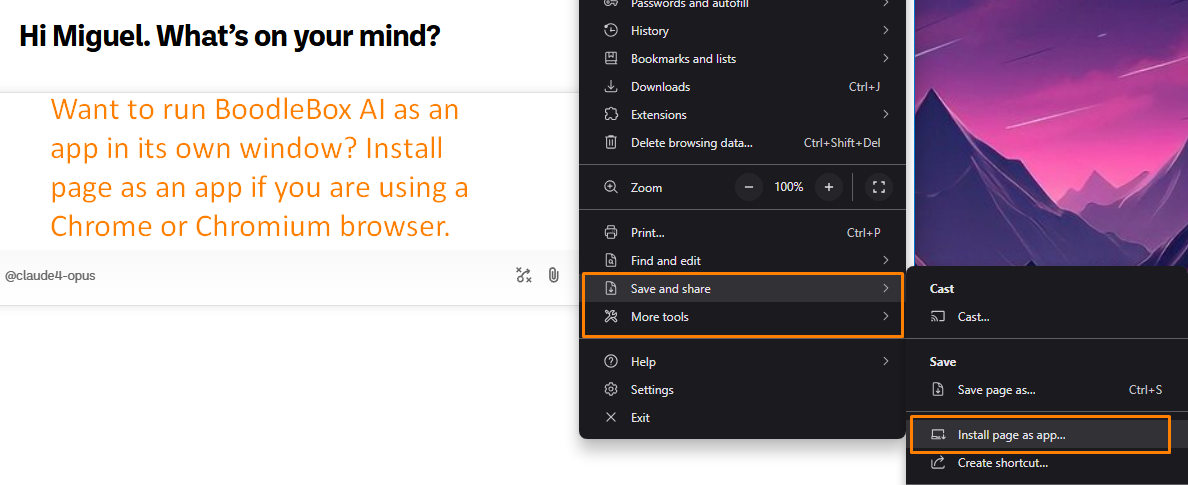
3 – Open the WebApp link on your Desktop
Once you have created the app, it will appear on your Desktop. You can then copy-n-paste that wherever you want. As you can see, it’s pretty easy and lets you open it.
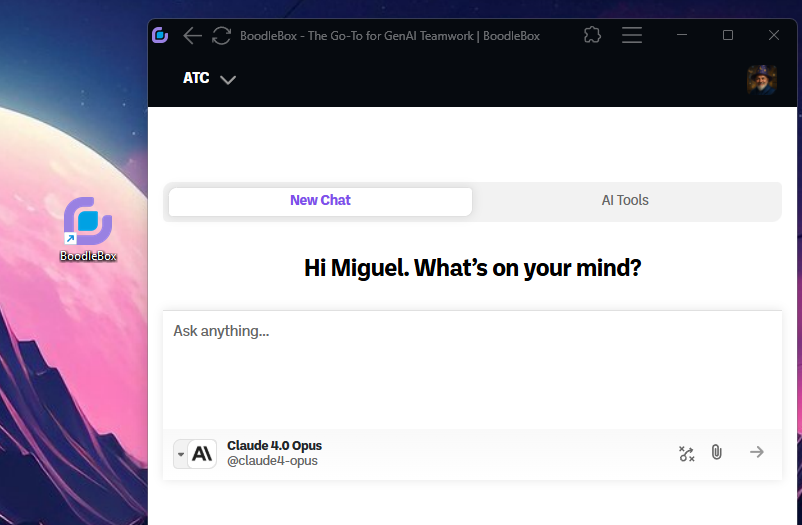
Adjust the width of the app window to see more options (like that left side-bar) but you can definitely just keep it narrow.
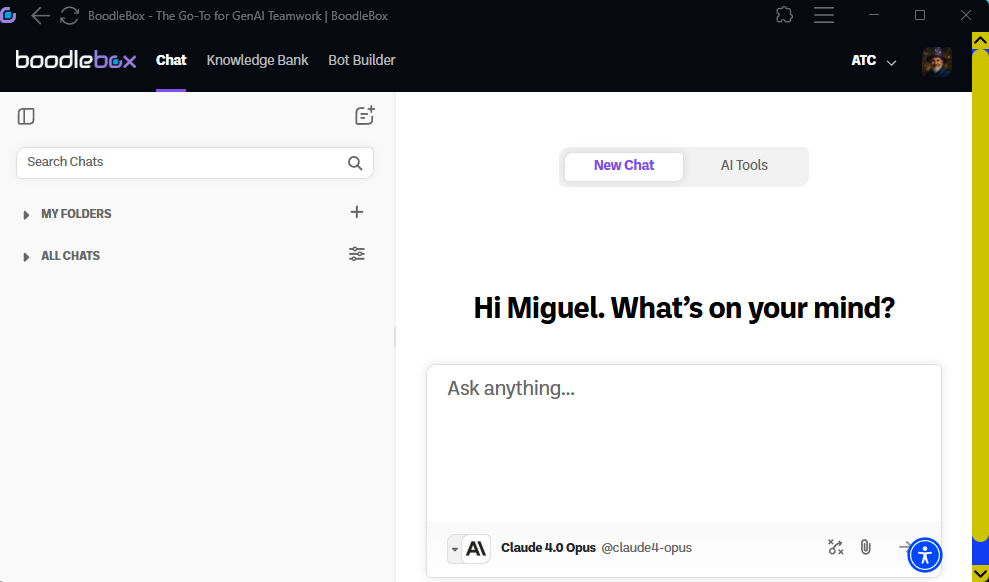
Give it a shot if this is something you find useful. I know I do. And, of course, you can do this with any browser tab.
Wait, Did You Know?
If you’re waiting for BoodleBox to get a voice friendly app, you might consider making a webapp on your device. Since I have an old iPhone, I follow this process:
On Safari browser on my iPhone, I do this:
- Tap the Share icon,
- Choose “Save to Home”
And that’s it! The “Save to Home” puts the link as a webapp on my iPhone’s home screen. I can open right up to whatever BoodleBox chat I was looking at. I use this for quick image generation since it opens to a chat running the FluxPro bot (image generator). I could create another shortcut to a different app, like Claude Opus 4.
Discover more from Another Think Coming
Subscribe to get the latest posts sent to your email.
 Another Think Coming