How are you learning new things, or go deeper on one topic? This is the focus Zach Kinzler brings to a video he posted on LinkedIn. It’s an expansion of something he shared with one of his podcast’s guests, the idea that we need to use Gen AI for learning rather than having the AI do our work for us. His approach is super-easy, but I can’t wonder if there’s another approach. I decided to try both approaches to prepare me for an upcoming event.

You can watch his engaging video online via Linked In. He suggests this prompt, “How to Learn Anything,” can be useful. He engages in bot stacking, relying on Perplexity and Claude AI via BoodleBox, to get the desired result.
The easy steps he follows are as follows:
- Paste prompt into BoodleBox’s implementation of Perplexity chatbot
- Get Claude (in BoodleBox) to refine it into a file that can be exported (He uses a prompt something along the lines of “Now take what Perplexity came up with and write it into a 5-7 page paper I can download”
- Drop the file into NotebookLM
Zach’s approach is super-easy and if you have access to NotebookLM, a winning combo of THREE different chat engines–Perplexity->Claude->Gemini. The real value of NotebookLM? You get access to a suite of tools that are tough to rival:
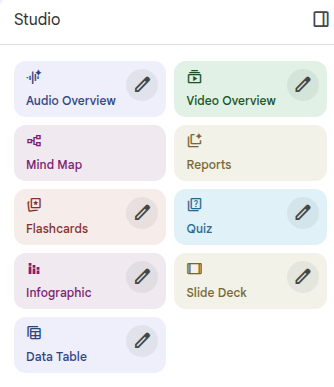
For fun (yes, for fun!), I decided to try a different road that didn’t rely on Google NotebookLM.
No Google NotebookLM?
What if you don’t have or want to use Google NotebookLM? There are several other solutions that might work. If you’re not afraid of free, open source solutions and the command line, you can try the process outlined in this Google Doc:
Creating a Multi-Persona Podcast with FOSS Tools
View or Make a Copy via Google | View document via Proton Drive
Listen to audio
(or, listen via non-Google link)
(Compare to NotebookLM version) (Proton Drive hosted version)
(transcript appears in Google Doc or Proton Drive doc)
Now, I have to admit, Zach’s approach is quicker and easier because he leverages Google NotebookLM. I do think the Perplexity step is unnecessary.


Image Generation
I decided to use ChatGPT GPT 1.5 Image Maker with this prompt:
Create a square social-media version and the detailed step-by-step infographic. All text must be clean, professional, and free of typos. Use short, classroom-ready prompts. No stylized or distorted lettering. Prioritize legibility over decorative fonts.
The bold part is the important part to include with infographics. Also, I used this longer prompt with ChatGPT, NanoBanana and Flux Pro via BoodleBox:
Image Prompt:
Create a clean, professional infographic titled
“Designing for Every Learner: UDL + Instructional Coaching (Texas Context)”.
Style & Layout
- Flat, modern infographic design
- Clear visual hierarchy
- Accessible color palette (deep blue, gold accents, white background)
- Sans-serif typography, high legibility
- Balanced layout with icons, flow arrows, and labeled sections
- No decorative clutter
Top Section: The Framework
- Large central visual of the VIVA Framework displayed as a clockwise cycle:
- Verify
- Illustrate
- Validate
- Apply
- Short descriptor under each:
- Verify: “Define the core idea”
- Illustrate: “Show it in real practice”
- Validate: “Examine evidence and limits”
- Apply: “Decide what to do next”
Middle Section: The Voices
Three distinct vertical panels or cards labeled:
- District Leader – Leadership Lens
- Icons: city skyline, leadership badge, planning clipboard
- Key ideas:
- Learner variability is the norm
- UDL as proactive design
- Coaching builds capacity
- UDL as coherence framework
- Instructional Coach – Practice Lens
- Icons: classroom, checklist with flexibility arrows, stopwatch
- Key ideas:
- Firm goals, flexible means
- Barrier removal, not lowered standards
- Real classroom constraints
- Coaching cycles and modeling
- Researcher – Evidence Lens
- Icons: research paper, graph, magnifying glass
- Key ideas:
- Strong theory, emerging evidence
- Coaching has higher impact than PD
- Fidelity and equity concerns
- Texas research gap
Bottom Section: The Throughline
A highlighted synthesis bar with arrows connecting all three voices:
- UDL provides the WHAT
- Instructional Coaching provides the HOW
- Sustained Investment provides the WHEN
Below it, a bold takeaway box:
“Design for variability, not averages.”
Contextual Elements
- Subtle Texas outline watermark or icon
- Small callout bubbles:
- “Not a checklist”
- “Not an add-on”
- “Built through coaching”
Overall Tone
- Professional
- Thoughtful
- Evidence-aware
- Practice-oriented
- Suitable for educator PD, leadership briefings, or conference sessions
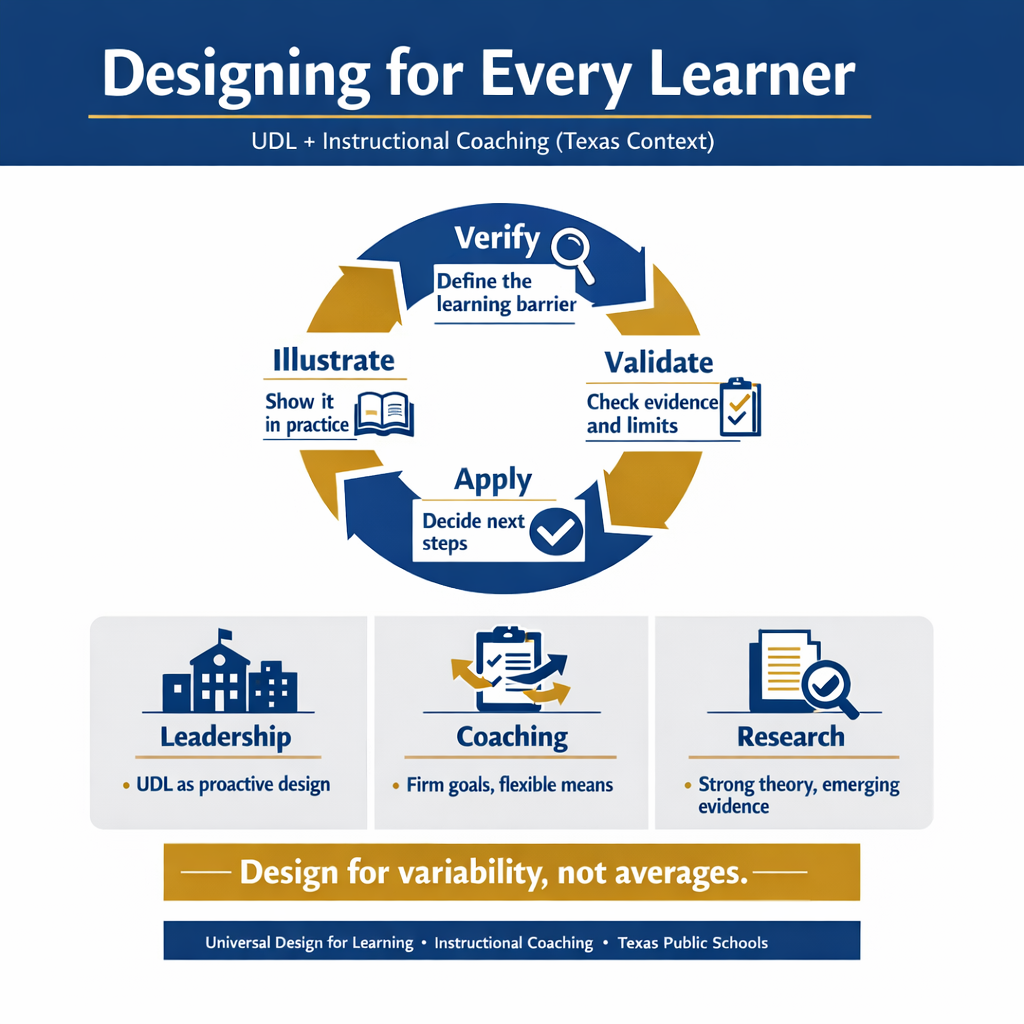
Nano Banana version (not perfect)
Can you find the ONE error with this image? This would be very easy to drop into Canva and fix with Grab Text editing, but ChatGPT nailed the image

Discover more from Another Think Coming
Subscribe to get the latest posts sent to your email.
 Another Think Coming