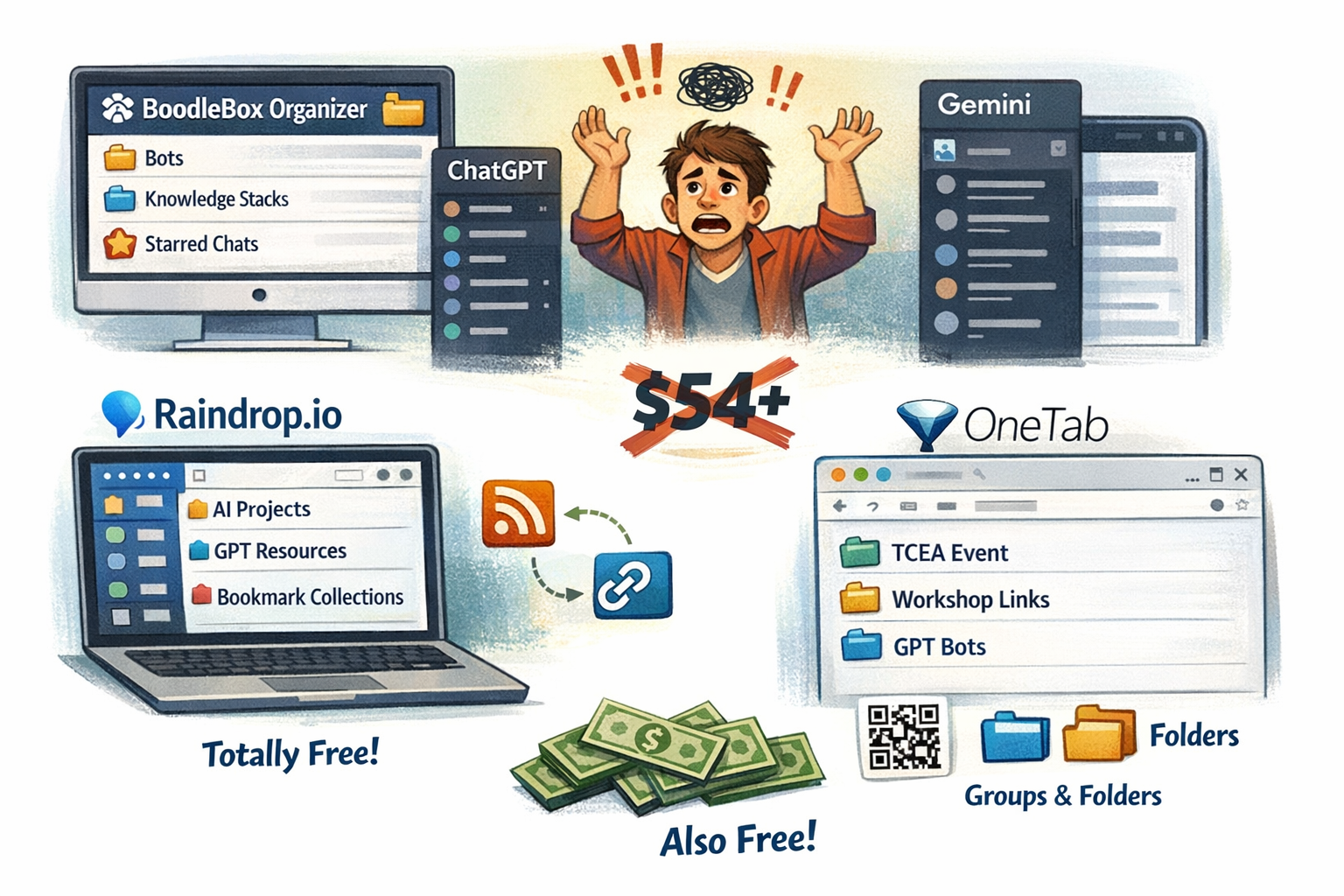
Since I spend so much time working on BoodleBox Bots, ChatGPT Custom GPTs and Projects, I find myself longing for a better way to organize it all. While BoodleBox has made great strides in making their bots, knowledge stacks, chats much easier, it can still get overwhelming (especially given the number of chats I create). Still, BoodleBox has the best organizer featuring folders, starred chats, and the ability to quickly sort chats into folders.
Note: You can find a roundup of subscription-based tools at the end of this post, but sheesh, I don’t want to spend $54+ just to organize my Gen AI. Free is much better, don’t you think?
OpenAI’s ChatGPT makes me want to throw my hands up in frustration, since everything is managed in a sidebar. Same complaint for Google Gemini’s Gems. Since I’m working across different chatbot platforms, I rely on a combination of two tools for sharing and organization. Mind if I share them with you?
Approach #1: Raindrop.io
If you haven’t used Raindrop.io to organize your bookmarks, you are missing out. I wrote about it in this blog entry. It offers incredible features with collections, nested collections, and tags for every bookmark. What’s more, you can share via RSS and/or a link. This means people can subscribe to your bookmarks to keep up with any additions you make, if you choose to make those public. They can also be private. Raindrop.io is totally free, although I pay a nominal charge once a year as my contribution to keeping them working.

That said, it’s not perfect. If the bookmark or link you’re sharing, such as a ChatGPT Project, you simply get a generic icon and link. It’s not very informative, which means you have to go back and rename it yourself, and if you wait too long, you may forget what you just bookmarked. You CAN import the links from OneTab (the next tool below) into Raindrop.io so you don’t “lose” the links.
Approach #2: OneTab
OneTab has long been one of my favorite in browser bookmark link tracker. This is in addition to it being free. It’s easy to share OneTab collections with QR codes, etc. Although Raindrop.io dethroned OneTab for general bookmark management, I still find OneTab a super helpful tool for managing ongoing Gen AI chats, Projects, or GPTs/Gems/Bots. What’s more, OneTab has upgraded its extension, giving it “groups” and “folders” which you can use to organize your links. OneTab has made it easy to move groups into folders, or vice versa (whatever works best for you).

For example, diving into the 2026-01-12 folder (which I set up for a free event hosted at TCEA) gives you the following:
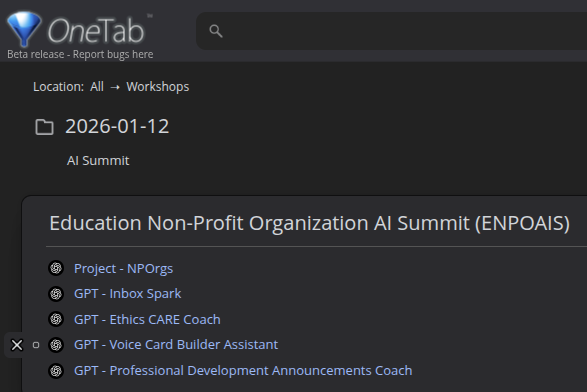
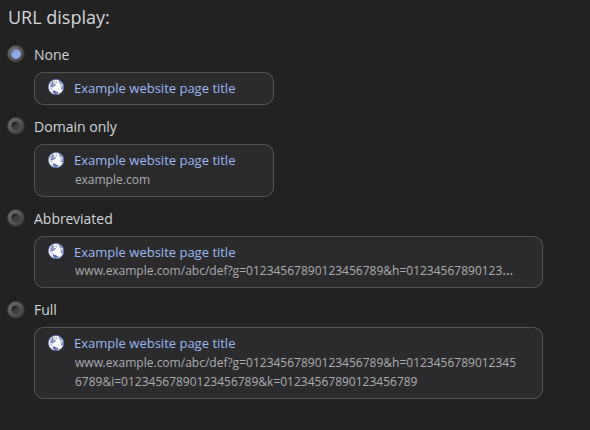
What I love about OneTab is that I was able to “turn off” the display of the website address/URL for this screenshot. That way, you only see the title. Now that I’ve taken the screenshot, I can turn URL display back on (I like to see the full URL):
More upgrades are planned, including synchronization across browsers, and the all important encryption of bookmarks.
Approach #3: Toby
It was Toby that gave me the idea to use bookmarking tools to organize content. In fact, think of OneTab as a free version of Toby. It’s such an easy tool to use and add bookmarks into various spaces, I almost decided to buy it before I realized the new OneTab could make it happen:

The rest of the approaches, well, they are possible options but I found them less than desirable. That’s my opinion, of course, after spending only a few minutes. That’s why this blog entry only mentions “three ways.” Sorry, folks.
Approach #4: Easy Folders
This Chrome extension (mostly free, but costs money if you want to use it with more than three folders and to track prompts), Easy Folders, does a tolerable job. It took me about fifteen minutes to figure out it wasn’t going to meet my needs. Still, you may find it useful. I really wanted a solution that worked across Gen AI tools (e.g. OpenAI’s ChatGPT, Google Gems, BoodleBox chats and bots), and Easy Folders didn’t get it done for me.
Approach #5: ChatGPT Folders Organizer – FolderMate: for GPT, Gemini, Grok
If you simply need to keep track of chats, then this may work well for you (however, you may as well use Raindrop or OneTab). FolderMate has some colored folders, subfolders, etc. that you can add chats, too. There are a few other solutions that attempt to do this, but you’re better off sticking with Raindrop or OneTab.

My overall winner for sharing public-facing GPTs/Bots/GEMs remains Raindrop. For active work, projects in progress, OneTab is the clear winner.
Discover more from Another Think Coming
Subscribe to get the latest posts sent to your email.
 Another Think Coming