Welcome to my resources page for this session. You’ll find everything (slides, supporting documents, infographics) below. If you are curious about my other sessions at TCEA 26, use the buttons below to jump to them. Otherwise, scroll down for the details on this session.
Note: Use these buttons to go directly to find out more about the session resources. Shared under Creative Commons Copyright BY-SA.
Session Resources
- Slide deck
- Google Doc with supplemental documents
- Listen to NotebookLM Audio Overview
- Track Your Links: Use free Raindrop.io
- Free Tools (do NOT put in PII, FERPA, Confidential/Sensitive Data):
- Z.ai (write-up)
- Mistral.ai
- Paid Tools
- BoodleBox Unlimited (Use MGFREE123 code for two months free)
- ChatGPT Plus
- Google Gemini
- Example Newsletters:
Session Description
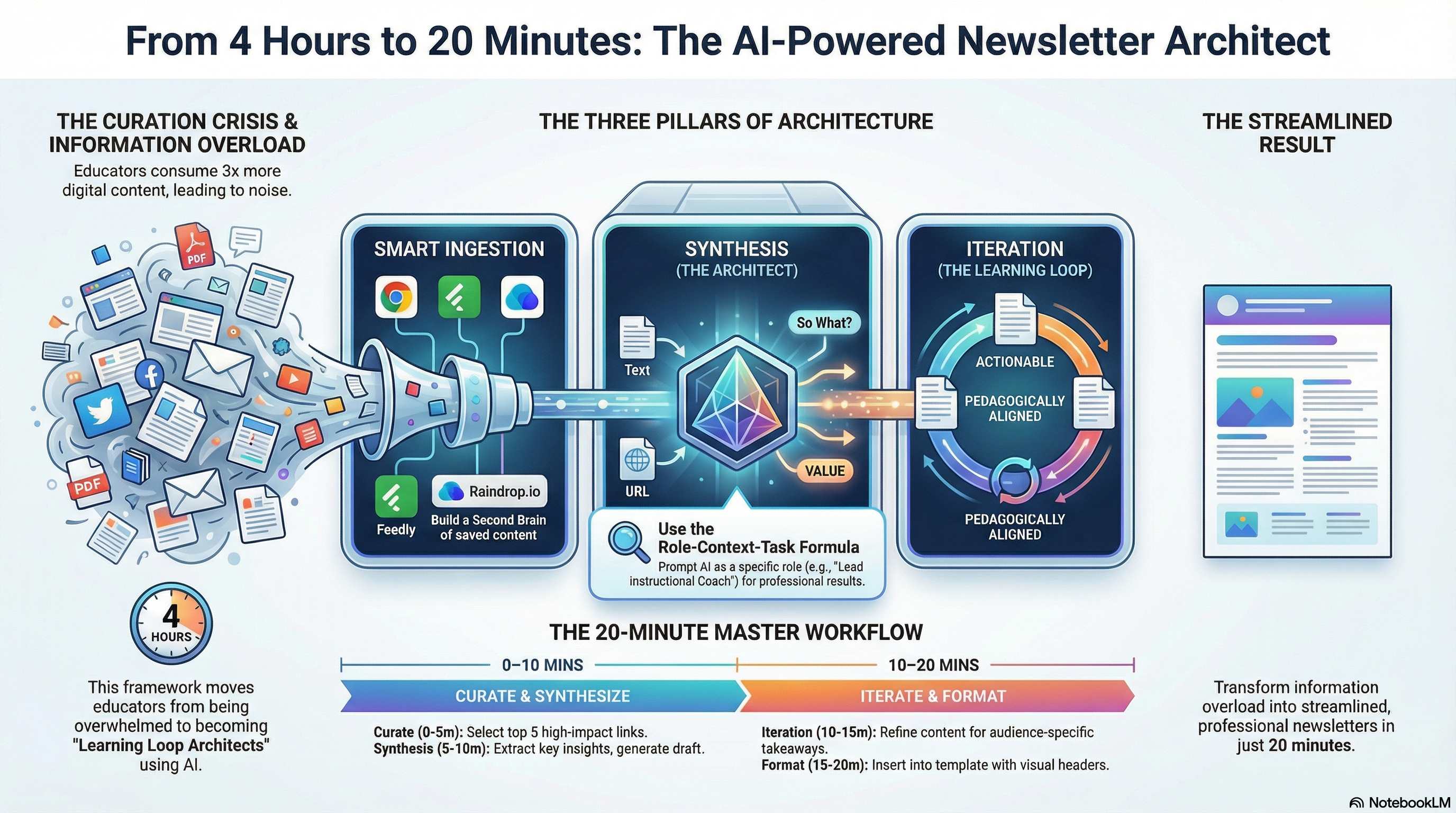
With educators consuming 3x more digital content than five years ago, the challenge isn’t finding information—it’s transforming it into meaningful learning experiences. This hands-on workshop addresses teacher workload concerns by teaching participants to become “Learning Loop Architects,” mastering AI-powered workflows that turn chaotic content curation into streamlined, professional digital publications. Participants will learn advanced prompting techniques, automated visual design, and iterative refinement processes that reduce a typical 4-hour newsletter creation process to 20 minutes.
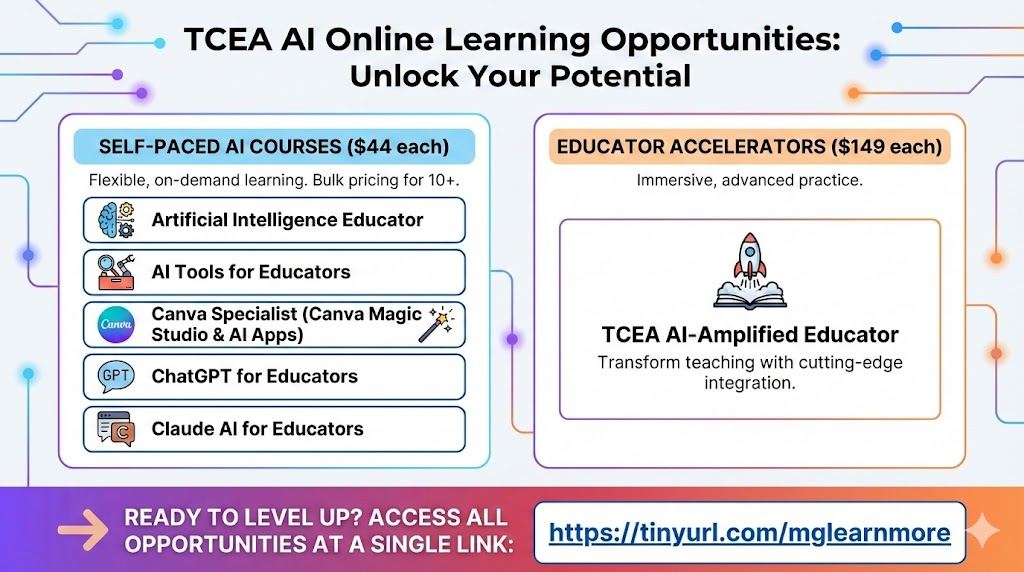
Learn More: https://tinyurl.com/mglearnmore
Discover more from Another Think Coming
Subscribe to get the latest posts sent to your email.
 Another Think Coming
[…] Coaching Difficult Conversations Heavy Hitters Coaching Every Learner AI Newsletters Session […]
[…] some of the artifacts for my last session of the event. These items below were generated anew from my original session resources for the presentation. […]
[…] Coaching Difficult Conversations Heavy Hitters Coaching Every Learner AI Newsletters Session […]