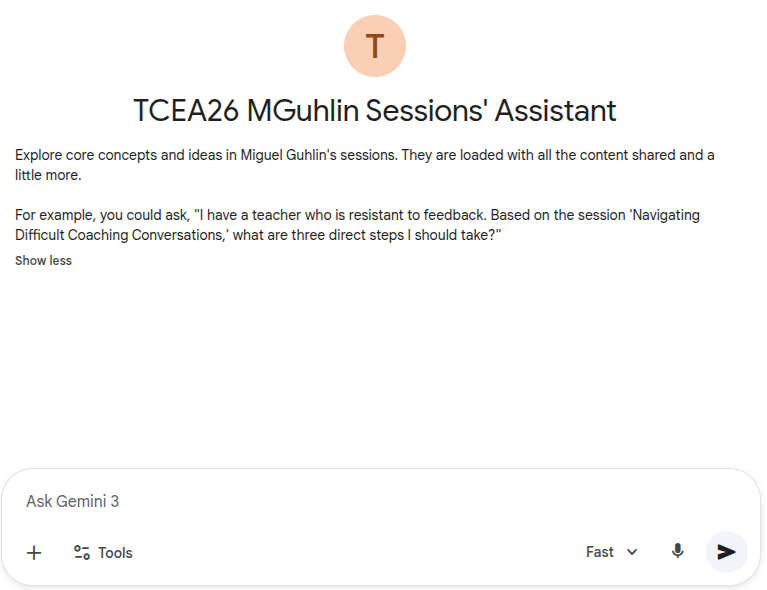
As you know, I’m facilitating a few sessions this coming week at the TCEA 2026 Convention and Exposition. I had an idea for making all of my session content available for you to interact with and query. After all, going in-depth and making changes to your practice takes time. So, a tool you can use is a Google Gemini Gem that is “fed” by NotebookLMs created for each of my sessions. One Gem, multiple NotebookLM notebooks. This blog entry explores that Gem. I’ve included some sample prompts you can use to get the best out of this Gem.
Access the TCEA26 MGuhlin Sessions Assistant
Video Walkthrough
In the meantime…give this a try. Here’s a quick video walkthrough of the Session Assistant Gem you can watch to see how it works:
TCEA26 MGuhlin Sessions Assistant
I set up this Gemini Gem with access to my sessions. It mostly works well, but it may mix up acronyms (hey, there’s a LOT of content for the GenAI to work through on the backend). I’m also uncertain how well it will work with free Google (consumer version) Gemini accounts, which is what you have if you’re not paying for it.
Access the TCEA26 MGuhlin Sessions Assistant now (Google account required)
Short link: https://go.mgpd.org/tcea26mgem
Expert Coaching Prompts
Video-Based Coaching: Objective Reflection
- “I’m new to recording my lessons. What are three low-stakes ways to use video-based coaching to improve my teaching without it feeling like an evaluation?”
- “Help me design a ‘self-video reflection’ checklist for a teacher who wants to focus specifically on their student questioning techniques.”
- “How can I use video coaching to help a teacher see the difference between ‘teacher talk time’ and ‘student engagement’ in their classroom?”
- “What are the best practices for setting up a ‘Video Coaching Club’ where peers can provide non-evaluative feedback to one another?”
Navigating Difficult Coaching Conversations (ARC Protocol)
- “I have a coaching conversation coming up that I’m nervous about. Can you walk me through the ARC Protocol (Acknowledge, Reframe, Commit) to help me plan what to say?”
- “I need to have a tough conversation with a colleague about student data. How can I use the strategies from your session to handle this with confidence and clarity?”
- “A teacher is very resistant to trying new technology. How can I ‘Acknowledge’ their frustration while ‘Reframing’ the tech as a time-saver rather than a burden?”
- “What are some ‘Commit to a Micro-Step’ examples for a teacher who feels completely overwhelmed by their current workload?”
Instructional Strategy ‘Heavy Hitters’ (High-Effect Size)
- “Look at the ‘Heavy Hitters’ list and the high-effect size document. Which strategy should I focus on first to see the biggest growth in student achievement?”
- “Can you explain the effect size of ‘Teacher Clarity’ and provide a practical way for a coach to model this during a pre-conference?”
- “How does ‘Reciprocal Teaching’ compare to ‘Direct Instruction’ in terms of effect size, and when should a teacher use one over the other?”
- “I want to help a grade-level team implement ‘Jigsaw’ learning. What are the key steps to ensure this high-effect strategy is executed correctly?”
Universal Design & Equity (UDL)
- “How can I apply Universal Design for Learning (UDL) and an equity lens to make my next lesson more accessible for every learner in my classroom?”
- “What are some common ‘barriers to learning’ in a traditional lecture-style classroom, and how can coaching help a teacher remove them?”
- “Help me create a coaching guide for ‘Culturally Responsive Teaching’ that aligns with the high-effect size strategies discussed in the sessions.”
- “How can we use the UDL framework to provide more ‘multiple means of representation’ in a middle school science unit?”
AI-Powered Architecture: Newsletters & Content
- “Help me draft a professional, concise newsletter for parents using the AI-powered architecture. I need it to be classroom-ready and easy to read.”
- “I have a long PDF of curriculum updates. Can you help me condense this into 5-9 key bullet points for a faculty memo using the Infographic Studio rules?”
- “Using the ‘Clean, Professional, Modern’ style, help me outline an infographic that explains our new school-wide grading policy to parents.”
- “What are the ‘Non-Negotiables’ I should keep in mind when using AI to generate student-facing instructions to ensure they are high-contrast and legible?”
Attending in Person?
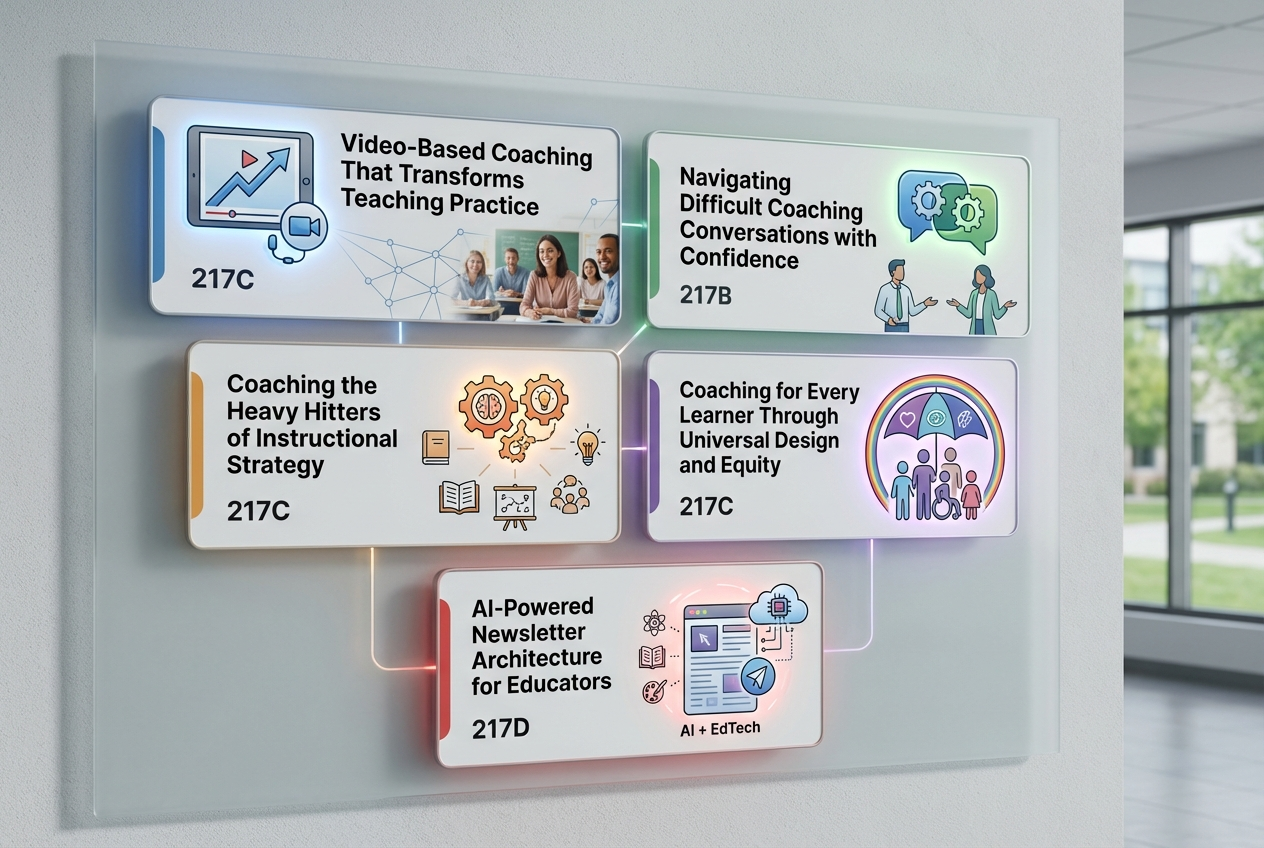
If you are attending the TCEA26 event in person, you may want to refer to this schedule below. Again, check back daily for TCEA26 blog entries.
Session Information
https://go.mgpd.org/tcea26
To access the content (e.g. slides, resources), you will want to bookmark the main session resources link shown above.
| Date | Time | Session Code | Session Title | Type | Location |
| January 31, 2026 | 8:00 AM – 9:00 AM CST | 261128 | Video-Based Coaching That Transforms Teaching Practice | 60-minute Presenter-Led Session | 217C – Henry B Gonzalez Convention Center: Meeting Level (2) |
| February 1, 2026 | 9:00 AM – 10:00 AM CST | 261129 | Navigating Difficult Coaching Conversations with Confidence | 60-minute Presenter-Led Session | 217B – Henry B Gonzalez Convention Center: Meeting Level (2) |
| February 3, 2026 | 9:30 AM – 10:30 AM CST | 261126 | Coaching the Heavy Hitters of Instructional Strategy | 60-minute Presenter-Led Session | 217C – Henry B Gonzalez Convention Center: Meeting Level (2) |
| February 3, 2026 | 4:00 PM – 5:00 PM CST | 261127 | Coaching for Every Learner Through Universal Design and Equity | 60-minute Presenter-Led Session | 217C – Henry B Gonzalez Convention Center: Meeting Level (2) |
| February 4, 2026 | 9:00 AM – 10:00 AM CST | 261248 | AI-Powered Newsletter Architecture for Educators | 60-minute Presenter-Led Session | 217D – Henry B Gonzalez Convention Center: Meeting Level (2) |
Discover more from Another Think Coming
Subscribe to get the latest posts sent to your email.
 Another Think Coming
[…] Video-Based Coaching Difficult Conversations Heavy Hitters Coaching Every Learner AI Newsletters Session Assistant […]
[…] Video-Based Coaching Difficult Conversations Heavy Hitters Coaching Every Learner AI Newsletters Session Assistant […]