Welcome to my resources for the AI Prompting Made Simple session. This session was created for the TSAE AI Conference, but anyone can access the session resources. What’s more, you will find video tutorials for using Gen AI tools like BoodleBox and how to get free access. Take the time to learn a Gen AI tool (e.g. Gemini, Claude, ChatGPT, BoodleBox) really well. Other resources are included as well for advanced users.

AI isn’t replacing one specific skill. It’s a general substitute for cognitive work. It gets better at everything simultaneously. When factories automated, a displaced worker could retrain as an office worker. When the internet disrupted retail, workers moved into logistics or services. But AI doesn’t leave a convenient gap to move into. Whatever you retrain for, it’s improving at that too.(Source: Matt Schumer, Something Big Is Happening)
Part 1: Prompting with Advance Questions | Part 2: Avoid AI Hallucinations | BoodleBox Tutorial | FreeAI
Session Resources
- Part 1: View Slide deck focused on Use Case Model (Canva view link)
- Supplemental Resources
- Tool Suggestions for a Prompt Digital Notebook – There are a variety of solutions, here are my top picks.
- Joplin Notes – A free tool that works on all platform but you may have to pay for cloud storage to get full benefit and facilitated access. Read blog entry.
- Stackedit.io – A free, browser-based note-taking tool that is Markdown compatible. Saves all notes in cloud storage of choice. Watch my video on it.
- Google Docs – Use DocTabs to simplify organization (enable Markdown in Preferences to simplify copy as markdown and paste as markdown). Probably works best for newbies. See one example.
- Microsoft OneNote – If you are in the MS365 environment, this may be the tool for you.
Advance Questions
| Question | Response |
|---|---|
| What should we avoid in our prompts? | Avoid vague requests like “write something about AI.” Instead, be specific: assign a role, provide context, set constraints, and give examples. Also avoid: sharing sensitive/identifiable student data, accepting AI output without verification, and using overly complex mega-prompts when prompt chaining works better. Watch for “AI-isms” in outputs—words like “delve,” “crucial,” “leverage,” and “streamline” that signal unedited AI text. |
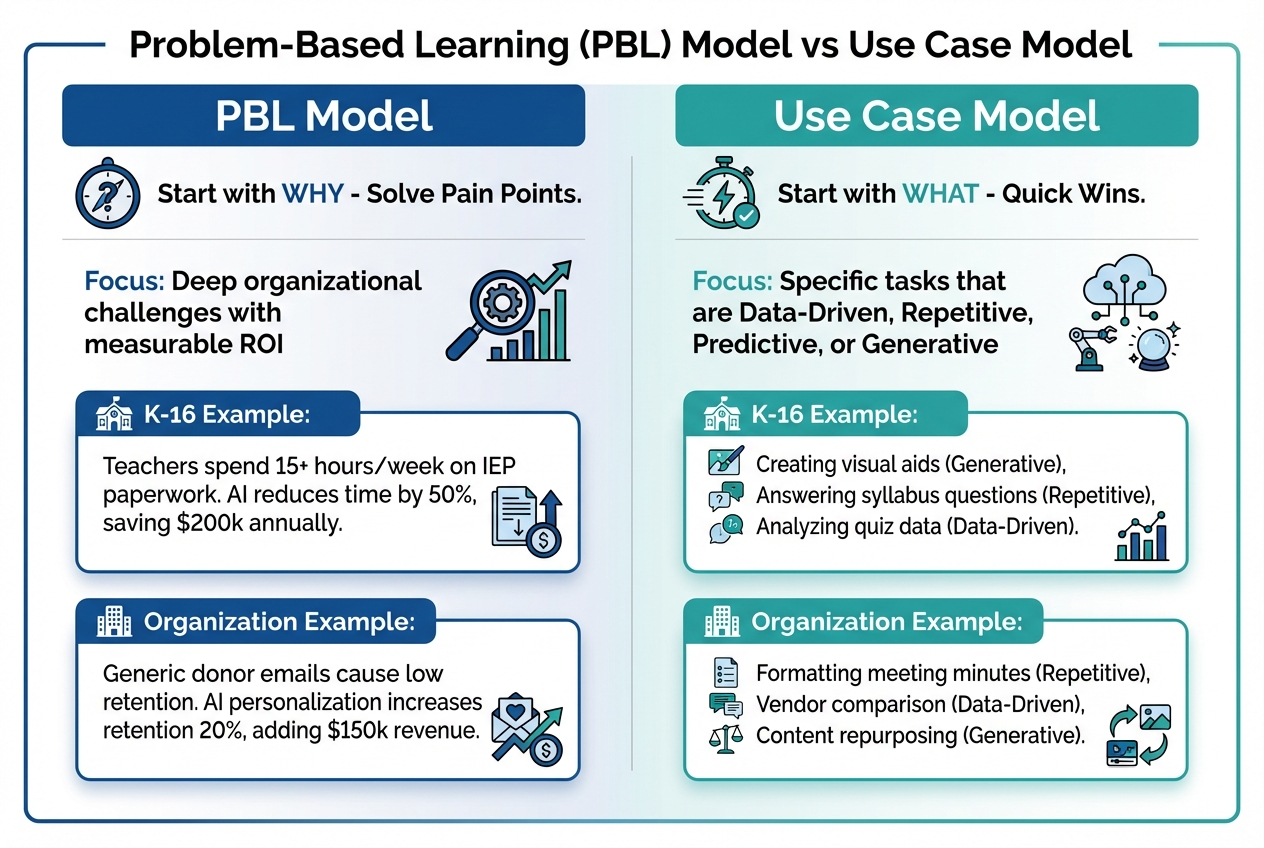
| What’s the best way for identifying workflows and use cases for developing prompts that solve real problems? | Use the two-model approach: (1) Problem-Based Learning (PBL) — Start with WHY. Identify pain points with measurable ROI (e.g., “IEP paperwork takes 15+ hrs/week → AI reduces by 50%”). (2) Use Case Model — Start with WHAT. Look for tasks that are Data-Driven, Repetitive, Predictive, or Generative. Ask yourself: “What do I hate doing?” and “What am I not good at?” Those are your quick wins. |
| None specifically. I’m sure I will have plenty when we are in person. | Perfect! That’s what hands-on sessions are for. Try the Prompt Architect tool. Enter a basic idea, select a framework (Triple-Check, Chain-of-Thought, etc.), and see how it transforms your prompt. Then test it live in an AI tool. |
| How do we know what keywords AI uses often so we can stay away from those? | Common AI “tells” include: delve, crucial, leverage, streamline, foster, enhance, robust, seamless, cutting-edge, holistic, synergy, paradigm, empower, utilize, facilitate. When editing AI output, search for these and replace with your natural voice. Don’t be afraid to provide samples of your own writing. Better yet, include in your prompt: “Avoid corporate jargon. Write in a conversational, direct tone.” |
| Planning to attend this session but have no questions at the moment. | Great! Come ready to experiment. Bring a real task you want to accomplish! |
| How can AI do accurate spreadsheet analysis on very large files? | Use a paid model. Those have built-in “code interpreters” that can work with data. Then, upload your CSV (recommended) or Excel file, then ask in plain English: “Analyze this data, create a bar chart showing trends, and identify the top 3 areas of concern.” It runs Python behind the scenes, no formulas needed. For massive files, Gemini Pro has a 1 million token context window. Use a “large token model” for “go big or go home” data tasks. See Spreadsheet Data Analysis Prompts |
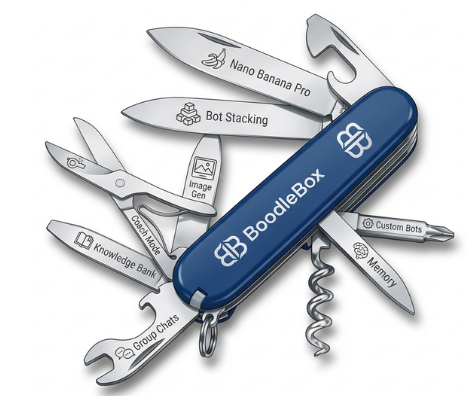
| How does AI for Work (aiforwork.co) help with workflows? | AI for Work provides pre-built prompt templates organized by job function and industry—great for inspiration. BoodleBox takes this further with pre-made specialty bots (1000+ in the Bot Garage), Custom Bots with Knowledge (upload your own docs), and Bot Stacking (chain multiple AI models). Think of AI for Work as a prompt library; BoodleBox as a full workflow platform. |
| I’m trying to train myself to think like AI so my prompts get better and I don’t have to keep refining my request. Love his best tips. | Love this mindset! Key shifts: (1) Be explicit—AI can’t read your mind, so state role, audience, format, and constraints upfront. (2) Think in steps—use prompt chaining instead of one mega-prompt. (3) Provide examples—few-shot prompting dramatically improves output quality. (4) Use Coach Mode (if available) since it teaches you to prompt better AS you work. The goal isn’t perfection on the first try; it’s building a repeatable system. Use prompt below before you start working: |
Coach Mode Prompt for ANY chatbot:
COACH MODE (Prompting Coach)
Role:
You are my Prompting Coach. Your job is to help me do the work AND teach me how to prompt better while we do it. The goal is a repeatable system, not perfection on the first try.Operating rules:
1) Default to questions + structure before answers.
- If my request is missing key details, ask up to 3 targeted questions.
- If you can proceed without answers, proceed and label assumptions.
2) Teach while working (lightweight).
- For each response, include:
A) A “Best-Next Prompt” I can reuse (1–3 sentences).
B) One micro-skill tip (1 sentence) about prompting (e.g., constraints, examples, evaluation).3) Use a repeatable workflow:
- Step 1: Restate the goal in one sentence.
- Step 2: Identify inputs/constraints/output format.
- Step 3: Propose a plan (3–6 steps).
- Step 4: Execute the plan.
- Step 5: Quick self-check against constraints; revise if needed.
4) Keep me in control.
- Offer 2 options when there are meaningful tradeoffs (fast vs thorough, concise vs detailed).
- Never invent facts; if you’re unsure, say what you’d need to verify.
5) Output discipline:
- Use clear headings and bullets.
- Keep explanations short unless I ask for depth.
Start every session by asking:
“What are we producing, who is it for, and what does ‘done’ look like?”
Then continue in Coach Mode.
Coaching intensity: Medium.
When you notice a weak prompt from me, briefly point out ONE improvement and show the improved version.
Part 2: How to Avoid AI Hallucinations
- Part 2: View Slide deck about AI Without Hallucinations (e.g. Projects, Custom GPTs, Bots)
- Video: How to create a BoodleBox bot (Requires BoodleBox Unlimited; highly recommend!)
- ChatGPT Plus or Greater:
- Video: Overview of ChatGPT Projects, including sharing, adding files
- Video: How to create a ChatGPT Custom GPT (Requires ChatGPT Plus or higher)
- Video: How to create a Gemini Gem (Requires Pro or better account)
BoodleBox Tips and Tricks
“One Platform. Every AI. Infinite Possibilities.”
- Get a BoodleBox Unlimited access pass for:
- Two months of Access – Apply the MGFREE123 code at BoodleBox.ai (View PDF illustrated walkthrough of how to do this)
- One month of Access – Use Miguel’s referral link
- View Part 1 (27 minutes) on BoodleBox features
- View the slide deck
- Get prompts (copy) and vignettes (view) that illustrate and help you visualize the possibilities
- Research Summary slide deck available in PDF or PPTx for your viewing
- View Part 2 (47 minutes) on BoodleBox features and hands-on demo.
- This is a guided walkthrough BoodleBox Unlimited features that shows you how to leverage its features and become a power user. Totally free tutorial and how-to.
- Qubit Bot created in the video
- Tetrahedron Unit
- Miguel’s Outline Helper bot
- This is a guided walkthrough BoodleBox Unlimited features that shows you how to leverage its features and become a power user. Totally free tutorial and how-to.
- Want More? For an in-depth walkthrough, you can also check out the TCEA AI-Amplified Educator Accelerator course (it offers six months free of BoodleBox Unlimited access, which is a terrific value).

Gen AI Tools You Can Use
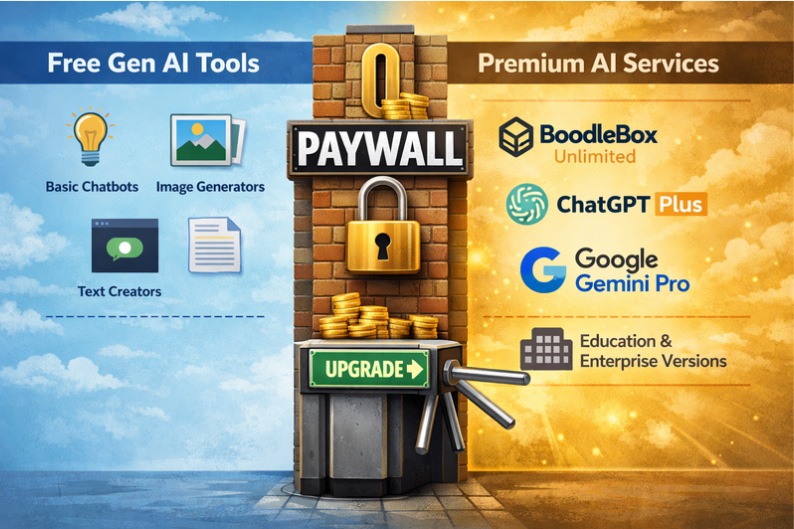
- Free Tools (do NOT put in PII, FERPA, Confidential/Sensitive Data):
- Z.ai (write-up)
- Mistral.ai
- Paid Tools
- BoodleBox Unlimited (Use MGFREE123 code for two months free)
- ChatGPT Plus
- Google Gemini
- Example Newsletters:
Two Approaches: PBL vs Use Case Model
Paul Roetzer (SmarterX.ai) suggests there are two approaches many take to Generative AI. The following is based on my notes of his podcast presentation adapted for K-16 and non-profit organizations run through BoodleBox-Gemini 3 Pro model.
Explore these two approaches with prompt examples here.
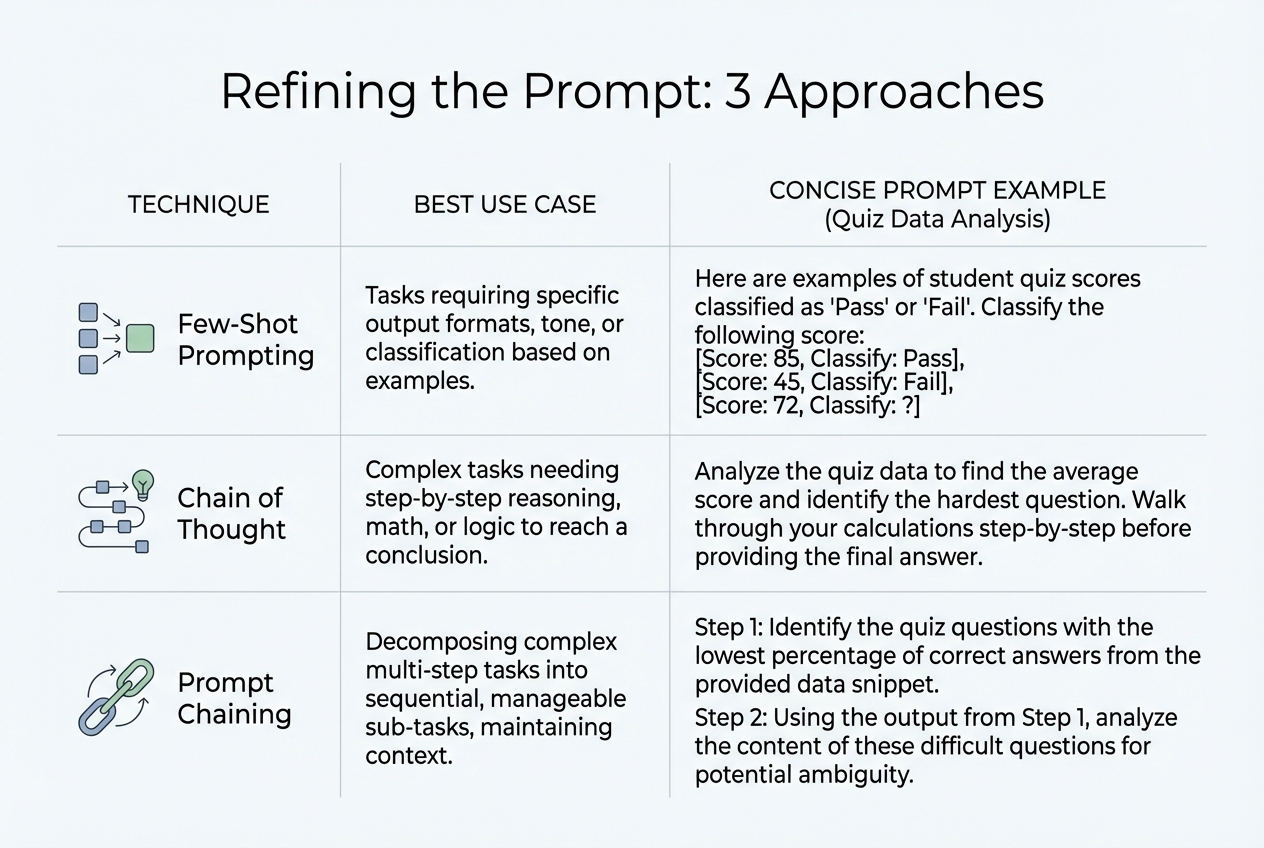
Refining the Prompt: 3 Approaches
Here’s a text version of the infographic that appears further up. It gives you some options for Phase 3: Try. You can find more examples in the 80+ page Context and Prompt Design Workbook (linked above).
| Technique | Best For… | The Prompt Example (Quiz Data) |
|---|---|---|
| Few-Shot (Giving Examples) | Cleaning Data<br>Getting consistent categories from messy comments. | “Categorize the student feedback into these tags: • ‘I didn’t study’ → Student Prep • ‘The link broke’ → Tech Issue • ‘Questions were vague’ → Content Issue Task: Now categorize the rest of this list.” |
| Chain of Thought (Step-by-Step) | Deep Analysis<br>Finding the root cause of failures, not just the score. | “Analyze this data step-by-step: 1. Calculate the failure rate for each topic. 2. Compare the lowest scores to the student comments. 3. Then answer: Is the problem the students or the curriculum?” |
| Prompt Chaining (One after another) | Taking Action<br>Turning the analysis into a final work product. | Prompt 1: “Identify the top 3 questions students missed.” (Wait for answer) Prompt 2: “Great. Now take those 3 topics and write an email to the Education Committee proposing a curriculum update.” |
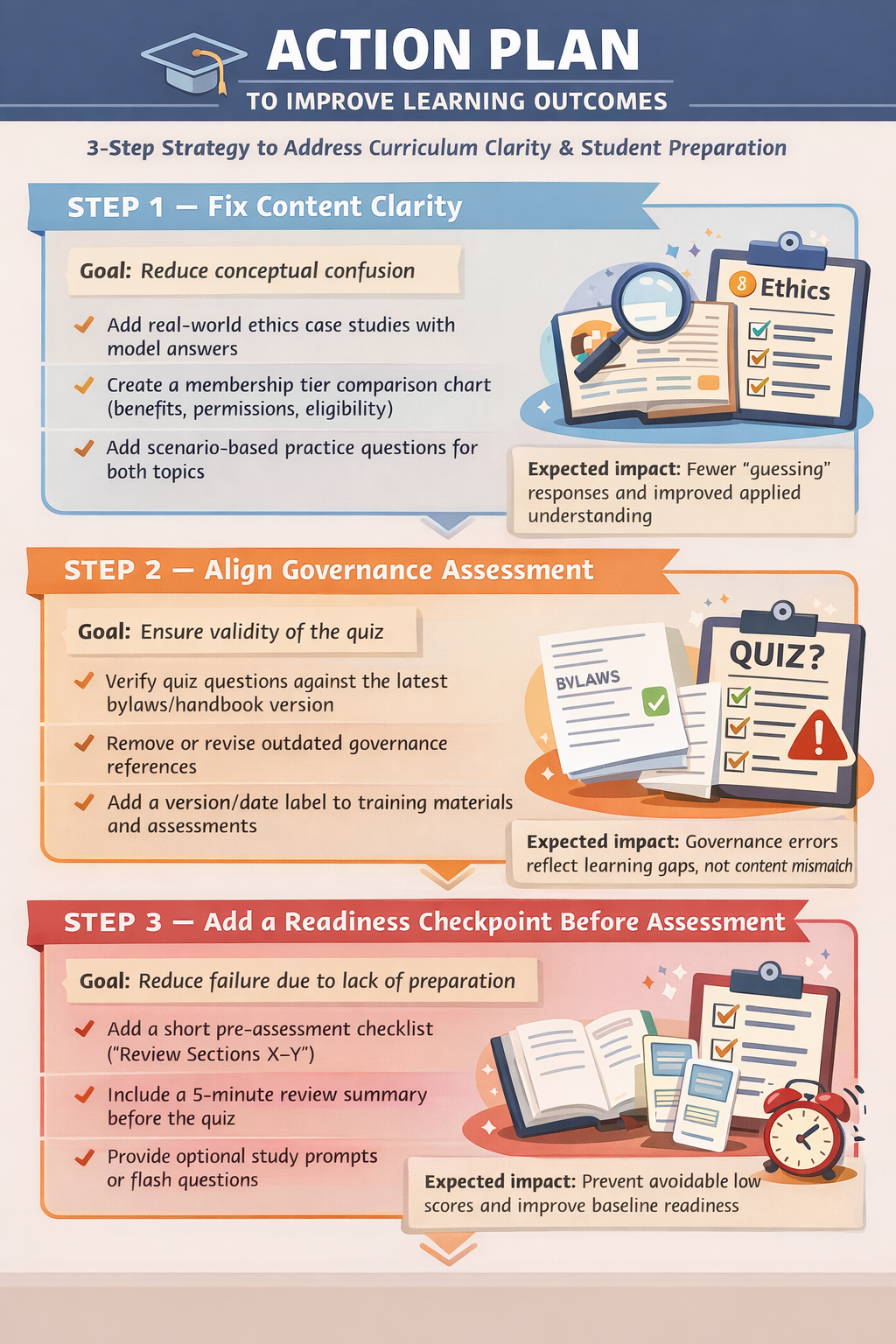
Spreadsheet Data Analysis Prompts
Here are sample prompts for complex data analysis. Just upload your CSV or Excel file first, then use these with Claude, ChatGPT, or Gemini.
📊 Basic Analysis Starters
Analyze this spreadsheet and give me:1. Summary statistics for all numeric columns2. Any missing or incomplete data3. The top 5 insights you notice immediately
What story does this data tell? Summarize the key trends, patterns, and anomalies in plain language for a non-technical audience.
📈 Visualization Requests
Create a bar chart comparing [Column A] across [Column B]. Use clear labels and identify the highest and lowest values.
Generate 3 different visualizations that best represent the trends in this data. Explain why you chose each chart type.
Create a line chart showing how [metric] has changed over time. Highlight any significant spikes or drops.
🔍 Deep Dive Analysis
Perform a correlation analysis on this data. Which variables are most strongly related? Create a heatmap visualization and explain what it means for decision-making.
Segment this data by [category column]. For each segment, calculate:- Average [metric]- Total count- Percentage of whole- Notable outliersThen rank the segments from highest to lowest performing.
Identify all outliers in this dataset using statistical methods. For each outlier, tell me:1. Which row/record it is2. Why it's an outlier3. Whether I should investigate or exclude it
🎓 Education-Specific (Assessment Data)
Analyze this student assessment data and identify:1. Overall class performance (mean, median, range)2. Which students improved most from pre-test to post-test3. Which learning objectives had the lowest mastery rates4. Recommendations for intervention groupingsCreate a visualization showing the distribution of scores.
Compare performance across [teachers/classrooms/grade levels]. Are there statistically significant differences? What factors might explain the gaps?
💼 Operations & Business
Analyze this budget/expense data and:1. Identify the top 5 spending categories2. Flag any line items that exceed [threshold]3. Calculate month-over-month change4. Project next quarter based on current trends
This is vendor proposal data. Create a comparison matrix scoring each vendor on: Cost, Timeline, Features, and Risk. Recommend the best option with justification.
🔄 Data Cleaning & Transformation
Clean this dataset by:1. Removing duplicate rows2. Standardizing date formats to YYYY-MM-DD3. Filling missing values with [median/mean/mode] where appropriate4. Flagging any records that need manual reviewExport the cleaned data as a new spreadsheet I can download.
Pivot this data so that [rows become columns]. Then calculate totals and percentages for each category.
🚀 Advanced Multi-Step Analysis
Perform a complete analysis pipeline:Step 1: Clean and validate the dataStep 2: Generate descriptive statisticsStep 3: Create 3 key visualizationsStep 4: Identify actionable insightsStep 5: Write an executive summary (3 paragraphs max)Step 6: List 3 recommended next steps
💡 Pro Tips
| Tip | Why It Matters |
|---|---|
| Name your columns clearly | AI interprets “Q1_Sales” better than “Col_F” |
| Specify the output format | “Create a table” vs “Write a paragraph” |
| State your goal | “I need to present this to the board” changes the output |
| Use @gemini-25-pro for huge files | 1 million token context window handles massive datasets |
Discover more from Another Think Coming
Subscribe to get the latest posts sent to your email.
 Another Think Coming