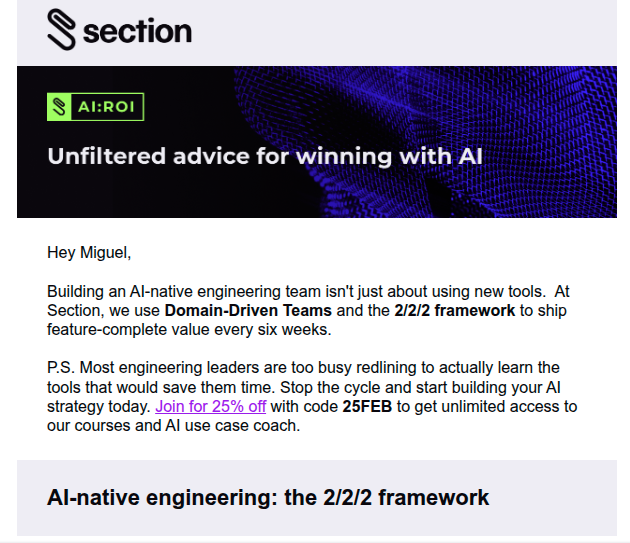
This morning, an email arrived in my inbox from Section AI, which is an amazing team of folks. I’ve had the opportunity to attend their free webinars and I have learned a lot. One of their emails this morning highlighted something they call the 2/2/2 framework. My curiosity piqued, I decided to investigate and ended up applying it to a current project I was working on in Claude AI. Come along and see how things turned out!
Er, I should probably post a disclaimer. This could be, like, totally, wrong and inaccurate to the 2/2/2 framework concept that Section AI folks were writing about. I’ve linked to their website and the blog entry. Remember, when I started down this road, I had only read about the 2/2/2 framework enough to ask a question. Everything from that point did not involve Section AI so they aren’t responsible if I got it wrong.
The Triggering Email
So, an email is how it started. Here’s a screenshot of their email in inbox. I really only read that first paragraph past the “Hey Miguel” part.
Given that I didn’t want to sign up for a workshop (my dance card is full at the moment and funding tight), I decided to do what most people do when they don’t know something these days. I decided to ask Gen AI and see what came forth.
Then, I applied it to a project I already had cooking for fun. Imagine my surprise at the results. Whether the results are valuable, that’s up to the intended audience to decide. And, I suppose if someone from Section AI is reading, whether they are valid or aligned to the actual version of the framework they reference.
Even if it’s not, I am still amazed at the results.
Learning About Section AI’s 2/2/2 Framework and Domain-Driven Teams
Since I know nothing about 2/2/2 framework (I was literally lying in bed before anyone else in the house woke up, but I see now I could have read a blog entry about it), so I asked Claude.ai to help me out. I prompted Claude AI by asking:
What is Section’s 2/2/2 framework?
Not a sophisticated prompt at all, I know. The response it came up with:
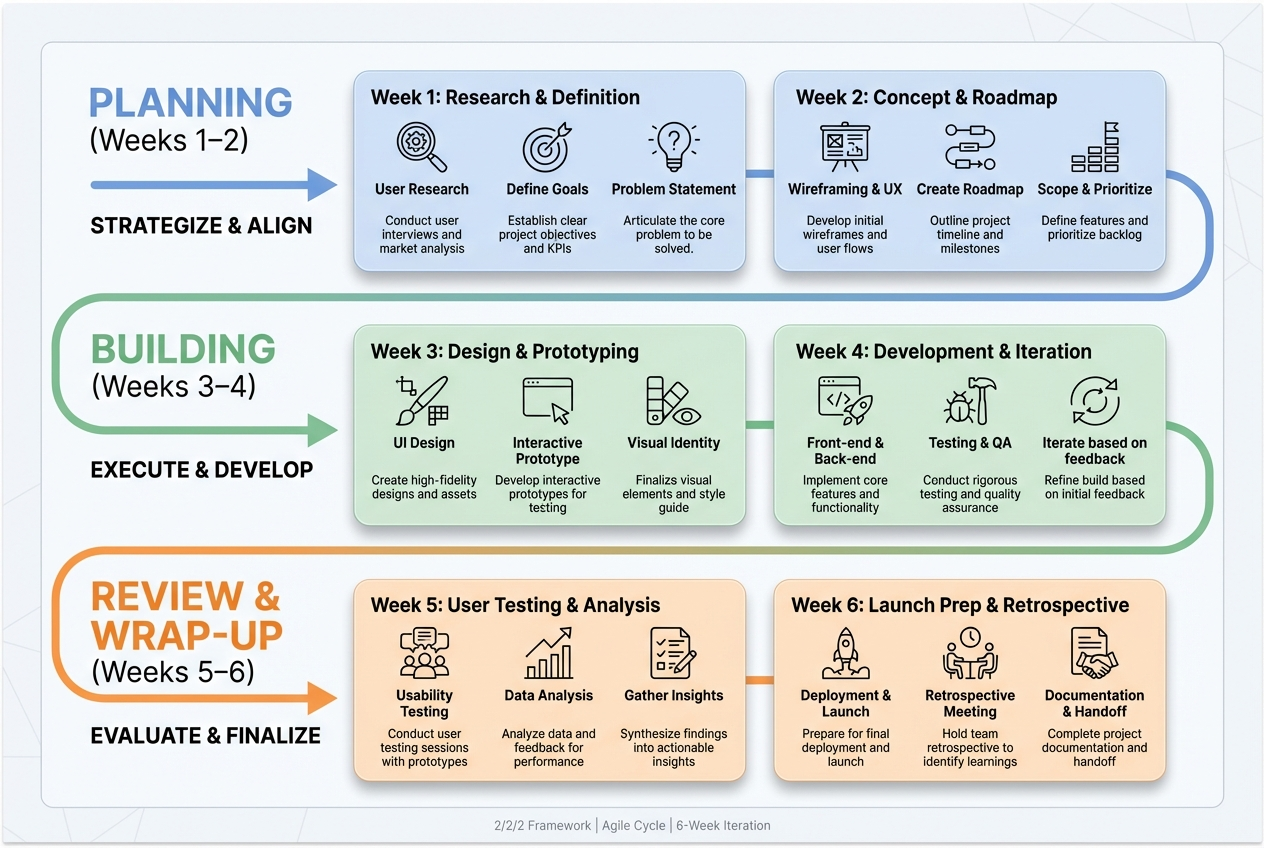
Section’s 2/2/2 framework is an AI-native engineering cadence from Section (sectionai.com). It structures work into a 6-week milestone cycle made up of three 2-week sprints:
- Weeks 1–2: Planning — Deep problem definition before any coding begins. Teams clarify the “why,” scope the work, and align on what they’re building.
- Weeks 3–4: Building — Focused execution sprint with AI-assisted development.
- Weeks 5–6: Review & Wrap-up — Rigorous review, cleanup, documentation, and prep for the next milestone.
The core idea is that the two phases that typically get squeezed — upfront planning and rigorous review — are explicitly protected. The goal is to ship feature-complete value every six weeks, not just partial work to hit a deadline. If something runs over, it carries to the next cycle rather than shipping incomplete.
It’s paired with their domain-driven teams concept (pods of 6–8 people organized around customer personas rather than technical components).
Wow, right? I thought that was pretty amazing. It occurred to me, since I’m working on NSPA’s upcoming AI series installment, Automating Office Tasks with AI, how could I apply the 2/2/2 framework information above to situations NSPA folks encounter?
Applying the 2/2/2 framework:
To get the ball rolling, I submitted this prompt into my Claude AI-based NSPA Project I created last week while preparing for my latest, upcoming webinar. I like to bounce around different Gen AI tools, having started with BoodleBox, then jumped over to ChatGPT Projects, then Gemini Gem with NotebookLM.
Aside: I found Claude to be the best of all (click link to read more about that effort), so far, even if I encountered some limits. I suspect that the reason why Claude is so amazing is that it has the coding chops on the backend to make things work. I figured that out after working with ChatGPT to create something us Claude AI designed instructions…ChatGPT balked and said, “Sorry, we don’t have XYZ tools” then did the best it could.
Ok, so let’s take a look at the prompt that kicked things off. Notice that the only content I provided that was new is the 2/2/2 framework explanation from Claude. Since I was doing this in a Claude AI Project focused on NSPA (with lots of context from previous creative efforts of mine), Claude had a mountain of resources to pull from.
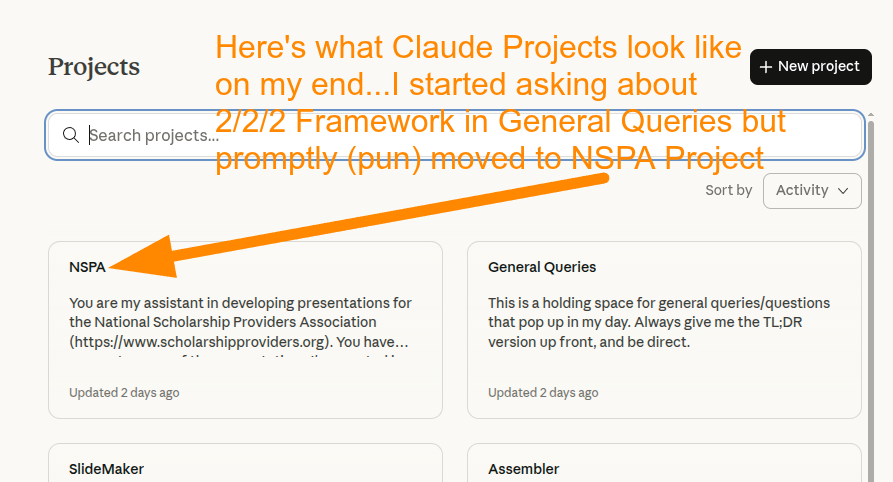
Prompt
Here’s the prompt I gave Claude within the confines of the NSPA Project:
Give me an example of this using NSPA content:
Section’s **2/2/2 framework** is an AI-native engineering cadence from Section (sectionai.com). It structures work into a **6-week milestone cycle** made up of three 2-week sprints:
- **Weeks 1–2: Planning** — Deep problem definition before any coding begins. Teams clarify the “why,” scope the work, and align on what they’re building.
- **Weeks 3–4: Building** — Focused execution sprint with AI-assisted development.
- **Weeks 5–6: Review & Wrap-up** — Rigorous review, cleanup, documentation, and prep for the next milestone.
The core idea is that the two phases that typically get squeezed — upfront planning and rigorous review — are explicitly protected. The goal is to ship **feature-complete value every six weeks**, not just partial work to hit a deadline. If something runs over, it carries to the next cycle rather than shipping incomplete.
It’s paired with their **domain-driven teams** concept (pods of 6–8 people organized around customer personas rather than technical components).
I found the result pretty amazing. See Example 1 of 5 examples below. I’ll be showing off the rest at the March 4, 2026 webinar for NSPA. You can register online. A little about it:
This quarterly series begins in September 2025, with additional sessions in December, March, and June. Each 2-hour workshop includes slower-paced instruction, live demos, real-world use cases, and dedicated Q&A to help you apply what you learn immediately. Topics include AI ethics and data protection, application design, office automation, and marketing. Workshops are tailored for beginners, with intermediate tips woven in.
A registration fee ($199+cc fee) covers access to all four sessions. If you can’t attend live, recordings will be sent to all registrants following each session.
But wait, There’s More! HTML Pages
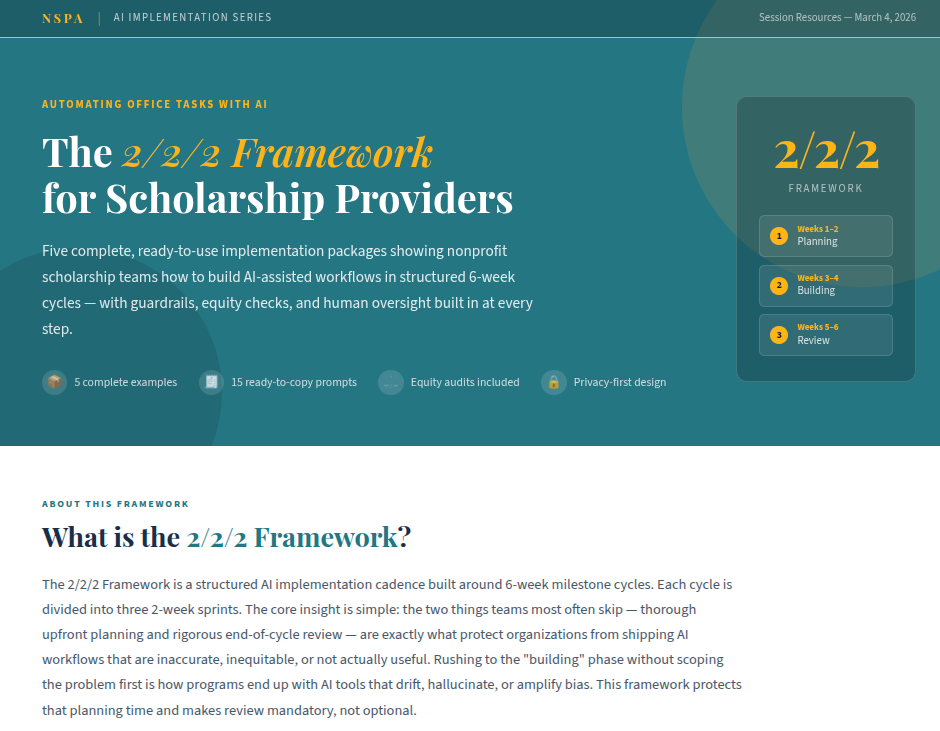
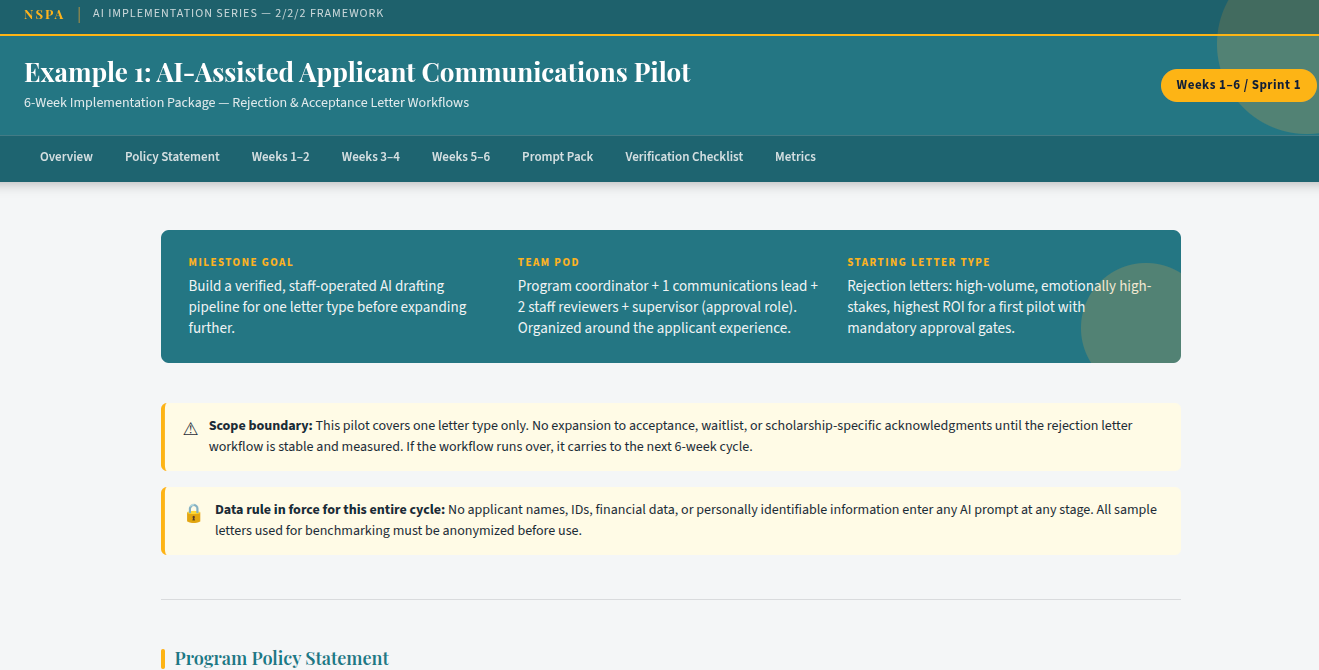
Now, I could put all five examples in a Google Doc, and that would be a great resource for participants (available as part of registration fee, no extra cost). But, I love the fact that I could get Gen AI to develop standalone webpages anyone could access, then make them available. The webpages get the custom colors from NSPA and look (IMHO) fantastic!
You saw the “main menu” page at the top of this post, but here’s what the individual pages look like:
Ethical Considerations
Another big takeaway? The ability to apply ethical considerations (which I presented earlier in the series in the Ethics portion, so a part of Claude Project memory) to these outputs:
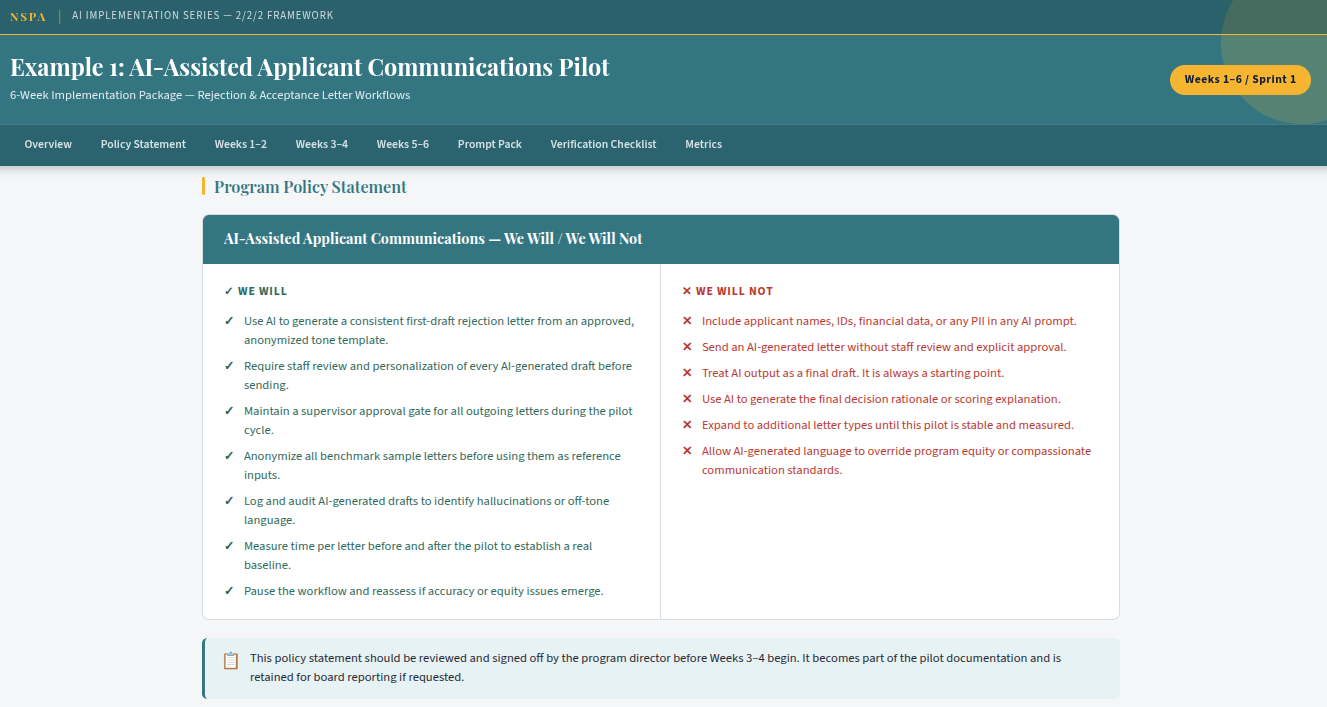
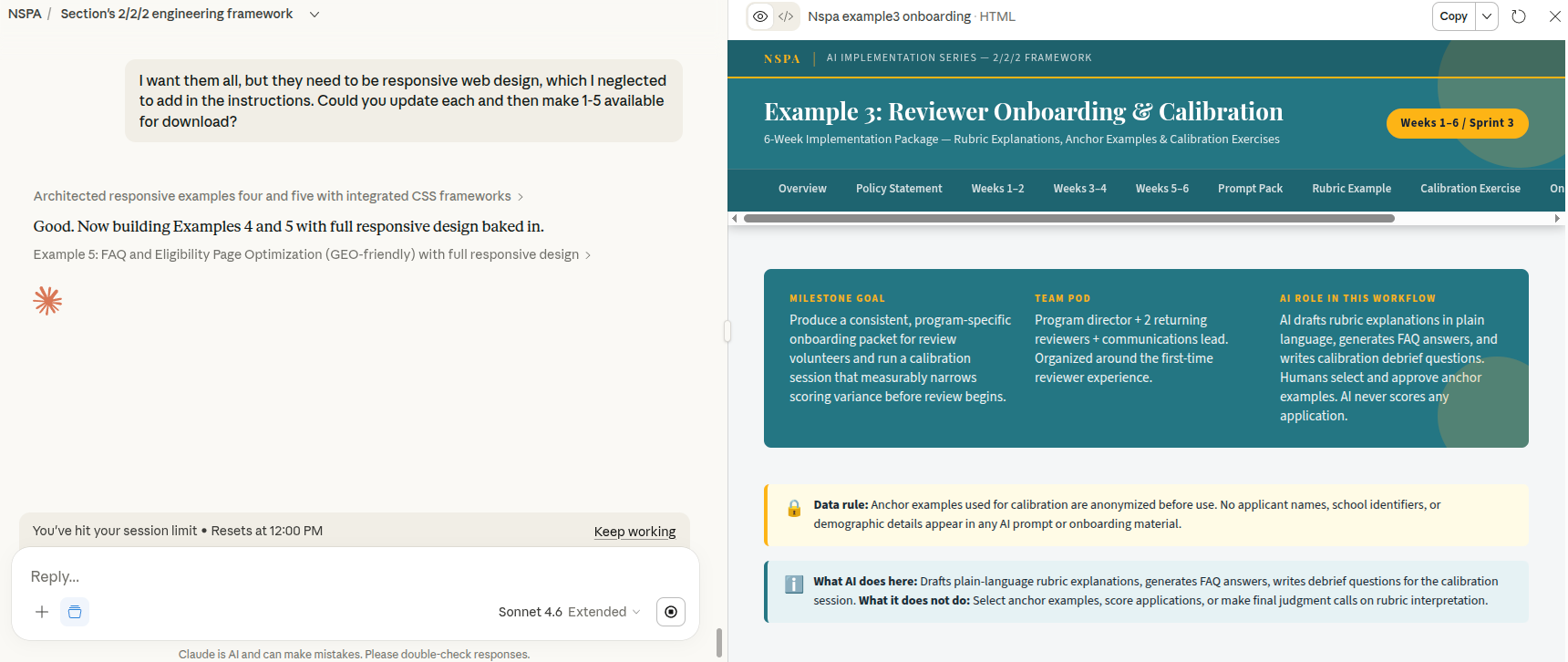
Of course, I did have to go back and set it up for responsive web design to make it work on mobile devices. Unfortunately, my Claude Pro account hit limits on what it could do. So, I switched to Gemini, hoping it could do the work. And, it tried but I promptly ran into problems with it (e.g. cutting a swath of content out of each page, file download issues, etc.).
Example #1: NSPA AI Implementation: 2/2/2 Framework Example (Text Only)
Deliverable: A 6-week milestone cycle for scholarship offices piloting AI in their review and communications workflow.
Milestone: AI-Assisted Applicant Communications Pilot
Team pod (6–8 people, domain-driven): Program staff + 1–2 committee reviewers + 1 communications lead + supervisor sign-off role. Organized around the applicant experience, not around the tools.
Weeks 1–2: Planning (Problem Definition)
Goal: Clarify exactly what you’re automating and why, before touching any tool.
- Audit current communications workflow: Which letters take the most time? Where do errors cluster? (Rejections? Waitlist updates? Scholarship acceptance packets?)
- Define scope: Start with one letter type. Rejection letters are a high-volume, emotionally high-stakes candidate, which makes them ideal for piloting with human approval gates.
- Document what “good” looks like: Pull 5–10 approved letters from last cycle. These become your quality benchmark and few-shot examples.
- Write your “We will / We will not” policy for this pilot before writing a single prompt.
- Identify your PII risk points: What stays out of prompts? (Names, SSNs, financial data, disability disclosures.)
Outputs: Scoped problem statement, letter inventory, benchmark samples (anonymized), draft policy statement, data handling agreement.
Weeks 3–4: Building (Focused Execution)
Goal: Build a prompt-based draft pipeline that staff can actually use on Monday.
- Draft your tiered prompt set for the target letter type:
- Fast draft (good): Role + outcome + tone instruction
- High-accuracy (better): Adds source constraints, word count, staff name placeholder
- Governed workflow (best): Adds explicit review step, flags uncertainty, requires supervisor approval before send
- Run a calibration session: Two staff members each draft 5 letters using the prompt. Compare outputs. Identify where the AI drifts (generic language, missing program-specific details, inappropriate tone).
- Build your human review checklist: What does a staff member check before approving the AI draft? (Accuracy of award details, tone appropriateness, no hallucinated program names or deadlines.)
- Document the workflow in a one-page handout staff can reference without re-reading a manual.
Outputs: Prompt pack (all three tiers), calibration notes, human review checklist, one-page workflow reference.
Weeks 5–6: Review and Wrap-Up
Goal: Evaluate what you shipped, document what you learned, prep the next cycle.
- Measure: Track time-per-letter before vs. after. Count staff revision cycles. Survey staff on confidence level.
- Audit a sample: Pull 10–15 AI-drafted letters that were approved and sent. Check for hallucinations, equity flags (did language shift based on school type or zip code?), and tone consistency.
- Document failures honestly: Where did the prompt produce bad output? What edge cases did you not anticipate? (Applicants who withdrew, multi-award situations, special circumstances letters.)
- If anything is incomplete or unreliable, it carries to the next cycle. Do not expand to a second letter type until this one is stable.
- Draft the next milestone scope: Waitlist update letters? Reviewer onboarding packets? Donor acknowledgment drafts?
Outputs: Before/after time log, audit summary, revised prompt pack (if needed), next milestone brief.
Why This Works for Scholarship Offices
The two phases scholarship teams most often skip, because of deadline pressure, are exactly the two this framework protects. Upfront planning prevents staff from piloting AI on live applicant data without guardrails. The review sprint catches equity drift and hallucinations before they compound across a full award cycle. Shipping one complete, verified workflow every six weeks is more defensible to boards and donors than shipping five half-built ones.
Professional Learning
As you may not know, I offer professional development as part of my work with a non-profit education association. Drop me an email (contact info appears here) if you want to learn how to do stuff or get some suggestions on how to get your non-profit (organization or K-16) moving in the right direction a little faster. TCEA also offers online courses (super affordable) that you can take.
Discover more from Another Think Coming
Subscribe to get the latest posts sent to your email.
 Another Think Coming