Had AI rewrite this for fun…the original notice came via email. 😄
You’ve got lesson plans in BoodleBox, resources queued up, and maybe a class scheduled to access something this weekend. Then you see the maintenance notice. The timing never seems convenient, but here’s what’s happening and how to prepare.
Maintenance Window
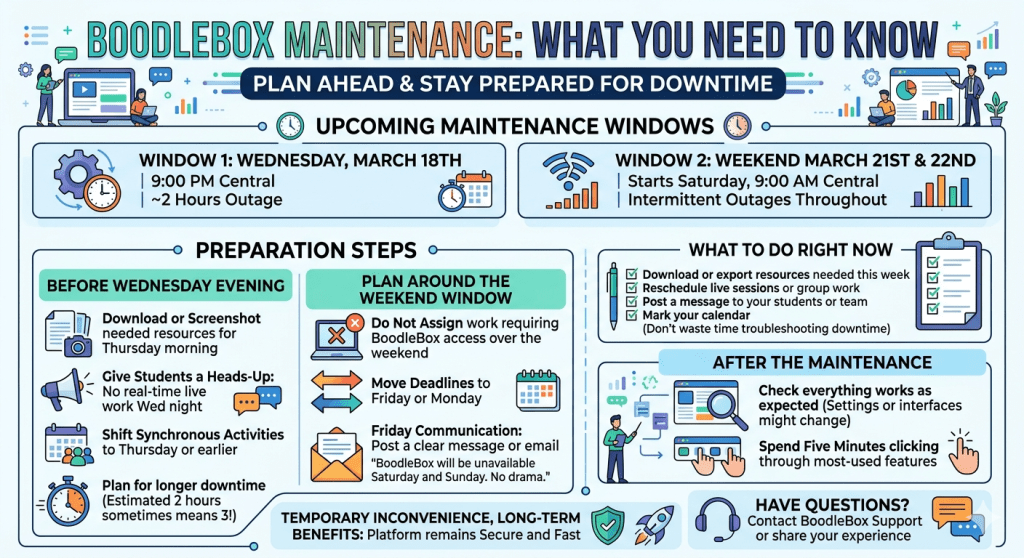
BoodleBox will be temporarily unavailable for scheduled maintenance during two windows: Wednesday, March 18th at 9:00 PM Central (about two hours) and over the weekend of March 21st and 22nd, starting Saturday at 9:00 AM Central with intermittent outages throughout.
Sound familiar? Platform maintenance is necessary work—security patches, performance updates, feature improvements—but it disrupts your workflow. The good news is you can plan around it.
Before Wednesday Evening
Download or screenshot anything you need your students to access Thursday morning. If you have real-time collaborative tools set up in BoodleBox, give students a heads-up that Wednesday night is not the time for live work. Shift synchronous activities to Thursday or earlier in the week if possible.
I’ve learned the hard way that “estimated two hours” sometimes means closer to three. Plan for the longer window so you’re not caught off-guard.
Plan Around the Weekend Window
Saturday and Sunday maintenance is trickier because it’s intermittent. That means the platform might be up, then down, then up again unpredictably. Do not assign work that requires BoodleBox access over this weekend. If students typically use it for weekend assignments, move the deadline to Friday or Monday.
Use Friday to communicate clearly: Post a message in your course or send an email saying BoodleBox will be unavailable Saturday and Sunday. One sentence. No drama. Students appreciate the clarity.
What to Do Right Now
- [ ] Download or export any resources you need this week
- [ ] Reschedule live sessions or group work away from these windows
- [ ] Post a message to your students or team about the maintenance
- [ ] Mark your calendar so you don’t troubleshoot a “problem” that’s just scheduled downtime
After the Maintenance
Check that everything is working the way you left it. Occasionally an update changes a setting or interface element. Spend five minutes clicking through your most-used features to confirm they’re still there.
The BoodleBox team is working to keep the platform secure and fast. That work happens behind the scenes during windows like these. It’s worth the temporary inconvenience.
Have questions about accessing your resources during maintenance? Reach out to BoodleBox support, or share your experience in the comments below.
Discover more from Another Think Coming
Subscribe to get the latest posts sent to your email.
 Another Think Coming