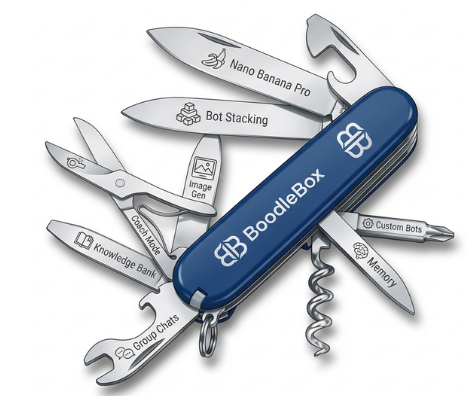
Over the last year, I’ve settled on my favorite Gen AI tool, BoodleBox. As I start 2026, I realize that BoodleBox offers a safe space to work with Gen AI, share Gen AI with folks news to using it to get things done. It’s a workhorse AI tool. It gives you access to a wide variety of chatbots in one space, safeguards data privacy, and makes bot creation easy. You can read my disclaimer if in doubt.
“One Platform. Every AI. Infinite Possibilities.”
Need a super fast overview of BoodleBox? Explore the BoodleBox Tips and Tricks section featuring two video tutorials and where to learn more. If you want to get started quickly, you can use a referral code. A more studied approach includes reading blog entries I’ve written. Or, check out the BoodleBox bots (a.k.a. custom GPTs) I’ve made.
Referral Code
Note: You can find referral codes for one month free for BoodleBox, Gemini, and Perplexity below, too. You can also use MGFREE123 code for two months of BoodleBox Unlimited.
Get a free month of Boodle Box AI
Disclaimer: Miguel Guhlin supports the use of BoodleBox AI in K-16 schools and organizations because it’s a great Gen AI tool that safeguards your data. He does not benefit personally in any way from your use of the MGFREE123 code. If you use the referral link, the benefits are no different than anyone else using a referral code. He doesn’t care what Gen AI tool you use, but his informed opinion is that BoodleBox is a great, safe alternative for those who don’t want to get locked into Big Tech solutions but can’t afford running Gen AI open source solutions on their own equipment. “BoodleBox is the best solution for $20 a month (or $16 for academics) you can get that allows you to access a wide variety of frontier models, delete your chats, adheres to SOC2/FERPA and enterprise level security,” he likes to share.
BoodleBox Tips and Tricks
This is my February, 2026 introduction to BoodleBox. It includes a lot of great info
- Get a BoodleBox Unlimited access pass for:
- Two months of Access – Apply the MGFREE123 code at BoodleBox.ai (View PDF illustrated walkthrough of how to do this)
- One month of Access – Use Miguel’s referral link
- View Part 1 (27 minutes) on BoodleBox features
- View the slide deck
- Get prompts (copy) and vignettes (view) that illustrate and help you visualize the possibilities
- Research Summary slide deck available in PDF or PPTx for your viewing
- Context and Prompt Design Workbook
- View Part 2 (47 minutes) on BoodleBox features and hands-on demo.
- This is a guided walkthrough BoodleBox Unlimited features that shows you how to leverage its features and become a power user. Totally free tutorial and how-to.
- Qubit Bot created in the video
- Tetrahedron Unit
- Miguel’s Outline Helper bot
- This is a guided walkthrough BoodleBox Unlimited features that shows you how to leverage its features and become a power user. Totally free tutorial and how-to.
- Want More? For an in-depth walkthrough, you can also check out the TCEA AI-Amplified Educator Accelerator course (it offers six months free of BoodleBox Unlimited access, which is a terrific value).
Blog Entries
Here are a few blog entries I want to share with you about it. Items in bold are must-reads.
- MyNotes: #BoodleBox #AI #EdTech #Education
- TCEA AI-Amplified Educator with #BoodleBox
- BoodleBox AI On Mobile
- Get #BoodleBox #AI for Yourself or School: Step by Step Guides #EdTech #Education
- Create Your #GenAI Assistant: #BoodleBox Bot
- Top Education AI Tools
- My #BoodleBox #AI Optimization Checklist
- Custom Instructions: #AI Adaptive Learning Guide Bot #BoodleBox
- Improving Custom Instructions for #AI BoodleBox
- Bot Stacking with BoodleBox
- Running #BoodleBox #AI as a #Browser #App #EdTech
- AI Toolbox: #BoodleBox Image Generation
- #BoodleBox #AI Web Search for all models
- Comparing BoodleBox Premium/Free Models for Bot Creation
Two Approaches
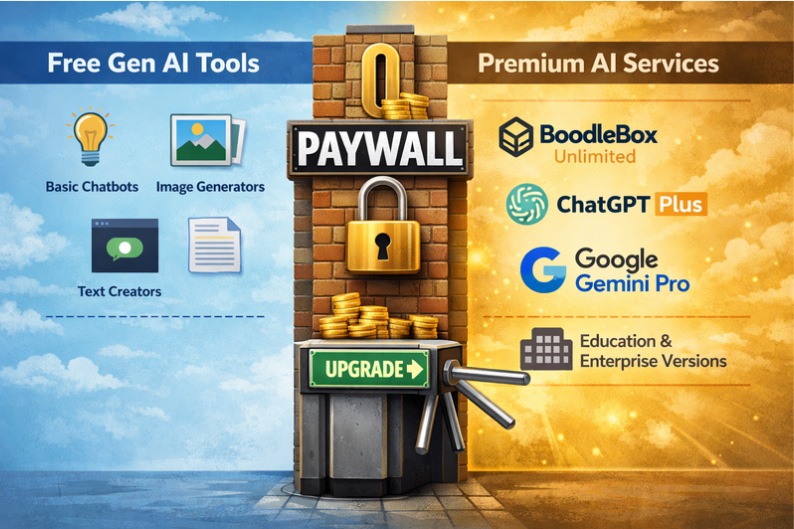
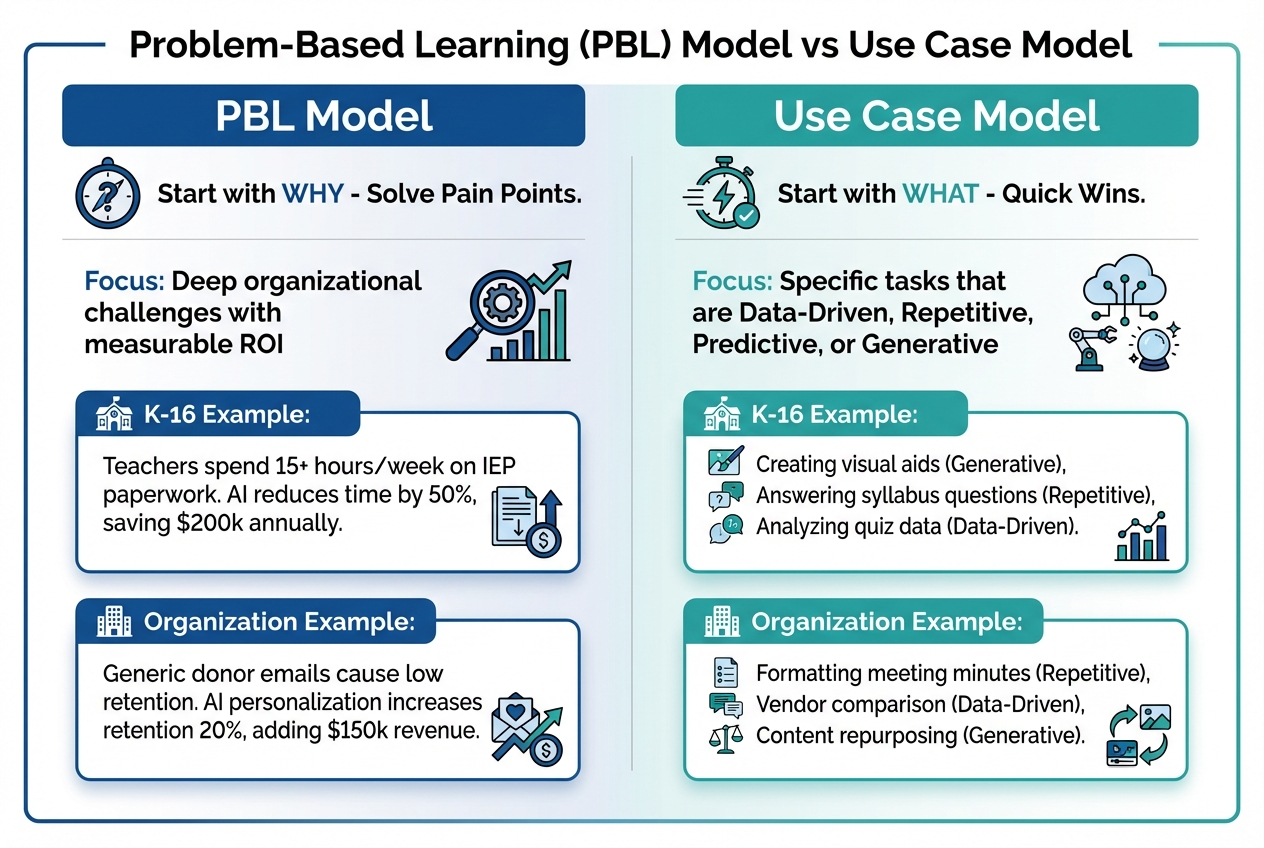
Paul Roetzer (SmarterX.ai) suggests there are two approaches many take to Generative AI. The following is based on my notes of his podcast presentation adapted for K-16 and non-profit organizations run through BoodleBox-Gemini 3 Pro model.
Explore these two approaches with prompt examples here.
Bots I’ve Created with BoodleBox
- AI-Powered Plan Analyzer: Generates assessment rubrics, scores District Tech Plans, and guides tech project planning and de-implementation, with specific executive summary utilization and KPI guidance.
- Avo Healthy Eating Bot for CKD, Diabetes, High Blood Pressure: Provides personalized healthy eating guidance for individuals with Stage 3 Chronic Kidney Disease, Diabetes, and/or High Blood Pressure.
- BLUF Pro: An expert communications advisor who rewrites text into the “Bottom Line Up Front” format for busy executive audiences.
- Broccy Healthy Eater Bot for NAFLD: Helps users with Non-Alcoholic Fatty Liver Disease (NAFLD) eat healthier and slim down.
- Coaching Excellence Bot: Assists with Instructional Coaching that Clicks.
- Compass School AI Policy Builder: An AI guide for schools to create custom AI policies tailored to unique district needs.
- EduSynth Pro: Synthesizes user requests with built-in pedagogical frameworks to produce structured, practical, and evidence-informed educational materials.
- Epictetus Guide Bot: A specialized educational assistant focused on making Stoic philosophy accessible and practical.
- ETHICAL Model Assistant: Applies the ETHICAL Model to novel situations to aid decision-making and navigate complex ethical scenarios.
- High Yield Strategy Derby: A game where users match high-effect size instructional strategies to specific AI use cases.
- HERA: Guides students and educators through a three-phase approach to historical analysis, promoting critical thinking and evidence-based reasoning.
- Instructions Helper Bot: Helps users design custom instructions that go beyond their initial imagination.
- Instructions Wizard Pro: An expert in designing GPT instructions using advanced scaffolding and interaction models.
- Library Law Bot: A specialized assistant for Texas librarians navigating state legislation affecting school and classroom libraries.
- Library Law Pro: An enhanced version of the Library Law Bot, providing specialized assistance for Texas librarians on library-related legislation.
- MadLibs Creations: Creates stunning images in a Mad Libs style based on custom instructions.
- Newsletter Maker Pro: Creates newsletters from content provided.
- Outline Helper Pro: Creates traditional outlines from content provided, ideal for turning audio transcripts into outlines.
- Project Kickstarter Bot: An expert project management assistant that guides users through creating a foundational plan for any project.
- Project Kickstarter Pro: An advanced project management assistant that generates foundational plans using PIR analysis, RACI for role clarification, and project timeline creation.
- PROTECT Privacy Policy Assessments for EdTech and Gen AI: Evaluates educational tech policies using the TCEA PROTECT rubric.
- Rubric Maker Free: A rubric generator using ChatGPT 4o-mini to create assessment tools.
- Rubric Maker Premium: A rubric maker using a premium AI model (Claude 3.x Sonnet) for more sophisticated rubric generation.
- Skeptical Thinking Evaluator: Applies critical thinking frameworks to evaluate claims and detect pseudoscience.
- Start Builder: Creates a menu of content with relative hyperlinks to files and folders given a file list.
- Step Calculator: Calculates an estimated daily step count for a user’s weight loss goal based on provided personal data.
- Strategy Spotlight: Generates strategy spotlights and one-pagers for high-impact teaching practices.
- SWOT Linker Pro: Creates comprehensive, well-researched analyses with properly formatted markdown and multiple supporting links for each point.
- Workshop Designer: Develops a detailed workshop plan given a session title, description, target audience, and optional preferred workshop model/structure.
 Another Think Coming