Ultimately, no man or woman is happy unless they have found a way to contribute beyond themselves. ~Tony Robbins
Playing around with Evernote–which I’m coming to fall in love with, albeit a bit late in the game–it occurred to me that sharing Notebooks of content with the world one at a time was cumbersome. Since dlvr.it was fresh on my mind, it occurred to me to try copying-n-pasting the Evernote shared notebook url–such as the one below–into dlvr-it and see what happened.
Not surprisingly, it worked, making it incredibly easy for me to share my reading interests on a variety of topics via Twitter and Facebook as I read them (within 15 minutes). This is awesome because there are many times when I don’t blog about what I’m reading, but still think it’s worth keeping.

Here’s the process:
1) Share Notebooks – This link is available in the top right corner:

2) Review your list of shared/unshared notebooks in Evernote, then click the button to START SHARING:

3) Generate the URL (Web Address) you want for a shared item:

Click START SHARING WITH THE WORLD and you’ll see:

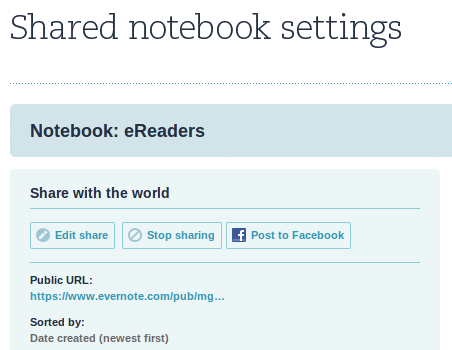
4) Copy-n-paste the public URL (right-click on it) then drop it into ifttt.com or dlvr.it. Since I prefer dlvr.it, this is what it looks like for me:
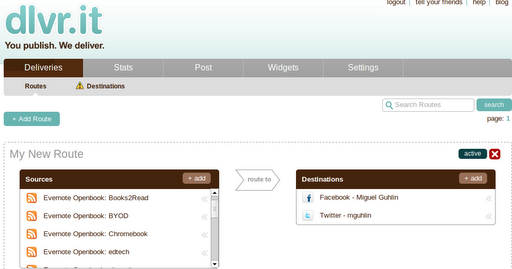
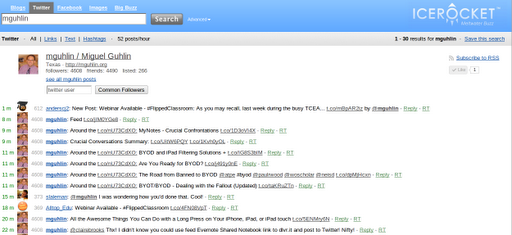
That’s all there is to it! You can watch the items show up in your Twitter feed (note I’m using IceRocket Search Engine for Twitter below):
Get Blog Updates via Email!
Enter your email address:
Delivered by FeedBurner



Everything posted on Miguel Guhlin’s blogs/wikis are his personal opinion and do not necessarily represent the views of his employer(s) or its clients. Read Full Disclosure
Discover more from Another Think Coming
Subscribe to get the latest posts sent to your email.
 Another Think Coming
Evernote is a wonderful application. This is a good tutorial. I'm always pleased with the intuitive way the program is set up. It's the first program for which I've paid to move to a premium service.
Evernote is a wonderful application. This is a good tutorial. I'm always pleased with the intuitive way the program is set up. It's the first program for which I've paid to move to a premium service.