While waiting for a movie to start, I noticed an ongoing Twitter conversation–check out PrincipalPLN Blog— that should intrigue any administrator: how to stay on top of your email, or how to achieve the mythical Inbox Zero.
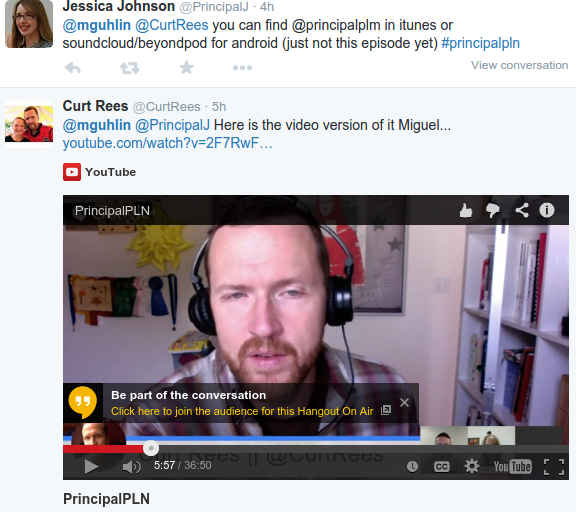 |
| Watch/listen this discussion |
If you’re not familiar with InboxZero concept, you may want to read this:
Inbox Zero is a rigorous approach to email management aimed at keeping the inbox empty — or almost empty — at all times.
Inbox Zero was developed by productivity expert Merlin Mann. According to Mann, the zero is not a reference to the number of messages in an inbox; it is “the amount of time an employee’s brain is in his inbox.” Mann’s point is that time and attention are finite and when an inbox is confused with a “to do” list, productivity suffers.
Source: What is InBox Zero?
Some of the tips shared in the video included:
- For incoming emails, take action on it right away.
- If an email results in a task, Curt Rees sends it to OmniFocus (e.g. Mac, iOS only) with a deadline/due date in the form of a task.
- Adhere to the Five Sentences:
- five.sentenc.es is a personal policy that all email responses regardless of recipient or subject will be five sentences or less. It’s that simple. You can read more about this approach in this article, Productivity LifeSaver: The 5-Sentence Email.
- Use Google Sites to send updates out rather than send out emails. This helps staff just go to the web site for updates rather than email. So, you send out an email with a link to the page.
- Use IFTTT.com to send a text message (SMS) if you receive an email/gmail from the Superintendent or someone important.
- A clean desk is a sign of mental clarity.
- Top 5 tips from @CurtRees:
- David Allen’s book, Getting Things Done
- Have a system for what you’re going to do.
- Don’t let email dictate how you are going to spend your time. Don’t worry about email at home…make yourself available in other ways.
- Don’t let your inbox be your do list.
- Don’t clutter anyone else’s inbox…recognize when email is not appropriate and needs to be F2F. Don’t try to justify everything in writing because you lose the emotional impact.
After listening to the PrincipalPLN podcast, I was inspired to share my top 5 tips:
- Create ToDo outside of your email. Since I rely on Evernote (and you can do this with the free version), I forward work-related tasks to “WorkToDo” and personal tasks to “iDo” list. Anything that goes into my “ToDo” notebook is something I check on. I can also assign it as a “Reminder” in Evernote.
- For power users, consider the following search terms for long checkbox lists of To Do Items or project management:
- If you type todo:false in the Evernote search box, this means you are looking for unchecked items in all your notes in all Evernote notebooks (or you could just open a notebook and search in that one).
- If you type todo:true in the Evernote search box, this means you are looking for checked items.
- If you type todo:* in the Evernote search box, this will show you all items with a checkbox.
- Archive to Evernote using CloudMagic, not Gmail. My email client on Android and iOS devices is CloudMagic, and it features easy integration with Evernote through its CloudMagic‘s cards icon. That means I can quick save to a generic Evernote or select a notebook to save to if I need to.
- Use one word tags/descriptors. Add tags to “archive” emails that are saved to Evernote. This allows for one word descriptors. I tend to embed the tags in the text of my Evernote note rather than use Evernote‘s tag feature.
- Scan to Evernote. I scan (Fujitsu ScanSnap ($250)) all paper items to PDF and save it in my Evernote. You can also attach documents (e.g. Word files or PDF files less than 100 pages long or 25 megs). Everything is searchable, especially if you have an Evernote Premium account (e.g. scanned images inside of PDFs are searchable in Premium, but not Freemium version).
- Link out to other documents. I post content online and then link to it. It’s much easier to put everything on the web or GoogleDoc, then refer people to that.
- Your email should answer 5 questions: Who are you? What do you want? Why are you asking me? Why should I do what you’re asking? What is the next step?
- Cut out excessive details.
- Short emails help you stay focused.
- Limit all your emails unless they are praising; be lavish in your praise.
Make Donations via PayPal below:

var _gaq = _gaq || []; _gaq.push([‘_setAccount’, ‘UA-3445626-5’]); _gaq.push([‘_setDomainName’, ‘mguhlin.org’]); _gaq.push([‘_trackPageview’]); (function() { var ga = document.createElement(‘script’); ga.type = ‘text/javascript’; ga.async = true; ga.src = (‘https:’ == document.location.protocol ? ‘https://ssl’ : ‘http://www’) + ‘.google-analytics.com/ga.js’; var s = document.getElementsByTagName(‘script’)[0]; s.parentNode.insertBefore(ga, s); })();
Discover more from Another Think Coming
Subscribe to get the latest posts sent to your email.
 Another Think Coming
Great post Miguel. I have an Evernote account, but don't use it to the fullest extent like you describe. One of these days I'll figure out how to do that.
Great post Miguel. I have an Evernote account, but don't use it to the fullest extent like you describe. One of these days I'll figure out how to do that.