

Learning Forward Texas 2026 Session Resources
https://tinyurl.com/lftx26mg
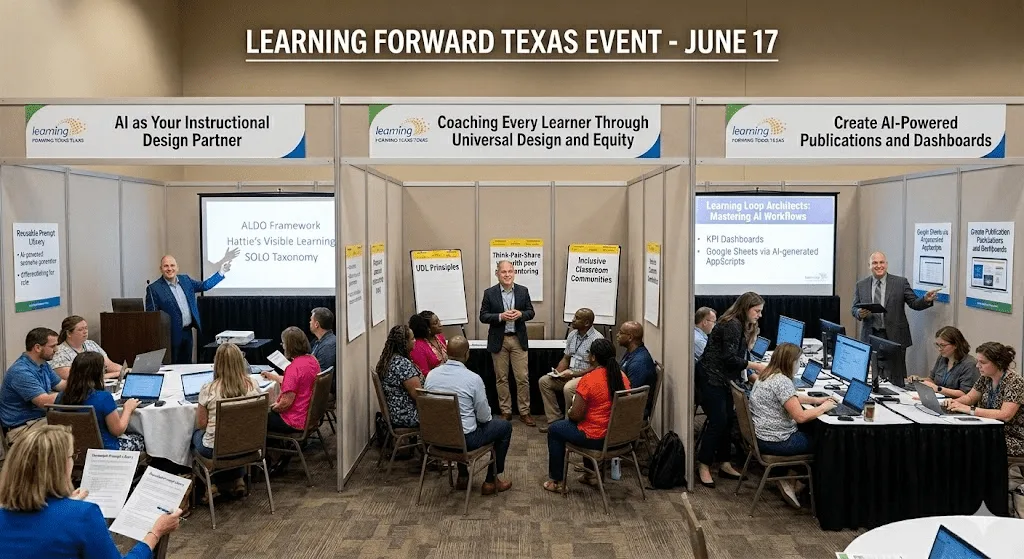
This page gathers my Learning Forward Texas 2026 session resources in one place. You will find slide decks, Google Docs, infographics, classroom tools, reflection resources, and companion links for three professional learning sessions:
- Coaching Every Learner Through Universal Design and Equity
- AI as Your Instructional Design Partner
- Create AI-powered Publications and Dashboards
These resources are designed for instructional coaches, classroom teachers, campus leaders, librarians, and education technology staff looking for practical ways to support inclusive learning, use Gen AI responsibly, and turn information into useful classroom and campus tools.
Create AI-powered Publications and Dashboards
What This Resource Page Includes
This Learning Forward Texas 2026 resource page includes materials for educators who want practical support with instructional coaching, Universal Design for Learning, Gen AI lesson design, student item analysis, dashboards, newsletters, and professional learning design.
The page includes links to slide decks, printable resources, Google Docs, reflection tools, NotebookLM audio overviews, classroom-ready protocols, Gen AI tools, and companion blog posts. It is especially useful for K-12 educators, instructional coaches, professional learning designers, librarians, campus administrators, and school technology leaders.
Coaching Every Learner Through Universal Design and Equity
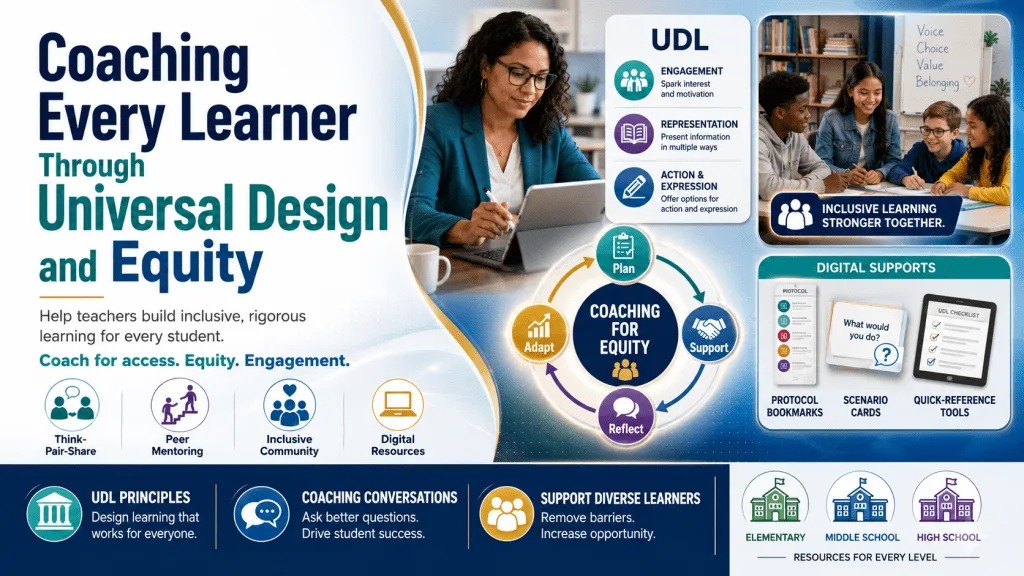
All students deserve access to rigorous learning, but teachers often struggle to differentiate effectively. This session teaches coaches how to guide teachers in implementing Universal Design for Learning (UDL) principles and creating equitable learning environments. We’ll explore how high-effect strategies like Think-Pair-Share with peer mentoring naturally support diverse learners and practice coaching conversations that help teachers build inclusive classroom communities.
Session Resources
- Slide deck
- Google Doc with resources
- Protocol Bookmarks you can print for quick reference
- Scenarios for Activity:
- Web-based versions of different protocols for Scenario Randomizer
- View Slide Deck via Canva
- Listen to NotebookLM Audio Overview
- CAST Universal Design for Learning Guidelines
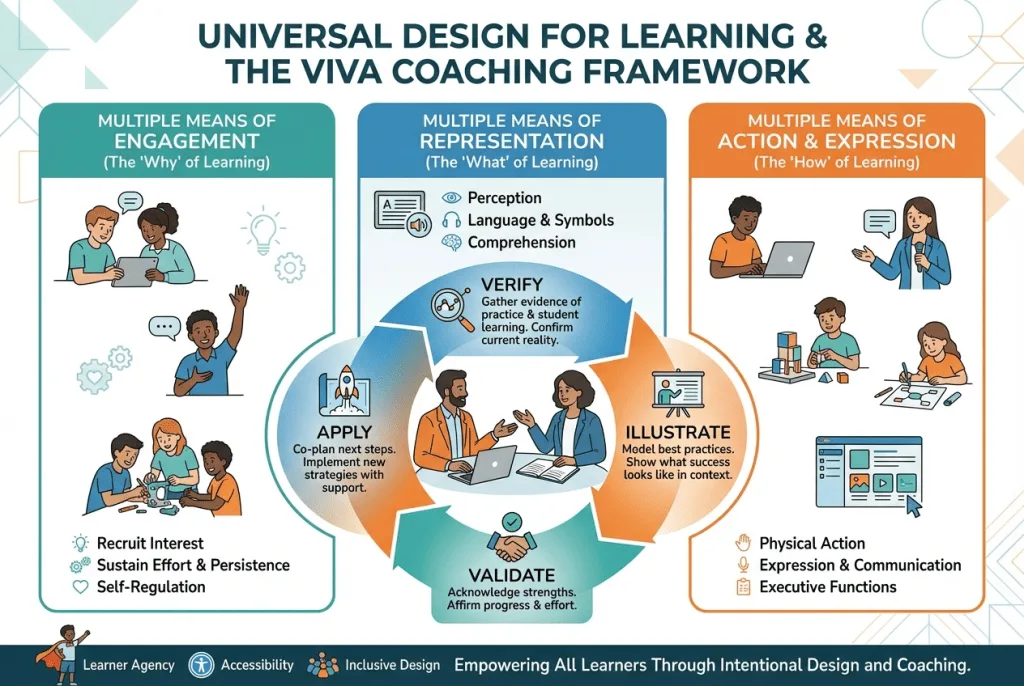
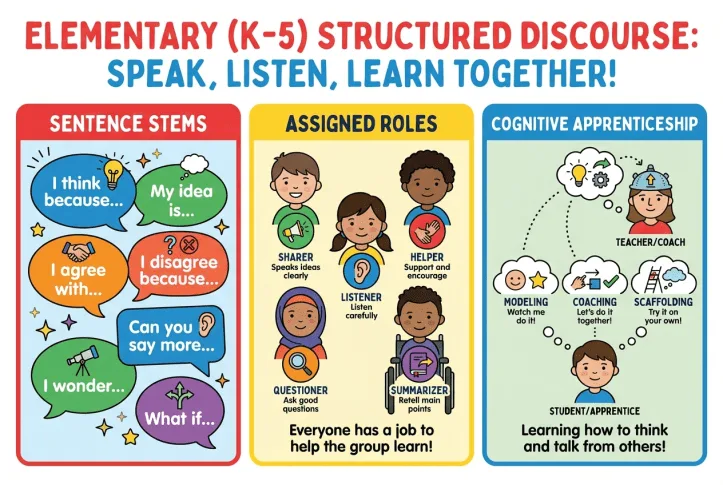
Access Elementary, Middle School, and High School versions of these examples
AI as Your Instructional Design Partner
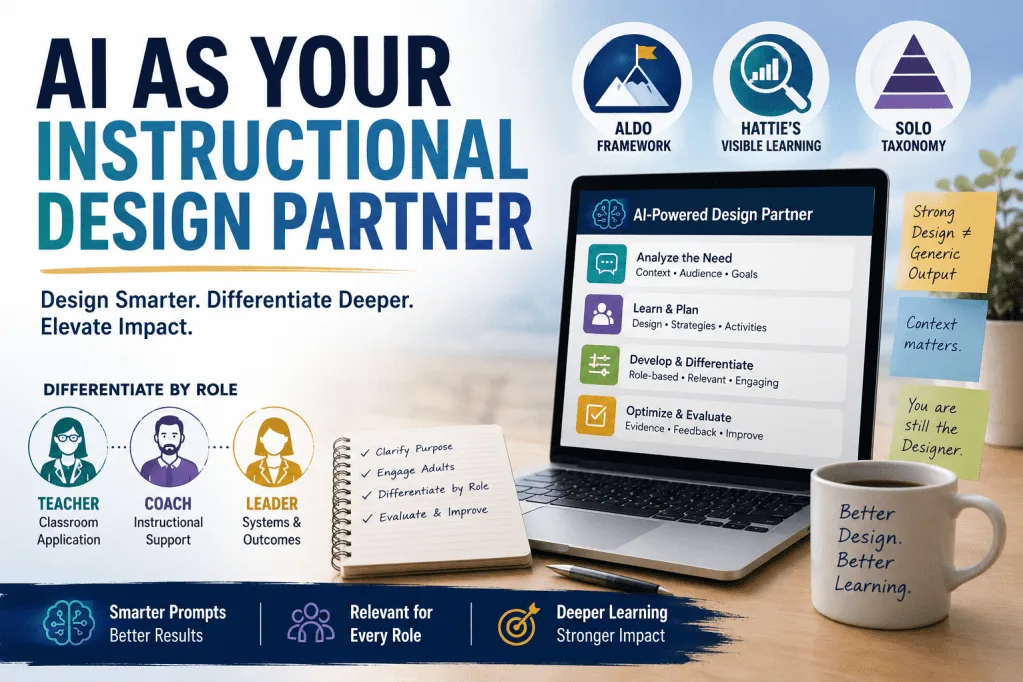
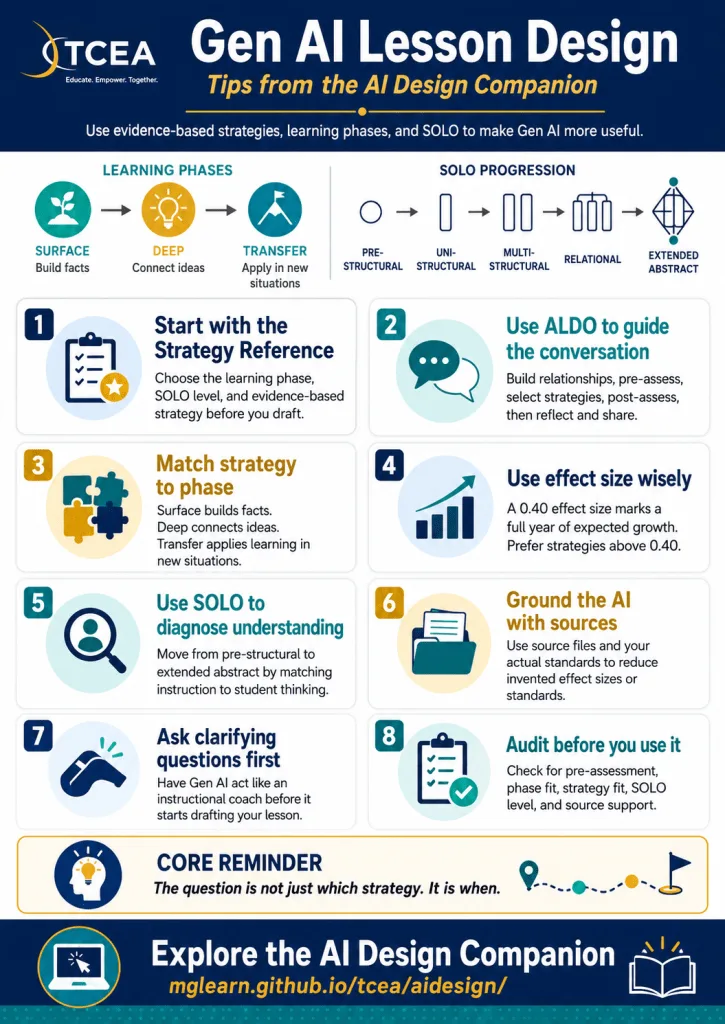
Most AI-assisted professional learning design stops at asking a chatbot to generate a workshop outline. This session goes further. Participants will explore how to use AI as a genuine instructional design partner, building sessions grounded in the ALDO framework, differentiating for role (teacher, coach, instructional leader), and evaluating AI-generated drafts against Hattie’s Visible Learning research and SOLO Taxonomy.
Session Resources
- Slides and Doc
- Slide deck with blog entry, Turn Entry Tickets Into Smart Item Analysis
- Google Doc
- Website - AI Design Companion
- BoodleBox Bot - TCEA Strategy Partner (BoodleBox Unlimited Pro account required)
- Water Cycle Pre-Assessment Flashcards - Click the card to flip. Use Next to advance or Shuffle to mix the deck.
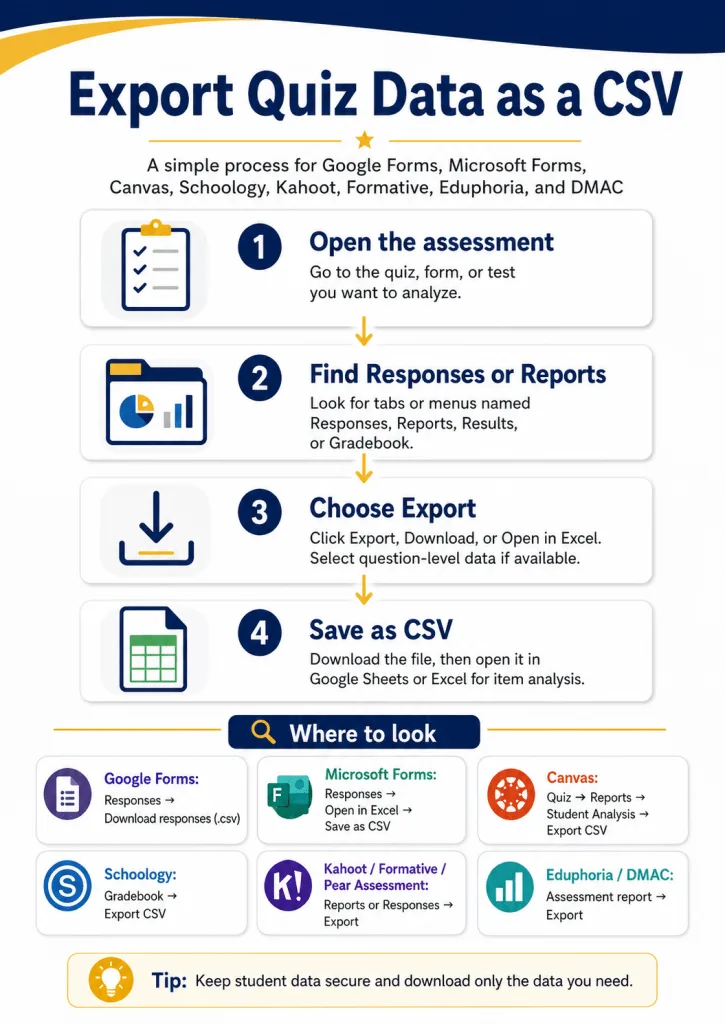
- Entry/Exit Ticket Item Analysis Tool - Analyze CSV assessment data, group students by phase of learning, identify SOLO levels, and generate ACE Framework recommendations aligned to selected TEKS. View tutorial on how to export CSV data from digital assessments.
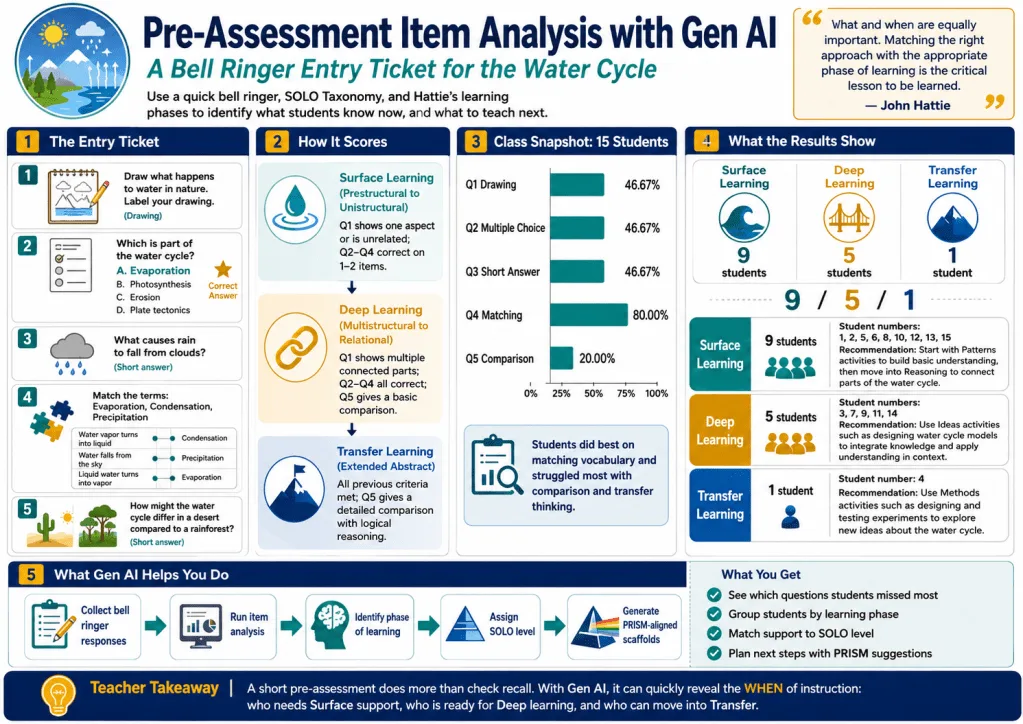
Create AI-powered Publications and Dashboards
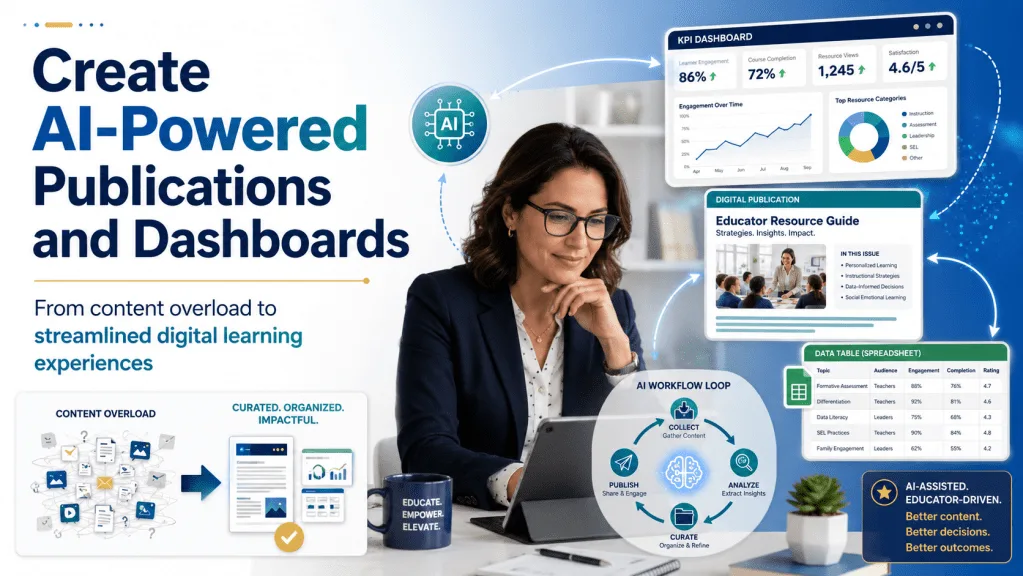
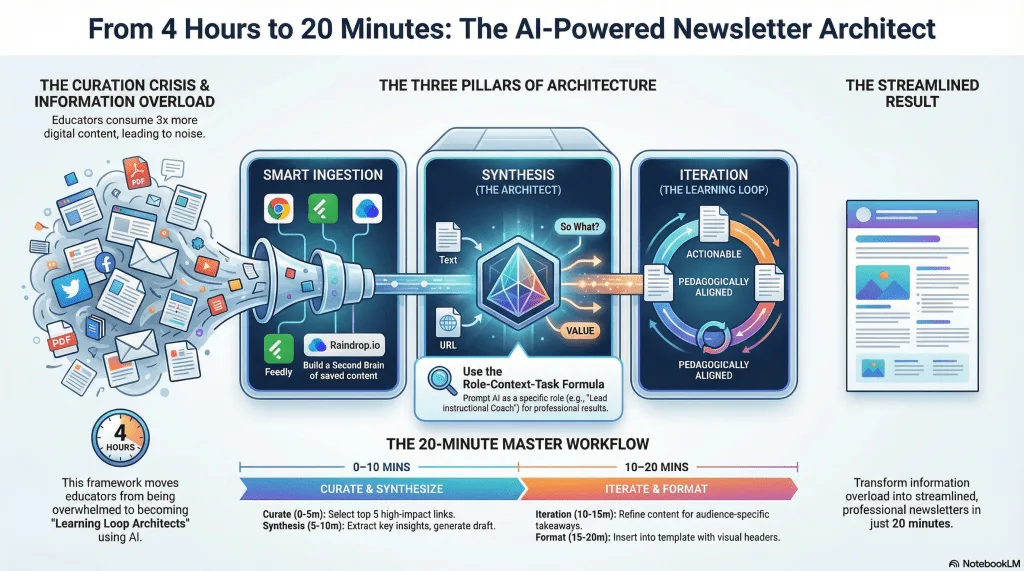
With educators consuming three times more digital content than five years ago, the challenge isn’t finding information. Rather, it is transforming it into meaningful learning experiences. This hands-on workshop addresses teacher workload concerns by teaching participants to become “Learning Loop Architects,” mastering AI-powered workflows that turn chaotic content curation into streamlined, professional digital publications. You will see how to make KPI dashboards, save web-based data into Google Sheets via AI-generated Apps Script, and more.
Flash Update: Copyright question.
How should you consider copyright regarding Newsletters you generate with Gen AI?
Newsletter AI Assisted Creation — copyright-safe guidance, rubric, and project instructions for curated educator newsletters.
Open the interactive deck in a new tab ↗
Session Resources
Slides and Doc
- Slide deck with Oreo Personality Quiz blog and quiz
- Google Doc with supplemental documents and Get a Copy of Google Sheet for version 4
- Make Data Displays Without Writing Code, a TCEA TechNotes Companion Blog Entry
- Play iBINGO or access iBINGO Game Maker
Five Solutions for You to Try On Your Own
- Create AI-Powered Publications: Five Solutions You Can Try On Your Own
- Watch how to post vibe-coded solutions on GitHub
KPI Dashboard Related
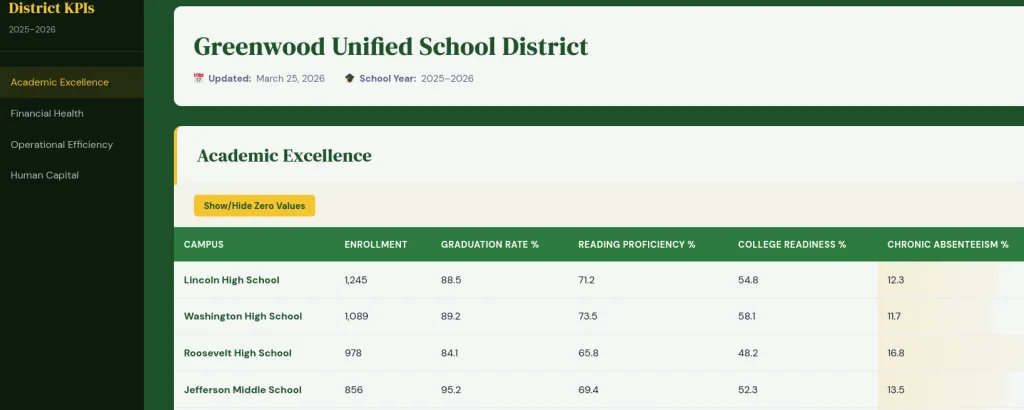
- About the Idea
- K-12 KPI Dashboard
- District Data Dashboard Bot (requires BoodleBox Unlimited account; use MGFREE123 code for two free months)
- Greenwood Unified School District example (See it on GitHub)
Newsletter Related
- AI Interactive Newsletter
- Listen to NotebookLM Audio Overview
- Track Your Links: Use free Raindrop.io
- Example Newsletters:
Free Tools (do NOT put in PII, FERPA, Confidential/Sensitive Data):
-
Z.ai (write-up)
Paid Tools
- BoodleBox Unlimited (Use MGFREE123 code for two months free)
- ChatGPT Plus
- Claude AI
- Google Gemini
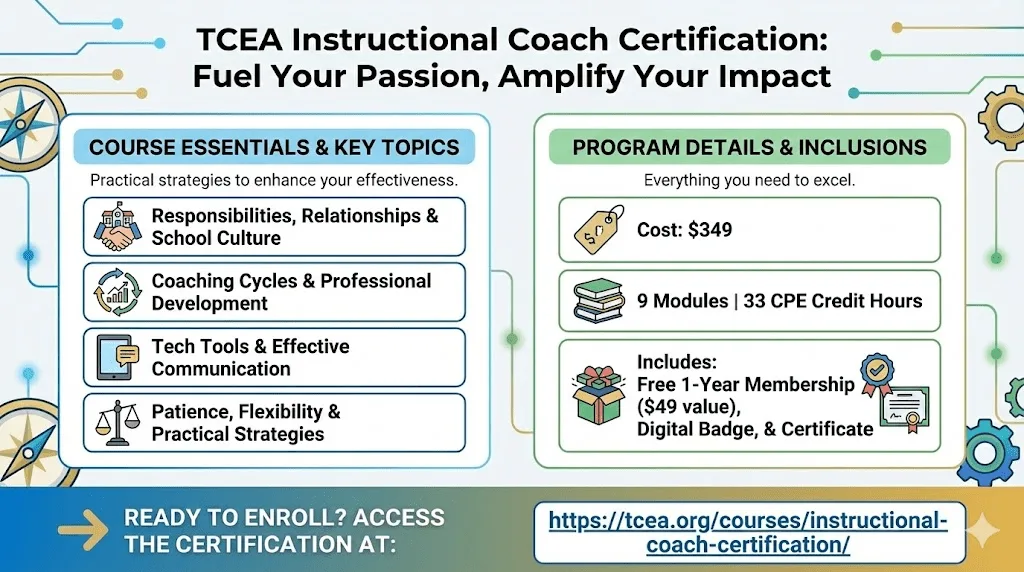
Learn more about TCEA Instructional Coach Certification below at
https://tcea.org/courses/instructional-coach-certification/
What This Resource Page Includes
This Learning Forward Texas 2026 resource page includes materials for educators who want practical support with instructional coaching, Universal Design for Learning, Gen AI lesson design, student item analysis, dashboards, newsletters, and professional learning design.
The page includes links to slide decks, printable resources, Google Docs, reflection tools, NotebookLM audio overviews, classroom-ready protocols, Gen AI tools, and companion blog posts. It is especially useful for K-12 educators, instructional coaches, professional learning designers, librarians, campus administrators, and school technology leaders.
What are the Learning Forward Texas 2026 educator resources?
The Learning Forward Texas 2026 educator resources on this page include slide decks, coaching protocols, Universal Design for Learning materials, Gen AI instructional design tools, item analysis resources, dashboard examples, newsletter creation tools, and professional learning supports for K-12 educators.
Frequently Asked Questions
What is included on this Learning Forward Texas resource page?
This page includes session slides, Google Docs, infographics, audio overviews, classroom tools, reflection resources, and companion links for three Learning Forward Texas sessions.
Who are these resources for?
These resources are for classroom teachers, instructional coaches, campus leaders, librarians, professional learning designers, and education technology staff.
What topics are covered?
The page covers Universal Design for Learning, instructional coaching, Gen AI lesson design, SOLO Taxonomy, ACE Framework recommendations, student item analysis, educator dashboards, newsletters, and AI-powered publications.
Can educators use these resources after the conference?
Yes. The page is designed as a follow-up resource hub so participants can revisit the tools, links, slide decks, and examples after the conference.
What is the AI as Your Instructional Design Partner session about?
This session shows educators how to use Gen AI as a planning partner for professional learning, lesson design, role-based differentiation, and evaluation of instructional materials using SOLO Taxonomy and Visible Learning research.
What is the Coaching Every Learner session about?
This session focuses on helping coaches guide teachers in using Universal Design for Learning, equitable classroom practices, and high-effect instructional strategies.
What is the Create AI-powered Publications and Dashboards session about?
This session helps educators use Gen AI workflows to create newsletters, dashboards, data displays, Google Sheets tools, and publication-ready learning resources.
Bookmark this page if you attended one of the sessions, or share it with a colleague who is working on instructional coaching, Gen AI lesson design, educator dashboards, or Universal Design for Learning.
Access Learning Forward Texas 2026 session resources on UDL, instructional coaching, Gen AI lesson design, dashboards, newsletters, and educator tools.