
Menu | #1: Ethics | #2: Prompting | AI in 5 Series | #3: Automating
This session will walk attendees through using AI to draft, revise, and refine scholarship applications, including essay prompts, eligibility criteria, FAQs, and scoring rubrics. It will offer hands-on demonstrations tailored to organizations just beginning to explore AI for content development. Get your badge (certificate available, too!) at the end of the session.
Did You Watch the Pre-Show to Today’s Session?
Watch Pre-Show Now while you wait! Get big picture on ChatGPT changes and overview of Gen AI tools, including agentic AI. Get slide deck (PDF).
Use this quick menu to move around on this website:
Menu: Agenda | Activities | Materials | Diagrams | Padlet | Chatbots
Agenda Highlights
- Building effective prompts for application materials and scoring guides
- Reviewing and refining language for clarity, inclusion, and accessibility
- Tips for reviewing AI output and aligning it with mission and equity goals
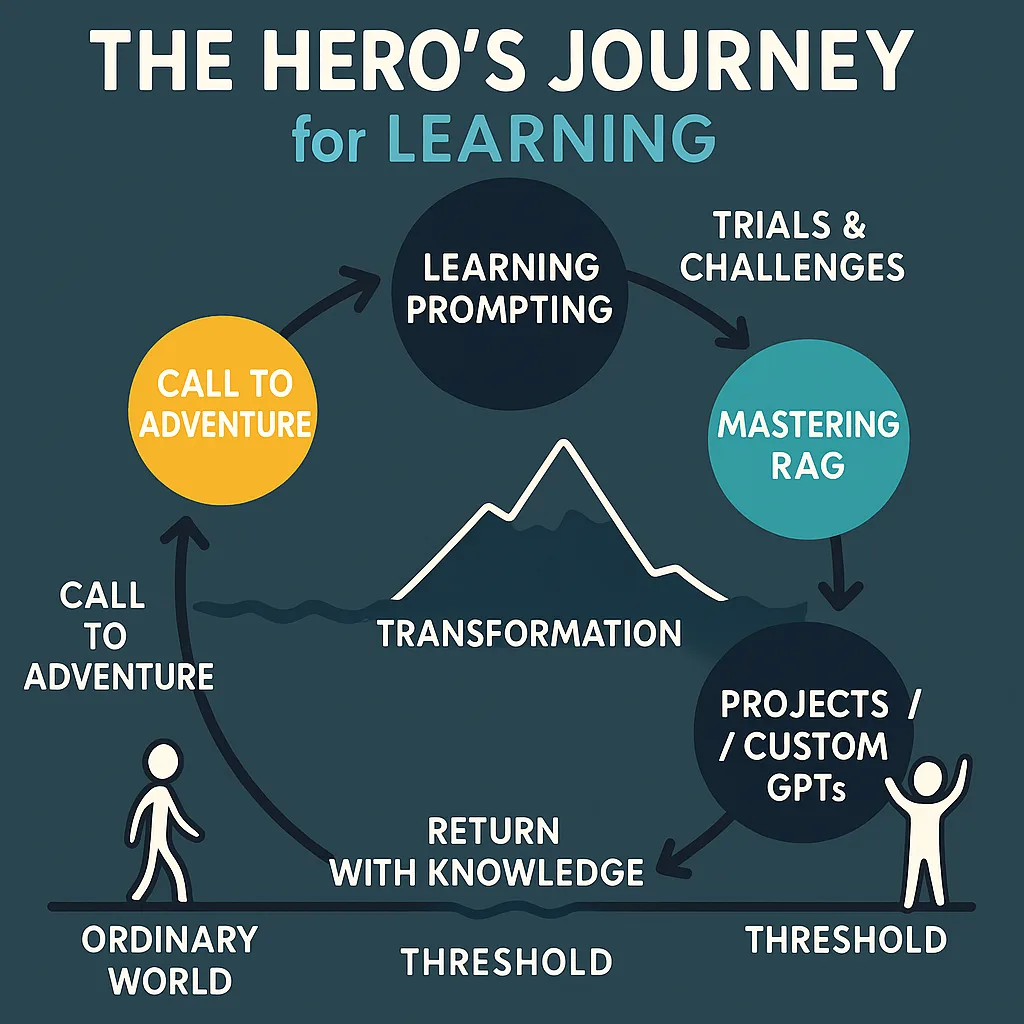
The Hero’s Journey
You are all heroes in my book!
Activities for Today’s Session
Activity
Files and Links
Pre-Event: Fun Personality Quiz
Figure out which Winnie the Pooh, Smurf, Snow White and the Seven Dwarves, or Looney Tunes character you are. Share results in the Zoom chat before session starts.
Take the quiz
(requires a free ChatGPT account)
AI Fluency Self-Assessment
Take a moment to complete the AI Fluency Self-Assessment (Digital | PDF) then report your organization’s score in the chat.
Activity 1: AI Prompt Builder Worksheet
Google Docs: AI Prompt Builder Worksheet
MS Word: AI Prompt Builder Worksheet (docx)
Google Docs: Phase 1, Step 1 examples
Activity 2: Retrieval-Augmented Generation with ChatGPT
RAG Template (PDF): Reusable Retrieval-Augmented Generation (RAG) Prompt Template
Instructions:
• Instructions.txt
Knowledge Files (Source Documents):
• Source #1
• Source #2
• Source #3
• Source #4
Bonus Tool for Windows Users:
Explore this tool that converts multiple PDFs and merge PDF/Text/Markdown (MD) files into one. Get it now.
Activity 3: RAG with Google Gemini Gem (Rubric Assessment)
Blog Entries:
• Revolutionizing Rubric Creation with AI
Instructions:
• Instructions.txt
Knowledge Files (Source Documents):
• Meta-Rubric for Assessing Rubrics (MRAR) Word Docx
Menu: Agenda | Activities | Materials | Diagrams | Padlet | Chatbots
Materials for You
The following are printable materials in PDF format, unless otherwise indicated (e.g. GoogleDocs/MS Word). All resources below shared under Creative Commons BY SA
-
Stuff I forgot to include (added post-session):
-
AI Chatbot File Compatibility - A blog entry on explaining how to work with various file formats.
-
Tool Suggestions for a Prompt Digital Notebook - There are a variety of solutions, here are my top picks.
- Stackedit.io - A free, browser-based note-taking tool that is Markdown compatible. Saves all notes in cloud storage of choice. Watch my video on it.
- Google Docs - Use DocTabs to simplify organization (enable Markdown in Preferences to simplify copy as markdown and paste as markdown). Probably works best for newbies. See one example.
- Joplin Notes - A free tool that works on all platform but you may have to pay for cloud storage to get full benefit and facilitated access. Read blog entry.
- Microsoft OneNote - If you are in the MS365 environment, this may be the tool for you.
-
All tutorial videos available:
- Working with Images and Diagrams
- PDF 2 Markdown with File Merge
- Creating ChatGPT Projects
- Video: Overview of ChatGPT Projects, including sharing, adding files
- Creating Custom GPTs/Gems/Bots
- Video: How to create a BoodleBox bot (Requires BoodleBox Unlimited; highly recommend!)
- Video: How to create a ChatGPT Custom GPT (Requires ChatGPT Plus or higher)
- Video: How to create a Gemini Gem (Requires Pro or better account)
-
Printable materials:
- Context and Prompt Engineering Workbook (PDF)
- Prompting Framework and Library for Scholarship Application Design (PDF)
- Mission Alignment Checklist (PDF)
- AI Tools Quick Selection Guide (PDF)
- Bias Detection Framework for Application Materials (PDF)
- Quick Start Guide: Your First AI-Generated Essay Prompt (PDF)
- Equity Language Reference Sheet (PDF)
-
PDF to Markdown with File Merge Tool (For Windows Users)
- Problem: Need to merge PDFs, Txt, or Markdown (MD) files into a single file?
- There are limits on how many files you can upload to a knowledge bank (e.g. ChatGPT limits you to 25 files for a Project/CustomGPT). Or, perhaps you want to optimize your text files before putting them into a knowledge bank.
- Solution: PDF 2 Markdown with File Merge (Watch Video)
- Get this Windows friendly tool.
- It will convert from PDF/Text/Markdown (MD) formatted files to markdown, then merge the MD files into one. This means instead of giving your GenAI twenty-five different PDF documents, you provide only one. This takes up less space AND the Gen AI chatbot processes the text file faster. You can always rename the “merged.md” to “merged.txt” if your AI chatbot of choice can’t handle markdown.Google Gem and BoodleBox Bots can produce markdown files, but won’t accept them as input unless you change the filename extension to txt.
Menu: Agenda | Activities | Materials | Diagrams | Padlet | Chatbots
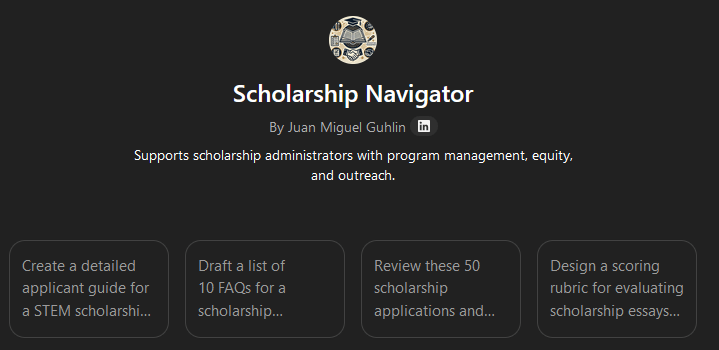
Prompts for Scholarship Navigator
Try one of the following in the Scholarship Navigator and apply the prompting tips suggestions to see how you can develop these further.
- “Create a detailed applicant guide for a STEM scholarship aimed at first-generation college students. Include eligibility criteria, the application process, and tips for writing a compelling essay.”
- “Draft a list of 10 FAQs for a scholarship application process, covering eligibility, deadlines, required documents, and how to submit applications online.”
- “Review these 50 scholarship applications and rank the top 10 candidates based on leadership experience, financial need, and academic achievement.”
- “Design a scoring rubric for evaluating scholarship essays on leadership potential. Include criteria for originality, clarity, relevance, and impact.”
- “Generate a personalized thank-you letter for a donor who funded a renewable $5,000 STEM scholarship, highlighting the recipient’s story and impact.”
- “Summarize the annual impact of the Smith Family Scholarship Fund, including total disbursements, student demographics, and graduation success rates.”
AI Generated Images and Diagrams
Below, you will find how to “fix” Gen AI images using Canva. You will also see how to generate nicer diagrams that rely on free software.
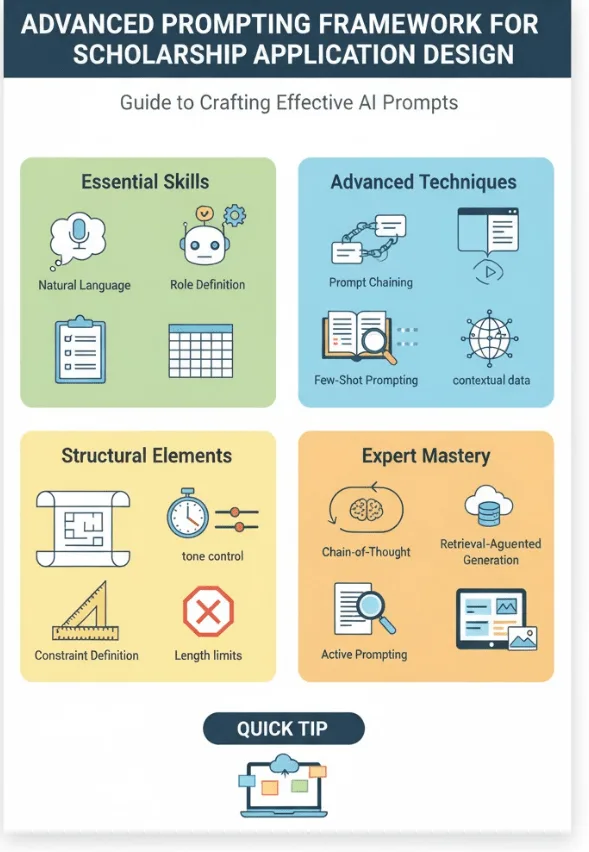
ChatGPT Generated Images and How to Fix Them
ChatGPT generated this image. When you use ChatGPT or other image generators, you may get mis-spelled words. Here’s a video tutorial (6 mins) on how to use Canva to edit AI-generated images that may feature mis-spelled words.
Menu: Agenda | Activities | Materials | Diagrams | Padlet | Chatbots
MXGraph XML Code AI-Generated Images
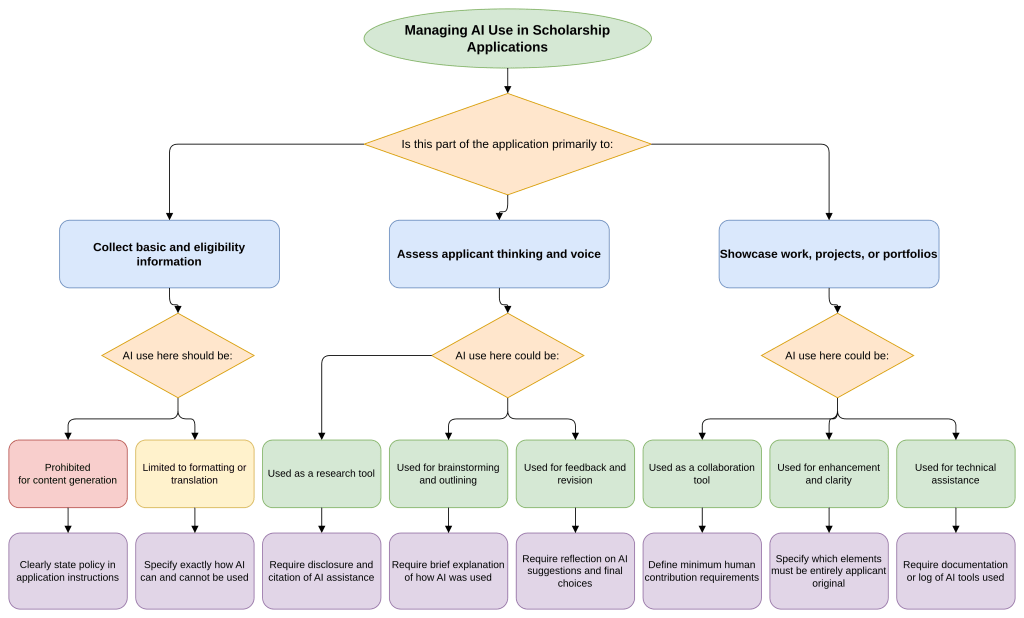
For the several diagrams in the slide deck, I used Gen AI to generate the MXGraph XML code compatible with Draw.io/Diagrams.net the following using text descriptions in prompt format. Then I took the resulting code and dropped it into Draw.io (watch video tutorial).
Here’s a sample prompt:
Convert this text into an MXGraph XML diagram that is compatible with Draw.io/Diagrams.net.
Here’s one example:
Menu: Agenda | Activities | Materials | Diagrams | Padlet | Chatbots
Available Gen AI Chatbots You Can Use
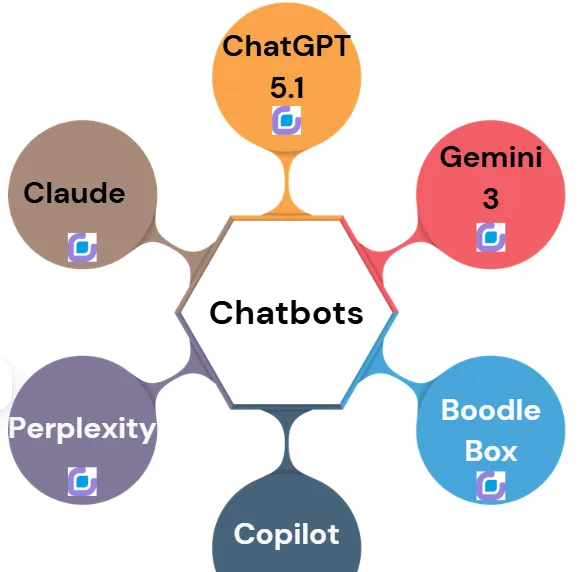
Need to sign up for a chatbot? Here are some convenient links.
-
BoodleBox (Sign Up)
- ✅Free
- ✅Unlimited Account. Get TWO months of Pro use with this code: MGFREE123 (apply it first)
- BoodleBox Pro
-
Claude (Sign Up)
- ⚠️ Free/Teams
- ✅ Enterprise
-
ChatGPT (Sign Up)
- ⚠️ Free
- ⚠️ Plus
- ⚠️ Teams
- ✅ Enterprise/Education version
-
Microsoft Copilot account (Sign Up)
- ⚠️ Free
- ⚠️ Consumer
- ✅ Enterprise/Education
-
Google Gemini (Sign Up)
- ⚠️ Free
- ⚠️ Pro $20 a month,
- ✅ Enterprise/Education Workspace
-
Mistral Le Chat (Sign Up)
- ⚠️ Free, Student, or Pro
- ✅ Team/Enterprise
-
☢️ Chat Z.ai (Sign Up) - Chinese
⚠️ Consumer Gen AI tools are generally safe to use as long as you 1) Understand everything you submit will be used for training purposes; 2) May be subject to general judicial inquiries; 3) Never provide confidential or sensitive information (e.g. personal, medical, financial, FERPA).
☢️: You can also use quite powerful Gen AI tools originating in China. However, be careful of NEVER providing confidential (e.g. PII, HIPAA, FERPA) information.
Menu: Agenda | Activities | Materials | Diagrams | Padlet | Chatbots