As a technology director, what solutions might have I vibe-coded if I had Claude AI or ChatGPT at my beck and call INSTEAD of paying money to expensive companies? My short list resulted in a blog entry due to be published in June with working solutions anyone can take and adapt.
Read the blog entry, Vibe-Coding Solutions for K-16 Education. Appeared May 6, 2026.
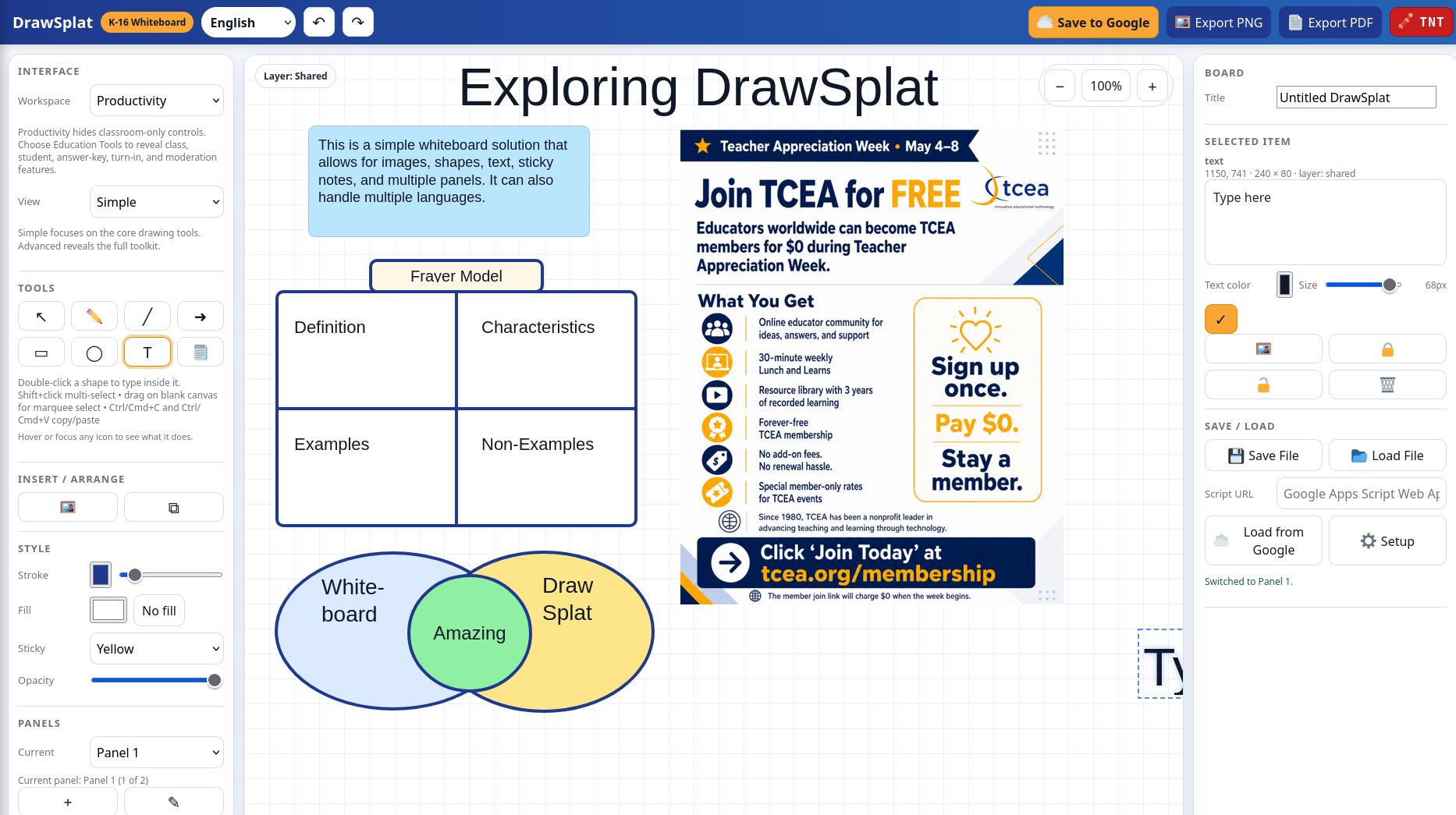
One solution that I imagined would have been cool to have? Kid Pix + digital whiteboard + CMAP Tools, all mixed in together. My homage to Kid Pix? A stick of TNT in the upper right-hand version of the solution I ended up with. After THREE hours of working with ChatGPT, then Claude Code, I had a solution I could use.
Getting Started
I started with a vague idea of what I wanted:
Prompt: Come up with ImageBoard, an interactive whiteboard for K-16 educators and students that works as a self-contained website, featuring image export, multiple panels, the ability to load images and resize them, add post-its, adjust colors and thickness of lines, various geometric patterns,etc. and save them all in Google Drive and Sheets.
I already have four or five solutions that do specific things, but I wanted a general purpose, more powerful tool. The web-based tool would save work to Google Sheets and use Google AppScript. I could just as easily have used MySQL or MariaDB as the backend, but in my current role, I don’t have easy access to either of those…the thought of setting that up on my personal computer just made me want to go take a nap.
Creating a Digital Whiteboard
The Gen AI did all the work. I relied on my $20 ChatGPT Pro account. I had started my other projects on Claude, but I wanted to see if ChatGPT 5.5 Pro could get the job done. Sure enough, it whizzed right through the obstacles, and faster than Claude. Although Claude’s product had a…”richer” feel to the text and the content it generated. And after a few versions, I asked Claude Code to revise the code for the better (12 files) that it ended up doing a total rewrite of.
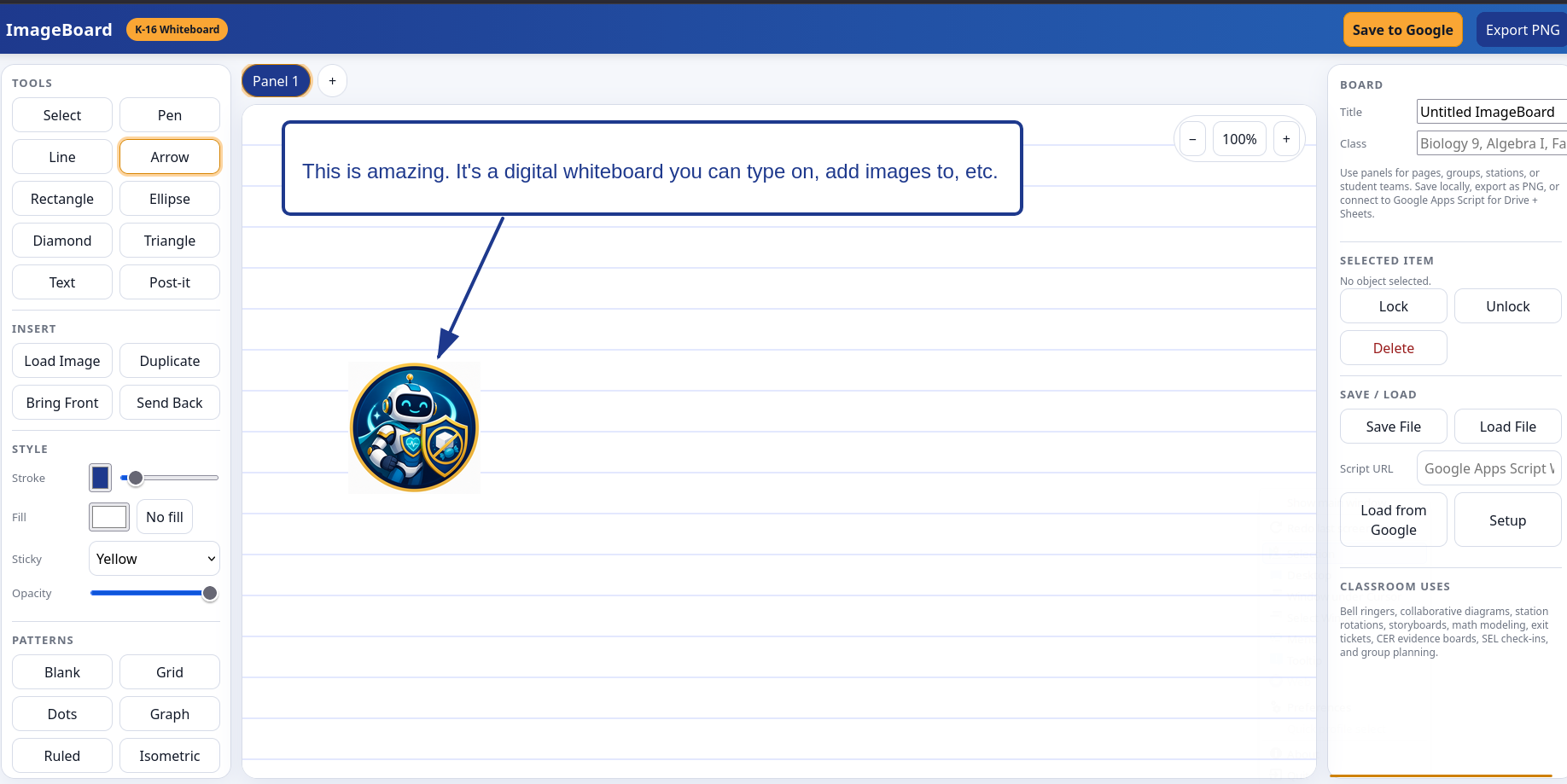
My initial version of “ImageBoard” looked like this:
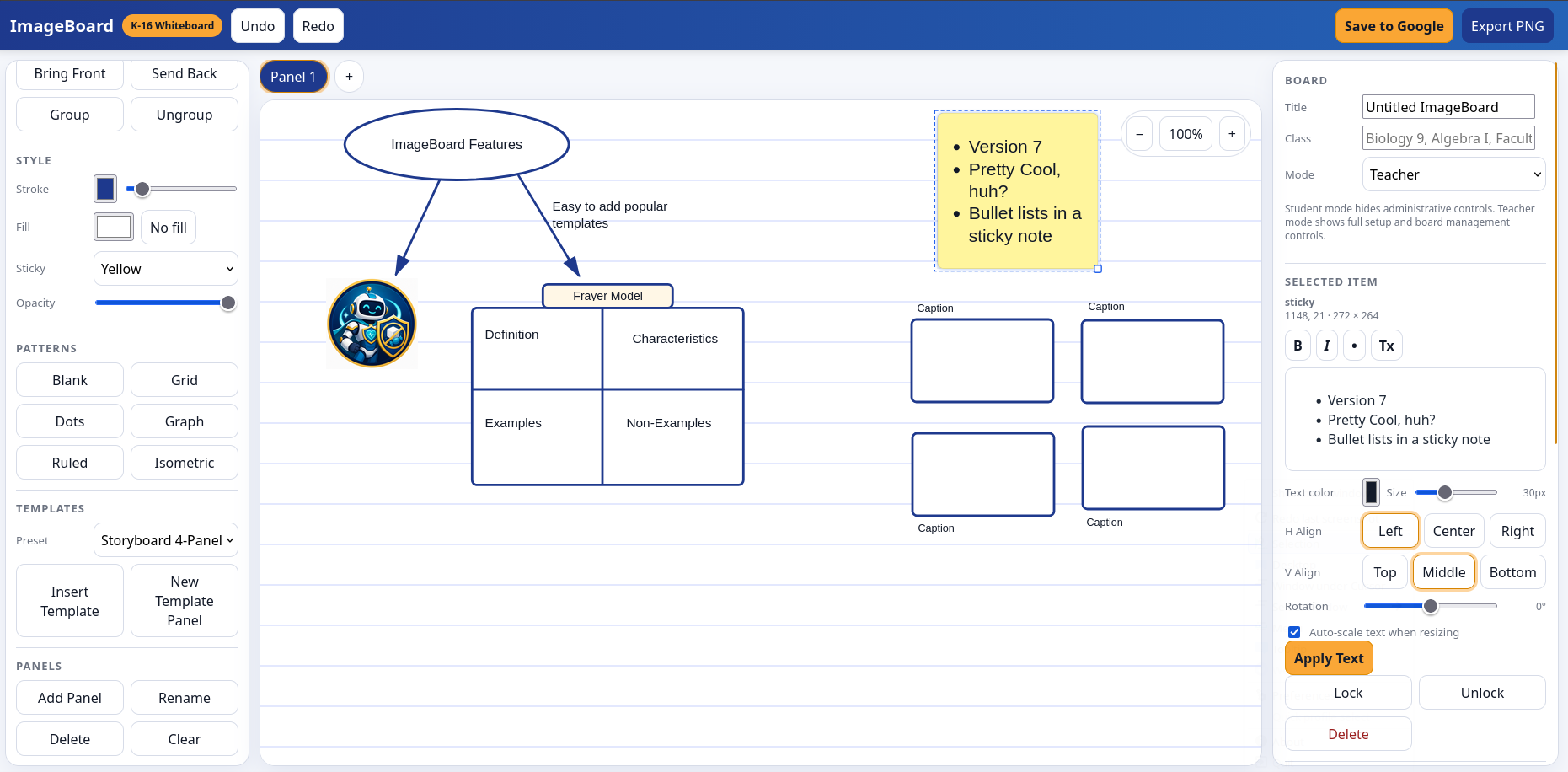
Version 7 looked like this:
The version I ended with after ONE HOUR of prompting ChatGPT (and at a certain point, ChatGPT started making suggestions about what to do next):
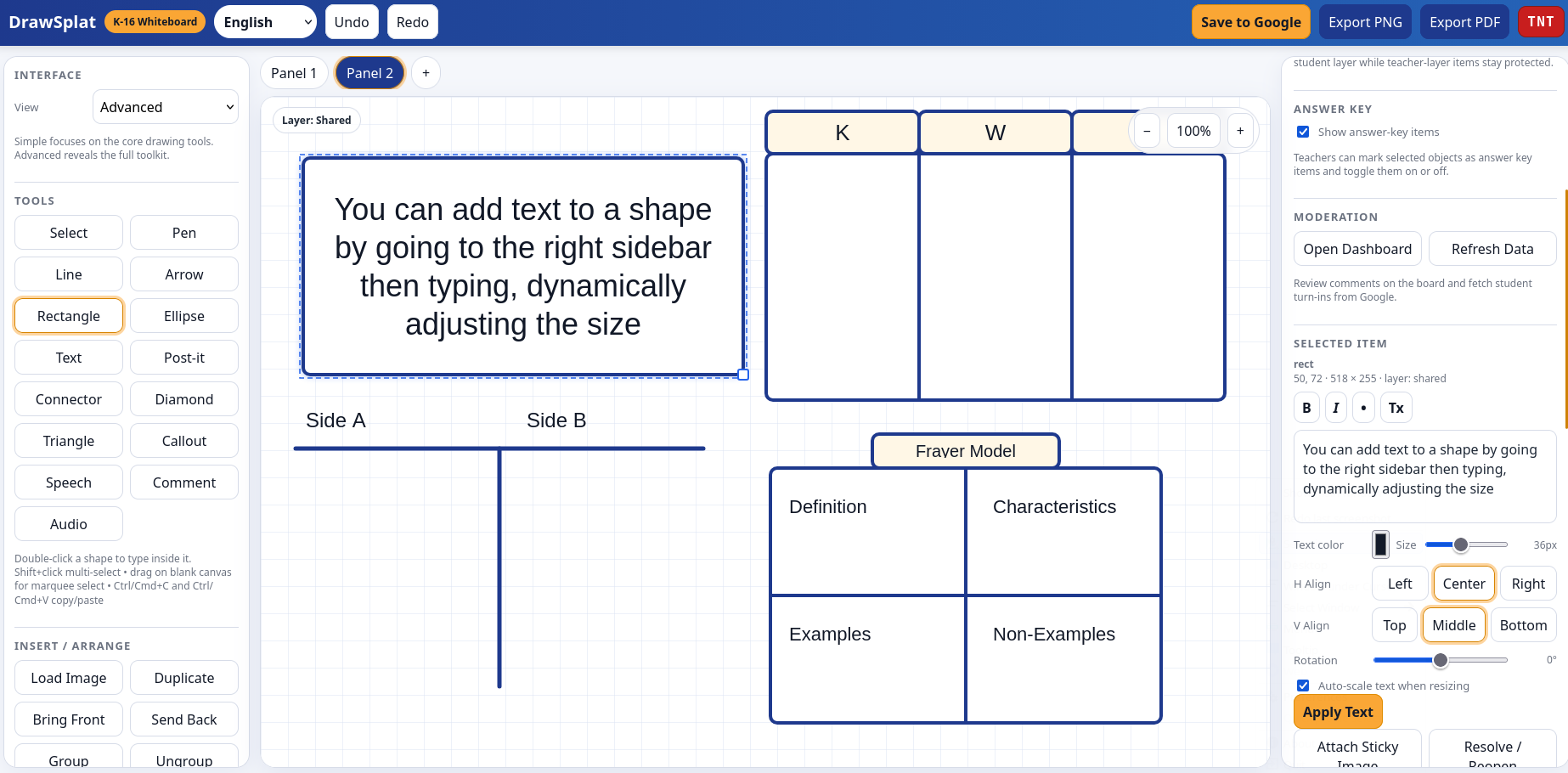
You may notice I switched from “ImageBoard” to “DrawSplat.” I spent 10 minutes trying to come up with names…finding a unique name for this kind of solution was a pain.
Introducing DrawSplat
DrawSplat is a self-contained interactive whiteboard for K-16 educators and students. It runs as a static website, works in the browser, and can optionally save boards, templates, collaboration rooms, and turn-ins to Google Drive and Google Sheets (via ReadMe).
Local use
Open any of the index*.html files in a modern browser. The app autosaves to local browser storage.
Hosting
You can host DrawSplat on:
- any simple file server that serves HTML, CSS, and JavaScript
- GitHub Pages
- a district or campus web server
- a static website host
Refining DrawSplat
The next version incorporated icons instead of words:
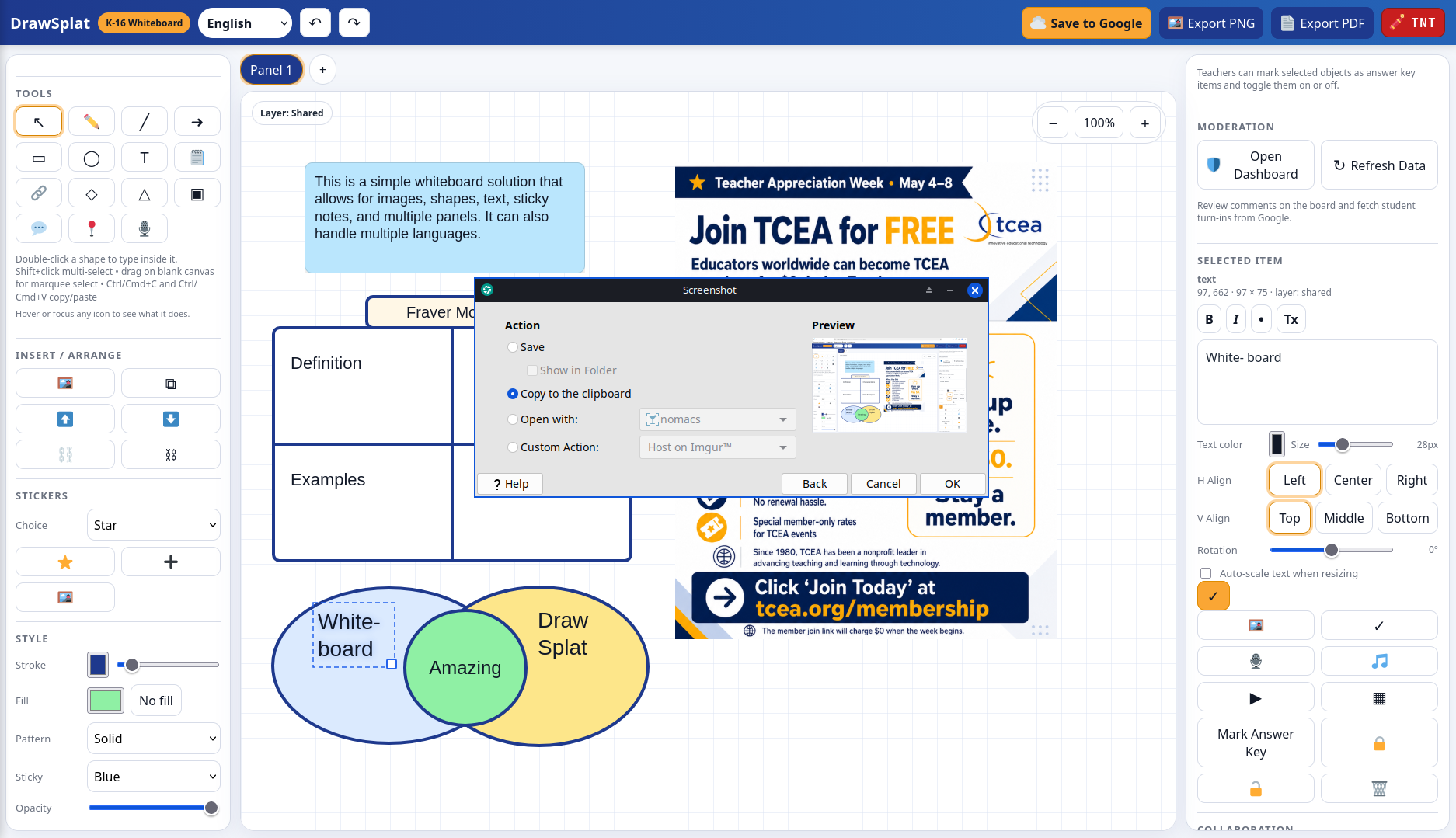
I have to admit, my capacity for astonishment has increased a hundred fold with Gen AI tools at my disposal. The reason why is that I do NOT know how to program or code. But this solution is totally workable and usable in K-16 classrooms. And, it’s only gotten better with each new version.
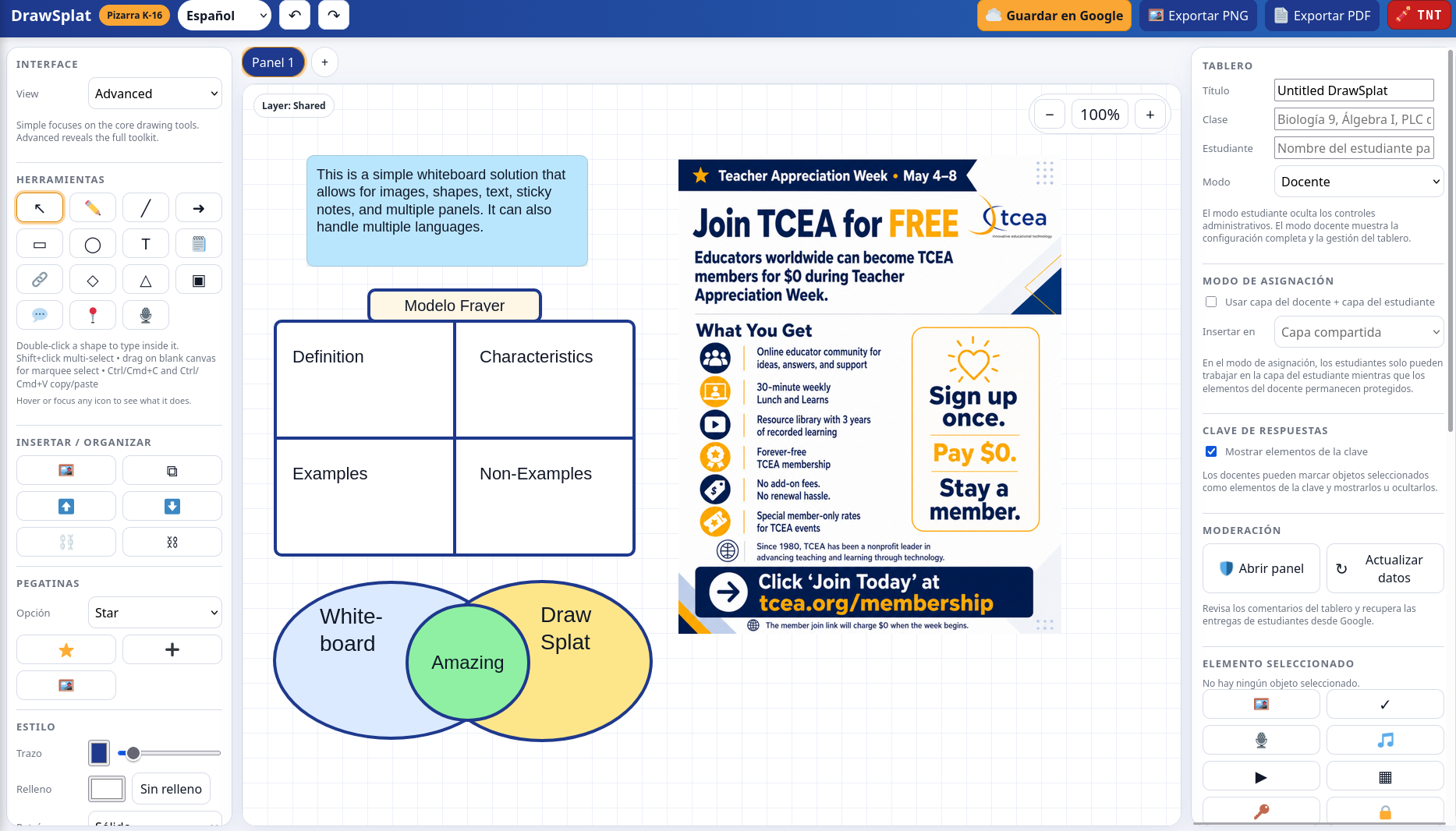
Multilingual
One of the amazing features I imagined was a multi-lingual tool that works with the top five languages used in K-12 classrooms in Texas. Those include:
- English
- Spanish
- Vietnamese
- Chinese (Mandarin/Cantonese)
- Arabic
- Hindu/Urdu
The Gen AI was able to create an interface for each (I asked it to make individual index.html files, one per language).
Google Integration
What’s more, it comes with Google integration. From the Readme file:
Google Drive + Sheets setup
- Create a Google Sheet named DrawSplat Saves.
- Open Extensions → Apps Script.
- Paste in the code from apps-script/Code.gs.
- Deploy it as a Web app.
- Set Execute as to yourself.
- Set access according to your classroom or district needs.
- Copy the Web App URL.
- Paste the URL into the Script URL field inside DrawSplat.
The Apps Script backend can store:
- saved boards
- board preview images
- collaboration room states
- shared templates
- student turn-ins
It also logs metadata in Google Sheets tabs for boards, rooms, templates, and turn-ins.
Collaboration modes
1. Local sync
Uses the browser BroadcastChannel API. This works across open tabs or windows on the same host when they join the same room.
2. Cloud sync
Uses the optional Apps Script backend so different devices can share the same room state through Google Drive + Sheets.
Student turn-ins
Students can enter their name and submit a board. Teachers can review turn-ins from within the app when the Apps Script backend is configured.
Helpful shortcuts
- Shift + click — multi-select
- Drag on blank canvas — marquee select
- Ctrl/Cmd + C — copy selection
- Ctrl/Cmd + V — paste selection
- Ctrl/Cmd + D — duplicate selection
- Ctrl/Cmd + G — group selection
- Ctrl/Cmd + Shift + G — ungroup selection
- Ctrl/Cmd + Z — undo
- Ctrl/Cmd + Shift + Z — redo
- Double-click a shape — edit text directly inside the object
- Ctrl/Cmd + Enter — apply inline text edits
- Escape — cancel inline text edits
Notes for schools and districts
- Review Apps Script deployment permissions before enabling student saving or turn-ins.
- Large embedded images create larger board files. Resize images when possible.
- Cloud sync uses a lightweight polling approach with last-write-wins behavior.
- Assignment mode is designed for teacher-created prompts with student work completed on a separate layer.
- The TNT reset asks for confirmation before clearing the current panel.
Solving Problems
One of the interesting thing about vibe-coding solutions is that the reason for versioning becomes obvious. I’ve prompted so many adjustments in a flurry of changes, that it’s easy to see why knowing what version I’m working on is important. I’m up to Version 2.x, but the truth is, it’s all been a long journey to get here in a very short timeframe (less than 2 hours).
One problem, for example, was when I switched from Panel 1 to Panel 2. I found I could switch back to Panel 1. The data would be inaccessible.
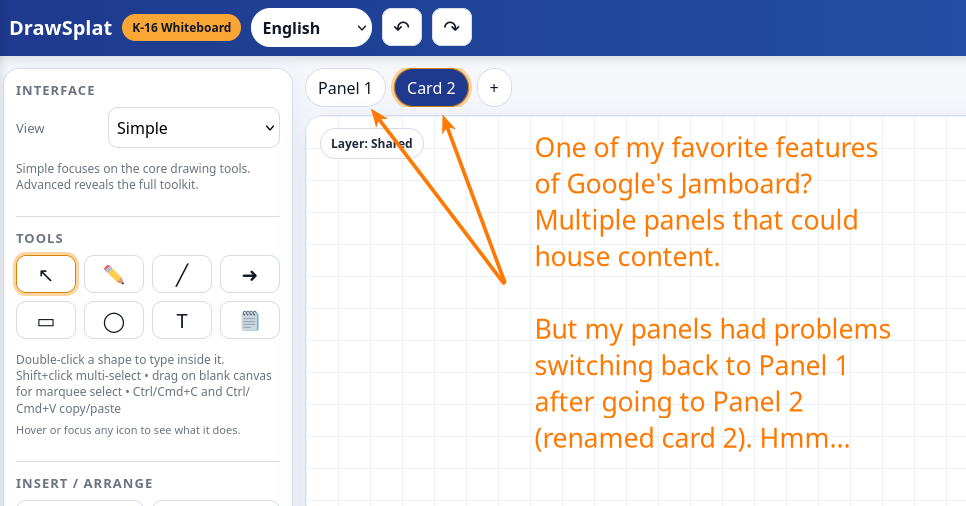
It took about two rounds of trouble-shooting before the Gen AI discovered what the issue was. Of course, my interest as a non-programmer was simply to get it fixed. Here’s the report AFTER the error was fixed:
Fixed and rebuilt.
What was wrong
The panel tabs depended on panel IDs, but older/local autosaved boards could have panels without IDs. That made Panel 1 impossible to target after adding or switching panels. The
+tab also needed more robust delegated click handling.What changed
- Every panel now gets a stable ID during board migration.
- Older browser autosaves with missing panel IDs are repaired automatically on load.
- The top
+panel tab now uses delegated click handling.- Panel tabs now include both:
data-panel-id- fallback
data-panel-index- Internal version bumped to DrawSplat v2.2.
- README updated with the panel hotfix notes.
More work is left, but hey, that’s always true, isn’t it? A practiced programmer probably can see a million avenues for improvement. But for two hours of work, not bad.
Security Concerns
One of my nagging concerns is putting this type of solution out there and it being co-opted by those with bad intent. How could DrawSplat be better secured? There were a lot of concerns but this is what ended up being done:
README security warning added
- Added a reasonable public deployment warning covering:
- internet-facing hosting
- user-generated content
- uploads
- Google Apps Script exposure
- hidden UI not being true security
- student-data cautions
- recommended headers and deployment practices
Code-level hardening added
- Blocks SVG image uploads.
- Restricts images to PNG, JPG/JPEG, WebP, and GIF.
- Restricts audio to common browser-safe audio formats.
- Adds file-size limits:
- images: 5 MB
- audio: 12 MB
- board imports: 8 MB
- Adds safer board import error handling.
Could more be done? Probably.
For now, I’m at DrawSplat v2.4. The next version? I’m going to give it all to Claude Code and see what it can do. Stay tuned for the next blog entry.
Spoiler alert: Claude Code did a complete update and I ended up with what I hope is a better version. You can access DrawSplat v2.5 at https://go.mgpd.org/drawsplat
Discover more from Another Think Coming
Subscribe to get the latest posts sent to your email.
 Another Think Coming