

“What kind of tool do you need as a college student?” I asked my niece attending college. She replied: “I’ve been trying to use Quizizz to study content for my class. It’s not working as well as I want.”
That got me thinking. Would it be possible to make a simple quiz and flashcard maker tool she could use to drop in questions and answers?
Another question I had was, “Could the tool turn what she gave it into a quiz or flashcard she could use to study?”
The answer is “Yes.”
Introducing the DrawSplat Quiz and Flashcard Studio
The Quiz and Flashcard Studio is part of DrawSplat.org, a collection of helpful tools (e.g. animated GIF maker, Concept Map Maker, Mermaid Diagram Studio), classroom widgets, games, and interactive whiteboard that offers a fun experience for youngsters. The standalone tools, or solutions, are intended for use by teachers and students alike. No student data is collected, however, and there is NO GenAI powering any of the tools.
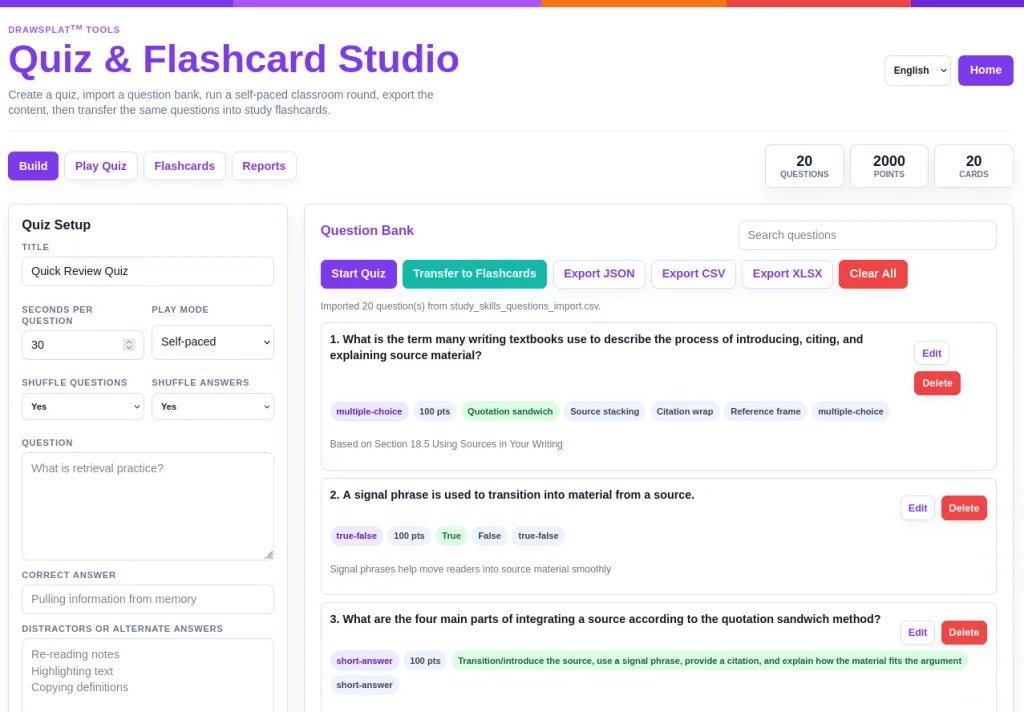
You can even “Play Quiz” to compete against teams (this screenshot below will probably change to a student view only with no play controls sidebar):
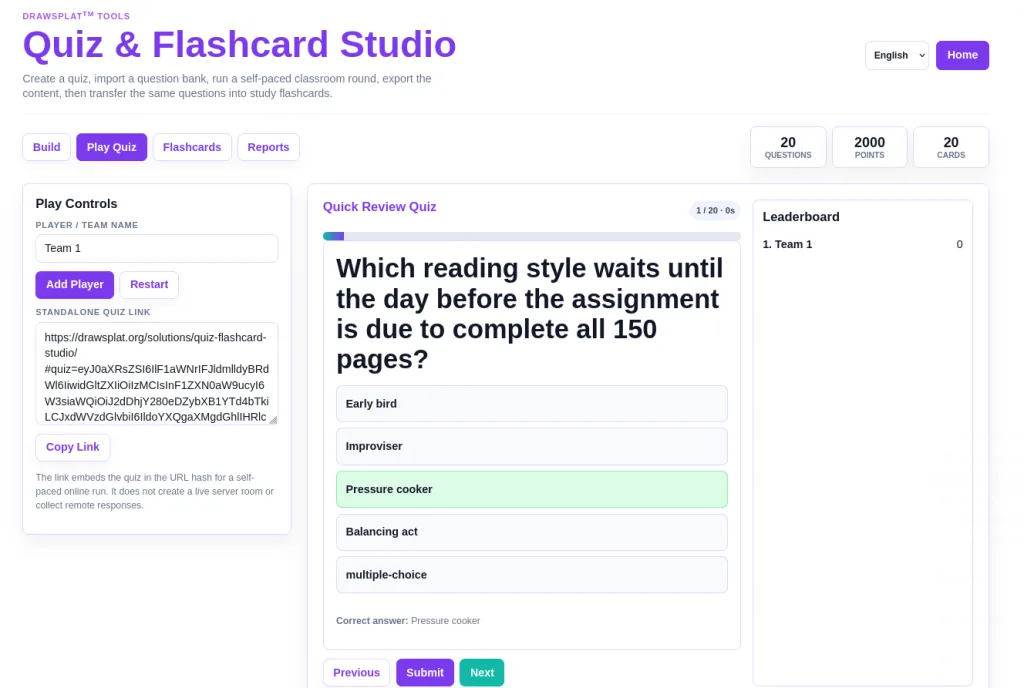
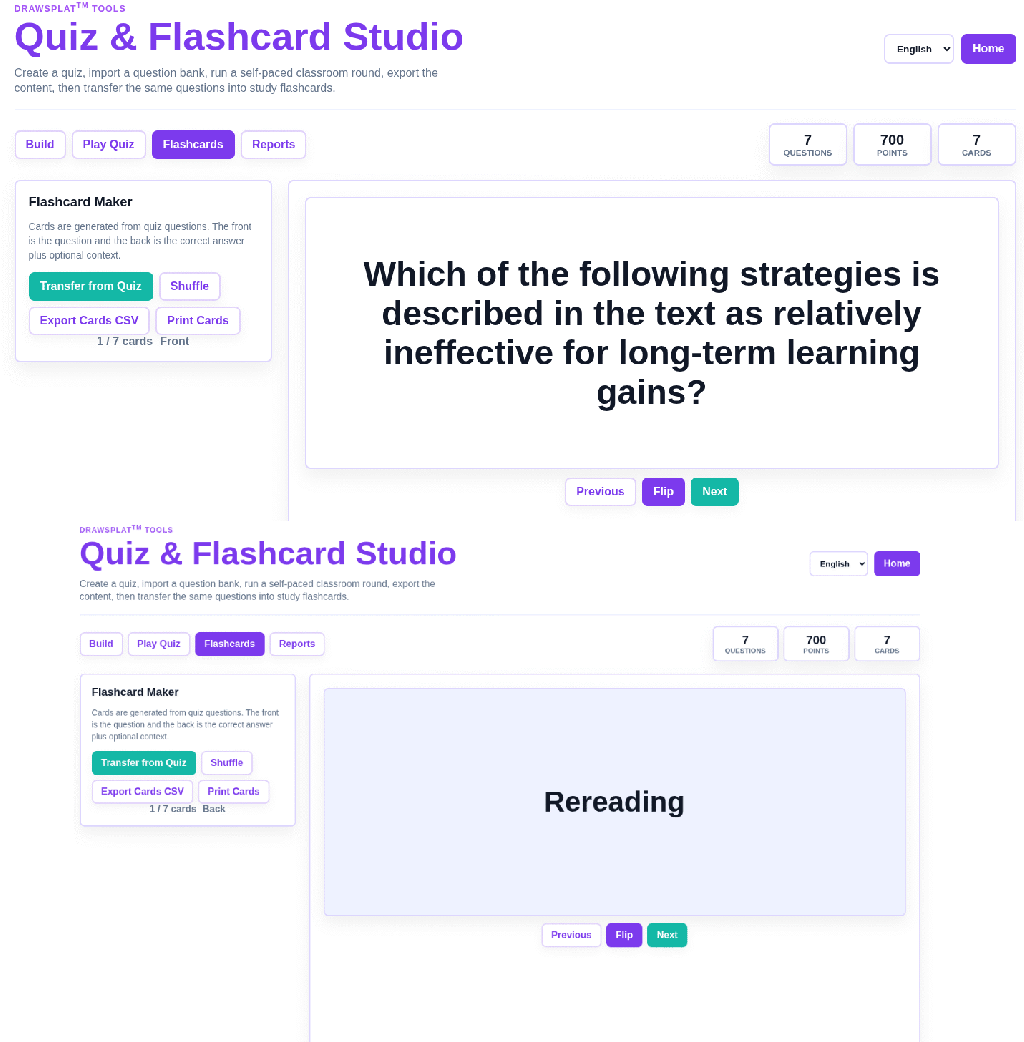
It also allows you to transfer questions and answers into flashcard view that you can use onscreen or print:
Walkthrough Video
You can watch the video at the top of this blog entry to get a quick explanation of how I would generate questions. I took the easy way out to generate questions for the video, but you will, of course, want to be sensitive to putting anyone’s content in an AI for processing. In this case, I put LibreCommons guide, The Introduction to College Composition, shared under CC-BY-SA-NC 4.0 license, into BoodleBox.
This GenAI tool, BoodleBox, which you may not be familiar with, actually allows immediate deletion of chats and file attachments. It also enjoys an enterprise level agreement that safeguards the data shared and that data is also not kept/stored. I highly recommend it since it’s the only $20 a month Gen AI multi-model tool that does this that I am aware of.
Here’s a quick write-up of the steps I followed:
1. Download the format specifications in either CSV or JSON format (all chatbots probably support the CSV version, but only some support JSON) for the quiz
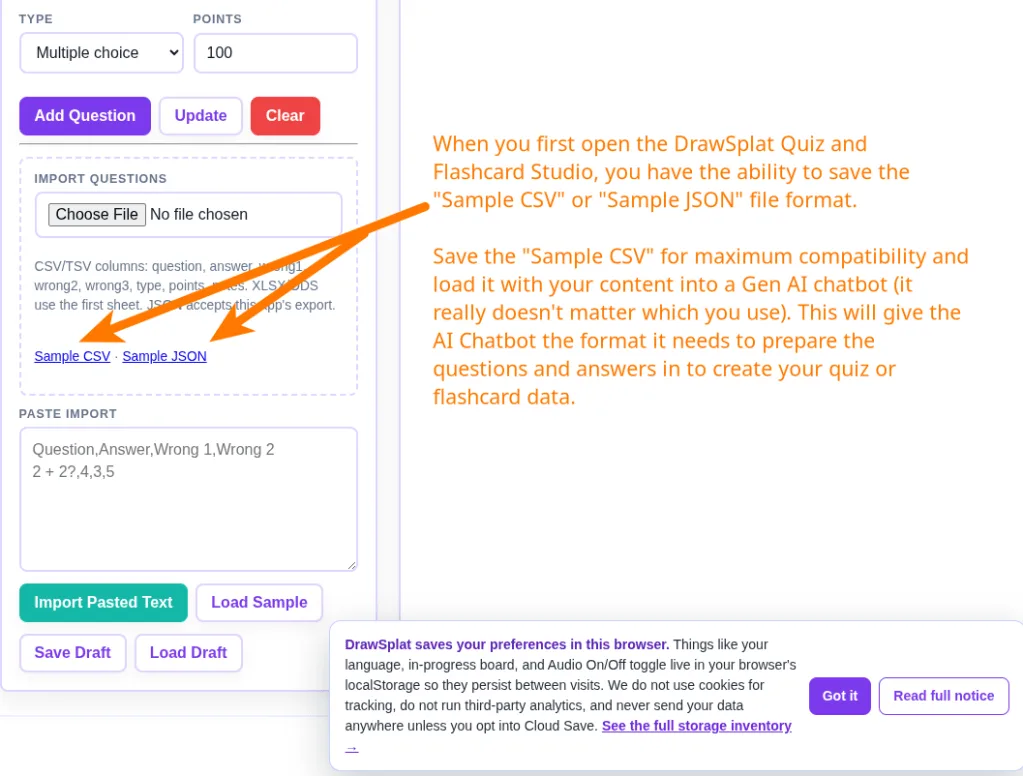
2. Obtain a digital copy of the text and upload both files to the chatbot of choice. I’m going to use a blog entry I wrote.
Here’s the prompt:
Come up with questions and answers from the PDF that match the CSV format specification. Each question should be complete as should the answer
Here’s what that looks like:
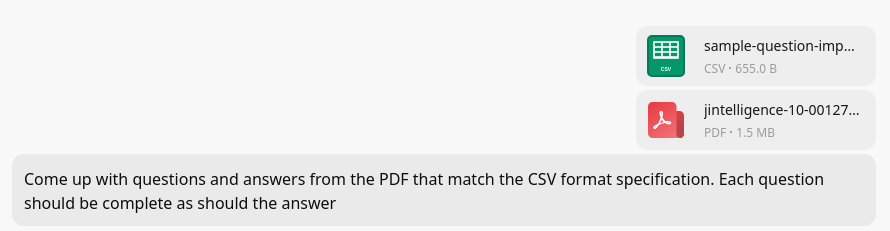
Note: Depending on how “smart” your AI is, you may have to also add the instruction, “Use the comma as the field delimiter.” If you’re using ChatGPT, Claude, or Gemini, you’re probably OK. Use a free AI chatbot (like Z.ai), and you will have to be this specific.
3. Go and tell the AI to execute. You will get a response, similar to what is shown below, that you can save as a text file with the filename extension of CSV, like myquizquestions.csv
question,answer,wrong1,wrong2,wrong3,type,points,notes
”Which of the following strategies is described in the text as relatively ineffective for long-term learning gains?”,“Rereading”,“Retrieval practice”,“Pretesting”,“Self-explanation”,“multiple-choice”,“100”,""
"In Study 1, participants were randomly assigned to imagine students falling into which three performance categories?”,“Bottom-10%, average, and top-10%”,“Failing, passing, and honors”,“Novice, intermediate, and expert”,“Visual, auditory, and kinesthetic”,“multiple-choice”,“100”,""
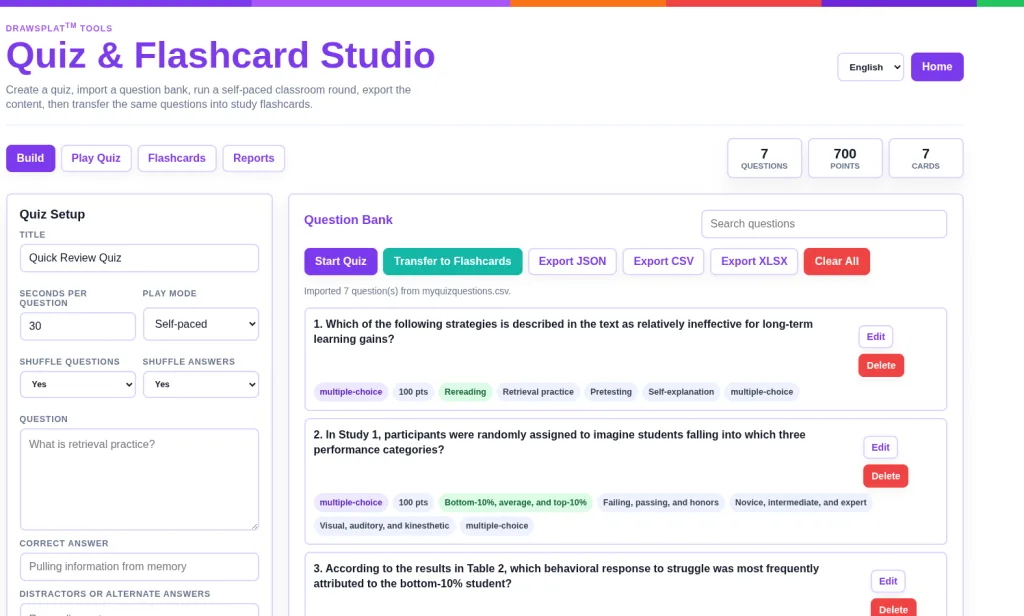
4. Import the CSV into the DrawSplat Quiz and Flashcard Studio:

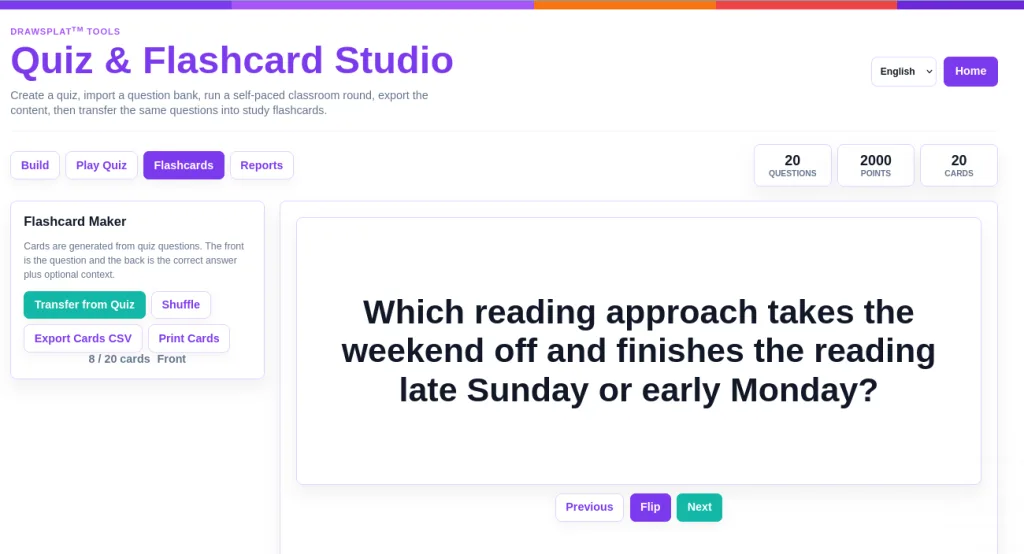
At this point, you will have the Question Bank full of the questions and answers. You can Start Quiz to take it, or better, spend some time with Flashcards to learn the information better.
Here’s the flashcard view (an animated GIF made with DrawSplat’s Animated GIF Maker):
That’s all there is to it! Watch the video.
More enhancements are planned. Think of this as the “v1.5” version. ;-)