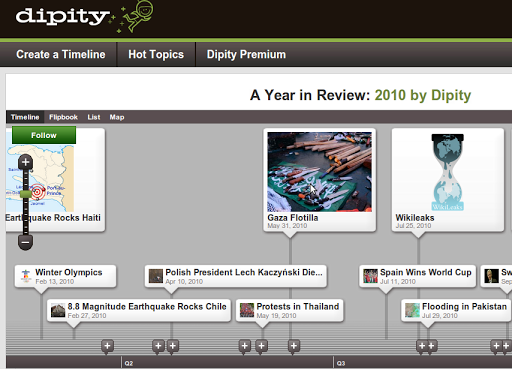
Terry Roberts shared the following Glogster project via the Google-Certified Teachers list. More importantly, perhaps, he shared a variety of tutorials introducing Glogster (digital poster maker that allows embedding of a variety of media) and Dipity (a free digital timeline tool).
Thanks to Terry for his hard work and sharing….
- Create a Glog Project – From his instructions….”For this project you are to pick a person that you admire, or respect, or maybe you just want to know more about him or her. You will be creating a Glog – an interactive poster that includes pictures, graphics, links, video, quotes, and more – about the person, as well as a digital timeline highlighting events in his or her life. Your Glog will be posted where other students and teachers can view them; and, you can view other people’s Glogs as well.”
- List of video tutorials for Glogster:
- Introduction and Overview
- Creating the Glog Part 1: Setting up the Glog and the Glog Wall
- Creating the Glog Part 2: Page Wall, Naming, Saving and Previewing
- Creating the Glog Part 3: Hyperlinking and Graphics
- Creating the Glog Part 4: Hyperlinking, Graphics, and adding Images (continued)
- Creating the Glog Part 5:adding video
- Publishing Your Photo Credit List and Linking on the Glog
- Copyright (or nearly) copyright free image sites to explore.
- How to Collect Images for your Glog Part 1
- How to Collect Images for your Glog Part 2
See it all in context on Terry Roberts GoogleDocs page!

 pingthis();
  Bookmark this on Delicious
 Subscribe to Around the Corner-MGuhlin.org
Everything posted on Miguel Guhlin’s blogs/wikis are his personal opinion and do not necessarily represent the views of his employer(s) or its clients. Read Full Disclosure
Discover more from Another Think Coming
Subscribe to get the latest posts sent to your email.
 Another Think Coming