

Over the last few weeks, as I have engaged in vibe-coding, I’ve wondered, “What would it be like to drop WordPress.com as my host?” The reasons why have grown over time:
- Cost
- Increasing costs for custom HTML embeds via iFrame (which should be allowed but aren’t unless you’re paying more or are on some other plan
- Being able to password a post AND pin it at the same time (I mean, what’s so hard about that?)
So I wondered, could I have Codex design a blog editor, as well as redesign my blog site?
A New Look

The answer is, “Yes, absolutely!”
What It Started As
The first view of the new blog was pretty rudimentary, but ChatGPT Codex reassured me that the look was only temporary:
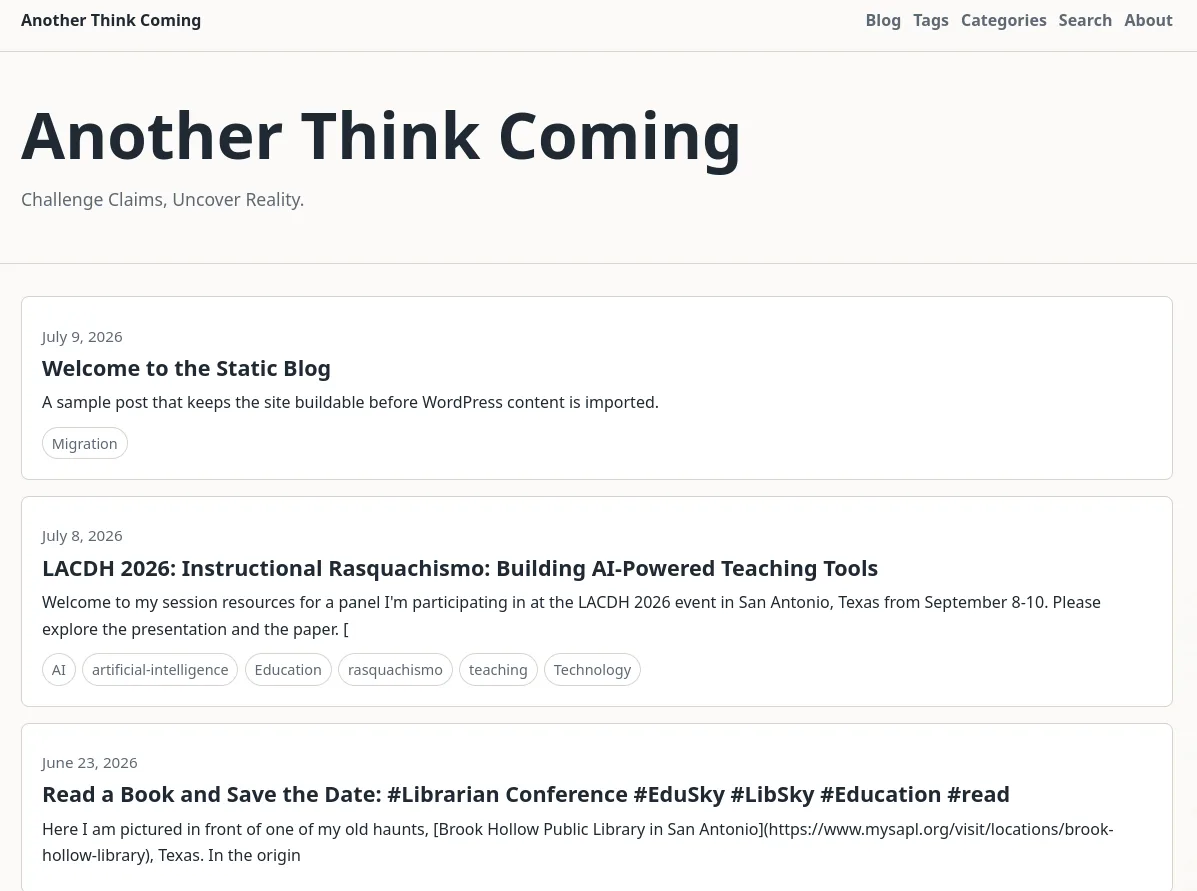
But it got better with every passing moment. After two hours of work (me complaining in natural language to Codex and it making the adjustments), I not only had a new blog, but one I could easily embed content in, such as:
Preditor: A Vibe-Coded GitHub Blog Editor
I also wanted a cool looking blog editor that I could run from a flash drive:
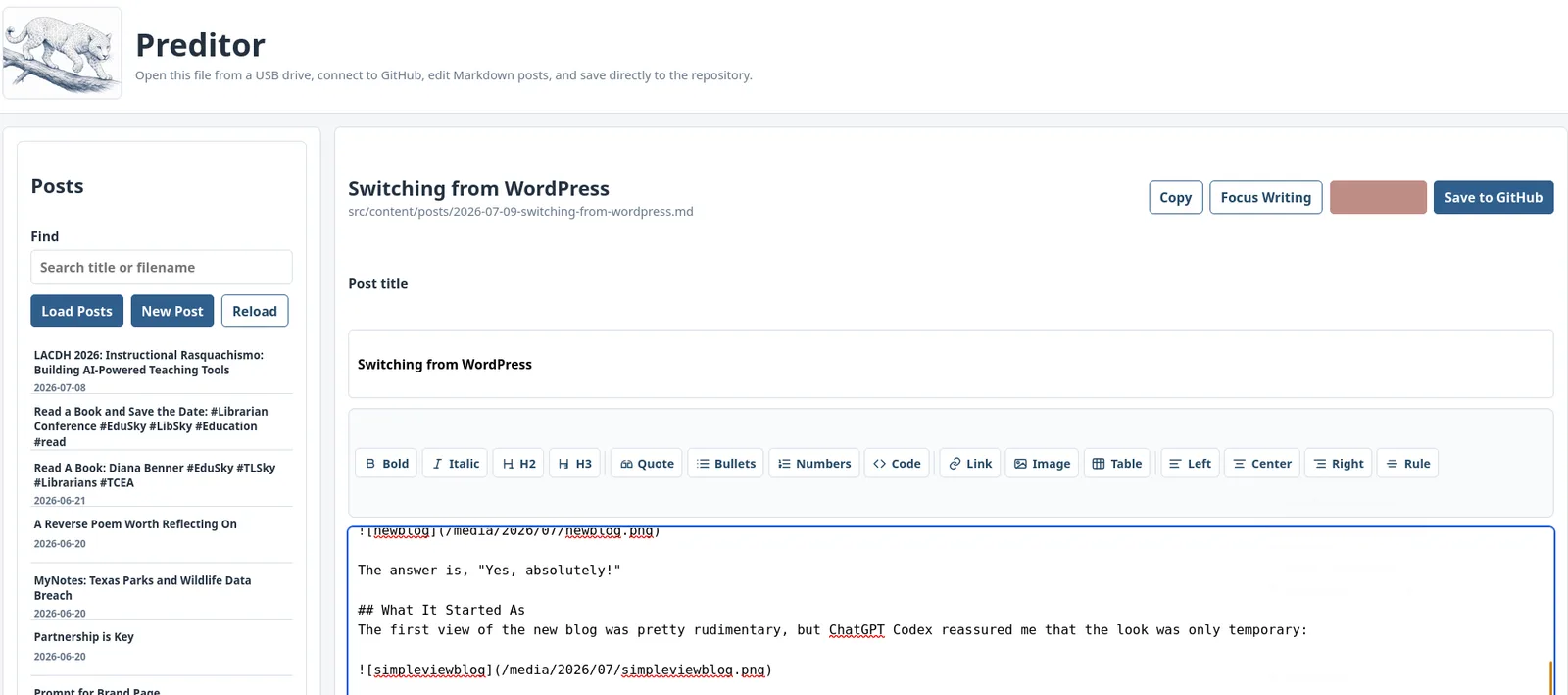
It works really well and even can import markdown or HTML files, handle HTML in the editor, and offers a split view of markdown and live view:
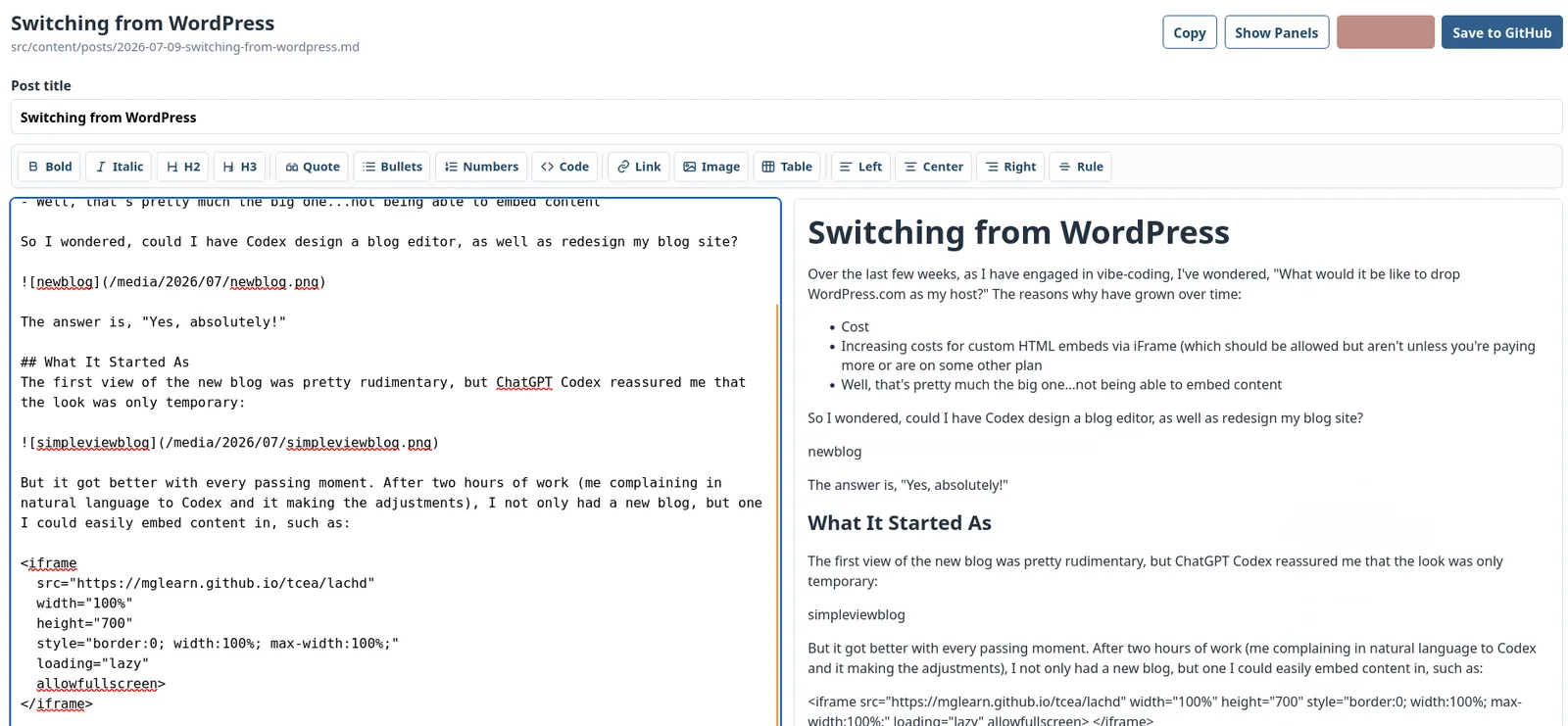
Process to Transition from WordPress to GitHub->Cloudflare hosted
The cost of transition? I had to use Codex to handle the transition, so there’s a cost there. But not much since I already had Codex available to me (I pay for the $100 a month for now since I’m doing heavy work and it makes it easier). WordPress costs $8 a month, but to be able to embed content the way I wanted, I would have had to pay for it.
Here’s a description of the process from Codex’ perspective:
Switching from WordPress to GitHub and Cloudflare
Here is the short version of the process I followed to move this blog from WordPress.com to a static site hosted from GitHub and deployed through Cloudflare Pages.
1. Export the WordPress Content
The first step was getting the existing content out of WordPress. WordPress provides an export file with posts, pages, categories, tags, dates, authors, and other metadata. That export became the source for rebuilding the blog as Markdown files.
Media was handled separately. Images and other uploads had to be downloaded from WordPress, reviewed, cleaned up, and copied into the new site structure.
2. Convert Posts to Markdown
The exported WordPress posts were converted into Markdown files. Each post became a file in the site repository, with frontmatter at the top for details like title, publication date, categories, tags, featured image, and draft status.
This made the blog easier to preserve, search, edit, and move in the future. The content is no longer locked inside a database.
3. Build the Site with Astro
The new blog uses Astro, a static site generator. Astro turns the Markdown files into regular HTML pages. That means the finished site is fast, portable, and does not need a WordPress server or database to display posts.
The site includes blog posts, pages, tags, categories, RSS, search, sidebar widgets, and media files.
4. Store Everything in GitHub
The entire site lives in a GitHub repository. That includes the Astro code, Markdown posts, images, RSS/search files, and supporting scripts.
GitHub now acts as the source of truth. When a post or file changes, the change is committed to the repository.
5. Deploy with Cloudflare Pages
Cloudflare Pages watches the GitHub repository. When a new commit is pushed, Cloudflare automatically builds the Astro site and publishes the updated static pages.
This gives the site a modern deployment workflow:
- Edit content.
- Save changes to GitHub.
- Cloudflare builds the site.
- The public site updates automatically.
6. Keep the Domain Parked Until Ready
The existing domain stayed pointed at WordPress.com while the new Cloudflare version was built and tested. This avoided breaking the live site during the transition.
Only after the Cloudflare version was working correctly should the domain be switched from WordPress.com to Cloudflare.
7. Add a Lightweight Editor
To make posting easier, I added a portable editor called Preditor. It can load posts, edit Markdown, upload images, and save changes directly to GitHub.
That means editing does not have to happen from only one computer. The blog can be updated from anywhere, as long as the editor has access to the GitHub repository.
Why This Matters
Moving from WordPress to GitHub and Cloudflare changes the blog from a hosted database-driven system into a portable static site.
The benefits are:
- Faster pages
- Lower hosting complexity
- Content stored as plain Markdown
- Version history through GitHub
- Automated deployment through Cloudflare
- Easier long-term portability
The main tradeoff is that editing becomes more technical than standard WordPress editing, so a lightweight editor helps make the workflow practical.